Best AI professional headshot generator for 2025 (guide)
Best AI professional headshot generator for 2025 (guide)
Your profile photo is often the first thing recruiters, clients, and collaborators see. But not everyone has the time, budget, or confidence to stand in front of a professional photographer.
That’s where an AI professional headshot generator comes in. With the right tool, you can turn a few decent selfies into studio-quality portraits that work on LinkedIn, resumes, personal websites, and business profiles—often in under an hour.
In this 2025 guide, you’ll learn:
- What makes an AI headshot look truly professional (and not “AI fake”)
- How the top AI generators compare
- Step‑by‑step: how to create a polished headshot using HeadshotVIP
- When it still makes sense to use tools like Canva or Aragon instead
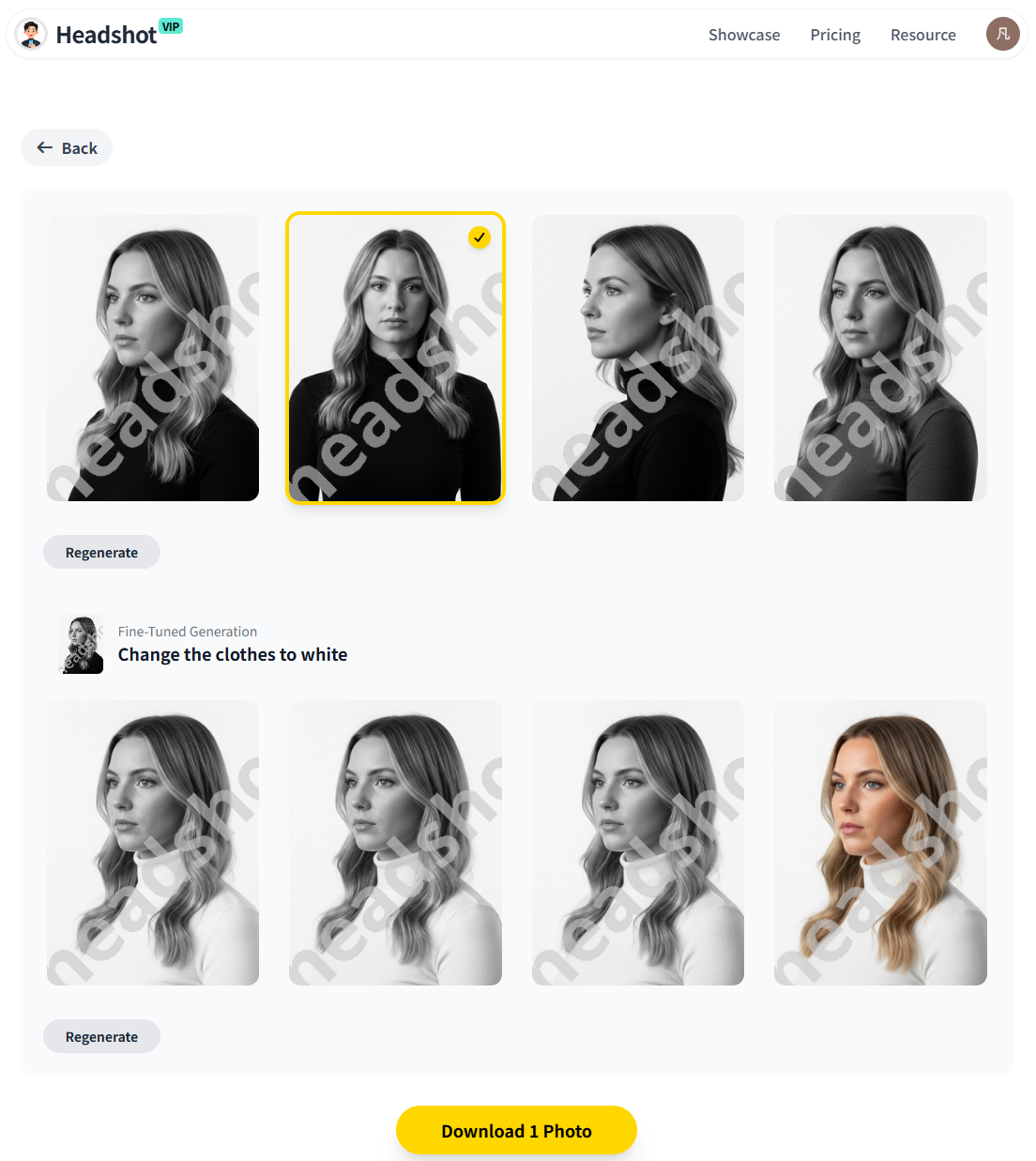
What is an AI professional headshot (and what actually matters)?
An AI professional headshot is a portrait created or enhanced by artificial intelligence based on your real photos. Instead of booking a photographer, you upload a handful of selfies or casual shots, choose a style, and the AI generates multiple options.
From analyzing Canva, Aragon, and independent testers, three things clearly matter most:
Realism and likeness
- Your face should still look like you—same eye color, bone structure, smile.
- No plastic skin, warped features, or “FaceApp filter” vibe.
Professional framing, lighting, and background
- Classic head-and-shoulders composition.
- Clean, distraction‑free backgrounds and flattering light that would pass on LinkedIn or a company “About” page.
Privacy and data handling
- How your photos are stored.
- Whether they’re used to train other models.
- How easily you can delete your data.
Most tools hit one or two of these. Only a few do well on all three—especially across different use cases like LinkedIn, resumes, and brand websites.
How to choose the best AI professional headshot generator in 2025
Before picking a specific tool, it helps to know what you’re optimizing for. Different generators shine in different scenarios.
1. Match the tool to your main use case
Think about where you’ll use your headshot most:
LinkedIn & job applications
You want neutral, trustworthy, corporate‑friendly photos with minimal “AI gloss.”Personal branding (founders, creators, freelancers)
You might need several looks: casual startup, smart‑casual, and more polished executive styles.Team / business profiles
You need consistency: same background, similar framing, similar lighting across the whole team.Social media / content creation
You may want more creative styles, filters, or quick edits at low or zero cost.
2. Key criteria to compare
When reviewing AI headshot generators, focus on:
Image quality & resolution
Are the exports crisp enough for LinkedIn, websites, or print if needed?Style control
Can you pick “corporate”, “startup”, “executive”, “creative” or similar?
Some tools (like Canva) are broad design platforms; others (like Aragon) and HeadshotVIP are more specialized.Identity consistency
Do all generated images still look like the same person, or does your face change slightly across shots?Speed & ease of use
Is it a simple upload → choose style → download flow, or do you have to fiddle with complex settings?Privacy
Look for clear privacy policies, deletion options, and ideally, no use of your data for training without consent.Pricing for your situation
- One‑time packs are good for job seekers.
- Mid‑tier plans are better for ongoing brand content.
- Team plans are ideal for startups and companies.
Best AI headshot options for 2025: where HeadshotVIP fits
Here’s where the main types of tools sit based on the references and current market:
- HeadshotVIP – Best balance of realism, privacy focus, and business‑ready styles for LinkedIn, resumes, and team profiles.
- Dedicated AI headshot tools (e.g., Aragon, BetterPic, HeadshotPro) – Great realism and variety; often shine for specific styles or very large batches.
- Design platforms (e.g., Canva) – Good if you want a free or low‑cost option integrated with templates and social media graphics.
- One‑off experimental tools – Fun, but often weaker on privacy, consistency, or support.
The rest of this guide will show you exactly how to use HeadshotVIP for professional results, then compare it with an alternative method inspired by Canva and Aragon.
Method 1: Using HeadshotVIP (Recommended)
Use Case:
Professionals, job seekers, freelancers, founders, and teams who want realistic, business‑appropriate AI headshots for:
- LinkedIn and professional networks
- Resumes and CVs
- Company websites and About pages
- Pitch decks, speaker bios, and press kits
HeadshotVIP is built specifically for this scenario: it focuses on realistic, 4K‑ready business portraits, with strong attention to privacy and style consistency—especially useful if you need multiple versions or team photos.
Step‑by‑step: create an AI professional headshot with HeadshotVIP
Go to HeadshotVIP
Visit the official site: https://headshot.vipChoose the right plan for your needs
- Starter – Best if you just need a handful of new photos for LinkedIn or a resume.
- Professional – Better if you’re a founder, creator, or freelancer needing more styles and higher‑resolution exports.
- Team / Business – For startups or companies that need consistent headshots across the whole team.
Prepare your source photos
For best results, collect 6–15 photos that:- Show your face clearly, without heavy filters.
- Include different angles (front, slight left, slight right).
- Have decent lighting (near a window or outdoors, not in the dark).
- Avoid sunglasses, hats, or big hair obstructions where possible.
The better your input, the more natural your AI professional headshot will look.
Upload your selfies
- Create your account and start a new headshot project.
- Upload your curated photos (HeadshotVIP will typically guide you on minimum/ideal photo count).
- Confirm your gender and basic details if requested, so the AI can better match clothing and style.
Select your styles (LinkedIn, corporate, startup, etc.)
HeadshotVIP focuses on business‑oriented styles, such as:- LinkedIn classic – Neutral background, business‑casual or suit.
- Corporate – More formal, ideal for finance, law, consulting, and enterprise tech.
- Startup / creative – Softer backgrounds, approachable clothing, more relaxed expressions.
- Executive – Strong lighting and framing for leadership bios and press.
You can usually pick multiple styles in Professional or Team plans.
Generate your headshots
- Confirm your choices and start generation.
- The AI builds an identity‑consistent model of your face, then renders a batch of headshots in your chosen styles.
- Processing typically takes minutes to under an hour depending on plan and queue.
Review, select, and download your favorites
- Browse your gallery of AI results.
- Shortlist the photos that look most like you and fit your use case (LinkedIn vs website vs pitch deck).
- Download in high resolution (optimized for LinkedIn, resumes, and web profiles).
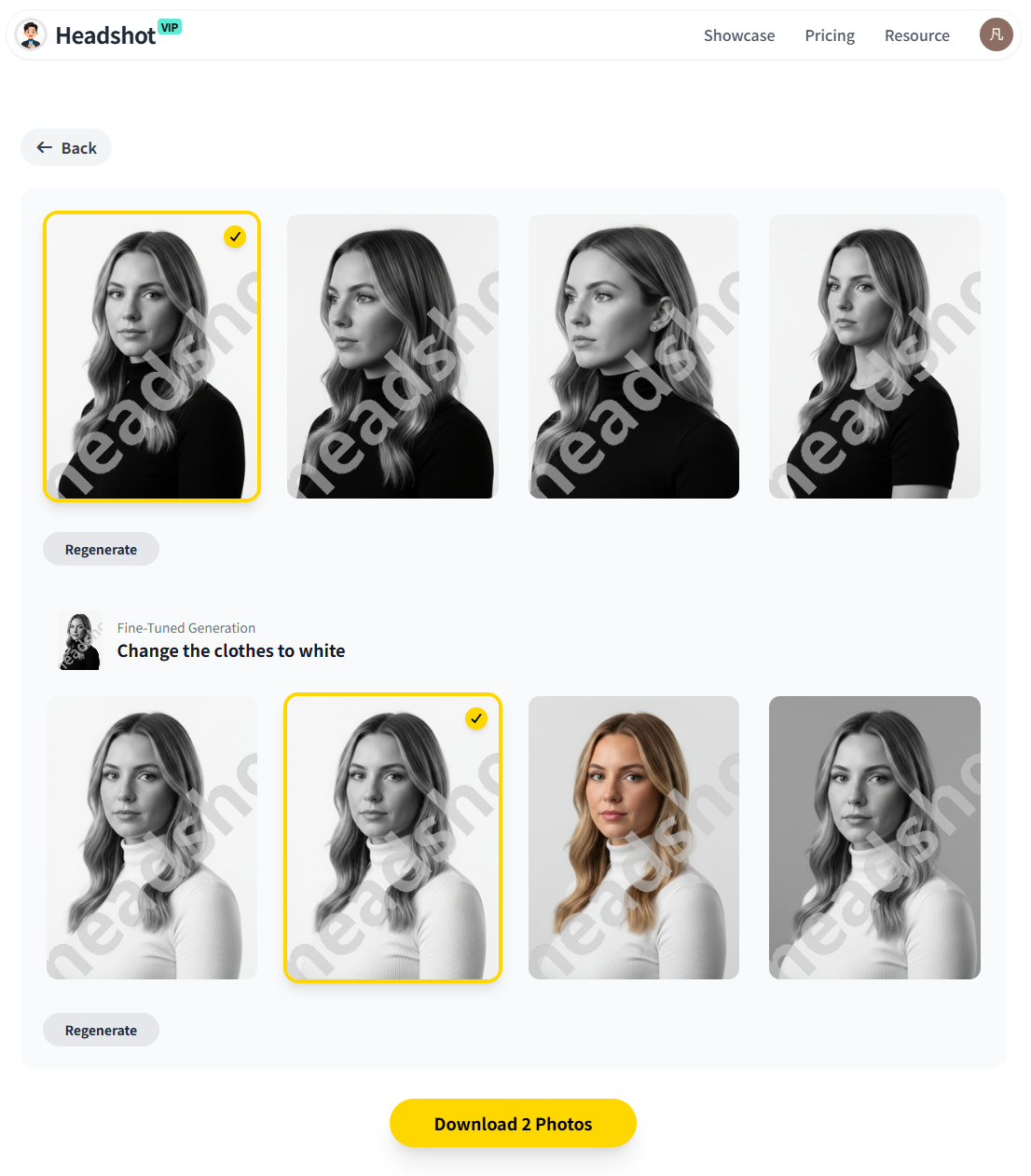
(Example of AI‑generated professional headshots suitable for LinkedIn and corporate profiles.)
Why choose HeadshotVIP for AI professional headshots?
✅ Business‑first styles
Everything is tuned for professional use—LinkedIn, resumes, bios—not cosplay or novelty filters.✅ High‑resolution, 4K‑capable outputs
Sharp enough for LinkedIn profile photos, websites, and even print‑quality business cards.✅ Realistic identity consistency
Advanced facial recognition and identity modeling keep your face recognizable across styles and poses.✅ Privacy‑focused handling
HeadshotVIP is built with privacy as a core principle—images are processed with strict controls, and there’s a clear boundary between your data and general model training.✅ Team‑ready consistency
Batch generation ensures your whole team looks aligned: same visual style, similar framing, and cohesive brand presence.✅ Optimized aspect ratios
Outputs are tailored for LinkedIn, CV headshots, and About pages, so you don’t have to crop awkwardly.
Honest limitations of HeadshotVIP
To stay transparent and trustworthy:
⚠️ Input quality still matters
If your selfies are dark, blurry, or heavily filtered, the AI has to “guess” more, which can reduce realism. Take a few simple, well‑lit shots for best results.⚠️ Limited manual retouching
Compared to a traditional photographer plus a retoucher, you have less granular control over micro‑adjustments and exact poses.⚠️ Not a full design suite
If you need social media graphics, posters, or slide layouts alongside your photos, you’ll still want a tool like Canva in your toolkit.
Method 2: Using general design/AI platforms (e.g., Canva, Aragon & others)
There are two big alternatives to a specialized tool like HeadshotVIP:
- All‑in‑one design platforms with AI headshots (e.g., Canva)
- Other dedicated AI headshot generators (e.g., Aragon, BetterPic, HeadshotPro, AI SuitUp, etc.)
Option A: AI headshots in Canva (good for free/occasional use)
Canva offers an AI headshot generator inside its design platform. It’s convenient if you already use Canva for resumes, social posts, or presentations.
How it works (simplified):
- Open Canva on web or app and create a design (or blank canvas).
- In the left sidebar, open Apps and search for ProfilePhoto / AI headshot.
- Upload a selfie, choose your gender identity, and enable/disable “preserve expression.”
- Generate, then fine‑tune using Canva’s tools (background remover, filters, etc.).
- Export the image or place it directly into your LinkedIn banner, resume, or portfolio.
Pros of Canva‑style tools
👍 Free or very low cost for a few headshots
Great if you just need one decent profile picture and already pay for Canva or are okay with daily free credits.👍 Integrated design environment
You can drop your new headshot straight into a LinkedIn banner, resume template, or portfolio layout.👍 Quick workflow
Simple for non‑technical users; no need to understand AI models or styles.
Cons compared to HeadshotVIP
👎 Less specialization for business headshots
Canva’s AI is broad and multi‑purpose; styles may feel more “filter‑like” than true studio portraits.👎 Limited identity/model customization
You usually don’t get a dedicated identity model; consistency across many outputs can be hit‑or‑miss.👎 Resolution and control
Good enough for web, but not focused specifically on 4K‑style, ultra‑polished business portraits.
Option B: Other dedicated AI headshot tools (Aragon, etc.)
Independent testers (like the Substack author who reviewed 30+ tools) often highlight tools such as:
- Aragon AI – Known for a large number of usable outputs and fast processing.
- BetterPic, Proshoot, HeadshotPro, AI SuitUp – Each with their own strengths in realism, outdoor looks, or pricing.
These tools can be very strong if you:
- Want dozens to hundreds of variations.
- Care a lot about mixing outfits/backgrounds.
- Are okay comparing several tools to find your personal favorite.
Pros
👍 High realism on some platforms
Many are optimized for “indistinguishable from real photo” results, especially in certain lighting styles.👍 Advanced style packs and remix tools
Background swaps, outfit changes, extra themes (dating, “old money”, glamour, etc.) can be quite powerful.👍 Team options (on select platforms)
Some offer team headshots with consistent backgrounds and clothes.
Cons vs HeadshotVIP
👎 Broader focus, not always business‑first
Some tools lean heavily into entertainment, fashion, or social‑media‑friendly packs.👎 Privacy varies by provider
You’ll need to read each privacy policy carefully to understand how your data is stored and used.👎 Overkill for simple needs
If you just need 6–10 polished headshots for LinkedIn and your website, the huge pack sizes and feature sets can be unnecessary.
Comparison: HeadshotVIP vs Canva vs a typical dedicated tool
Below is a simplified comparison of HeadshotVIP vs a general design tool (like Canva’s AI headshot) and a typical dedicated AI headshot service (like Aragon). Specific details vary per provider, but the pattern is consistent.
| Feature / Use Case | Canva‑style AI headshot | Typical dedicated tool (e.g., Aragon) | HeadshotVIP |
|---|---|---|---|
| Main focus | General design + AI | AI photoshoots & experiments | Professional business headshots |
| Best for | Occasional users, free/cheap profile pics | Large batches, many style packs | LinkedIn, resumes, founders, teams |
| Realism & face likeness | Moderate | High (varies by tool) | High, business‑appropriate |
| Identity consistency across many photos | Limited | Good | Strong |
| Style options (business‑focused) | Basic | Wide range (incl. playful styles) | LinkedIn, corporate, startup, executive |
| Resolution for LinkedIn & websites | Good | Good–Excellent | Excellent, 4K‑ready |
| Team / company headshot consistency | Manual only | Available on some tools | Built‑in team / business options |
| Privacy emphasis | Standard SaaS policy | Varies widely | Privacy‑focused positioning |
| Design templates (resumes, banners, posts) | Extensive | Limited or none | Limited (photo‑first) |
| Setup complexity | Very easy | Easy | Easy |
When to pick which:
- Choose HeadshotVIP if you want professional, realistic, privacy‑aware headshots across LinkedIn, resumes, and business profiles—especially if you’re also doing this for a team.
- Choose Canva AI headshots if you want a free/low‑cost option and plan to immediately place the photo into designs (resumes, banners, posts).
- Choose a tool like Aragon/BetterPic if you want a huge volume of photos or specific creative packs beyond strictly professional uses.
Tips to get realistic AI professional headshots (whatever tool you use)
No matter which generator you choose, these practical tips will dramatically improve your results.
1. Start with better input photos
AI can enhance, not perform miracles. Aim for:
- Neutral background if possible (a plain wall is fine)
- Natural light from a window, facing you or slightly to the side
- No heavy filters or beauty apps—these confuse the model
- Head and shoulders in frame, with your eyes at about the top third of the image
- A relaxed, natural expression you’d be comfortable showing a hiring manager
2. Match clothing to your industry
Even if the AI can change outfits, it helps to give it a clear signal:
- Corporate / finance / law: Suit, blazer, button‑down shirt, minimal jewelry.
- Tech / startup / creative: Smart‑casual (solid color shirt or sweater, neat casual jacket).
- Freelancers / consultants: Slightly more expressive, but still professional—avoid loud patterns.
HeadshotVIP’s business‑focused styles are designed to keep you on the safe side of “professional” for most industries.
3. Choose the right background
- For LinkedIn and resumes, a simple neutral or softly blurred office background works best.
- For founder or personal brand sites, you can be a bit more creative—subtle color gradients or lightly stylized backgrounds.
- Avoid backgrounds that scream “AI fantasy” (outer space, neon signs, surreal art) for anything career‑related.
4. Always sanity‑check realism
Before you upload your new photo anywhere important, ask:
- Does this still look like me on a normal, good day?
- Are the eyes, teeth, and skin texture natural—not plastic or over‑smoothed?
- Would I be comfortable explaining this photo to a recruiter who asks, “Was this done professionally?”
If you’re unsure, generate a few more variations and pick the most natural one.
For more practical tips, you can also read:
FAQ: AI professional headshots in 2025
Q1: Are AI professional headshots acceptable for LinkedIn and resumes?
Yes—when done well. According to recent coverage of AI headshots in outlets like The Washington Post and Entrepreneur, many recruiters can’t reliably tell high‑quality AI headshots from studio shots, and often care more about clarity, professionalism, and consistency than the exact capture method. Just avoid extreme retouching or unrealistic styles.
Q2: How many photos should I upload to an AI headshot generator?
Most tools work well with 6–15 good photos. More is not always better; quality beats quantity. Include a mix of angles and expressions, but keep lighting and resolution decent. Avoid duplicates or near‑identical images from the same burst—variety helps the model understand your facial structure better.
Q3: Is my data safe with AI headshot tools?
It depends on the provider. Some platforms clearly state that your images won’t be used to train future models without consent and offer account deletion options. When in doubt:
- Read the privacy policy and security page.
- Check for mentions of SOC 2, GDPR compliance, or similar frameworks.
HeadshotVIP is positioned as a privacy‑focused solution, with strict handling of user images and a clear separation between your data and general training data.
For more on this topic, see:
Summary: which AI professional headshot generator should you use in 2025?
If you want AI photos that you can confidently use on LinkedIn, resumes, company bios, and business profiles, you need:
- Realistic, identity‑consistent images
- Business‑appropriate styles (not just fun filters)
- High‑resolution exports that work on professional platforms
- Clear, trustworthy privacy practices
HeadshotVIP focuses directly on this gap: turning everyday selfies into studio‑quality professional portraits for individuals and teams, with privacy and 4K‑ready output as core priorities. General tools like Canva or broad AI photo platforms can still be useful—especially for free tests or creative side projects—but for your career‑critical headshot, specialization matters.
Try HeadshotVIP Now:
- Starter: from $6.99 – ideal for job seekers needing a fresh LinkedIn/resume photo
- Professional: from $9.99 – for founders, freelancers, and creators needing multiple styles
Related Articles
- ai-professional-headshot-branding-guide-2025
- best-ai-professional-headshot-tools-for-business-2025
- ai-professional-headshot-examples-ideas-for-linkedin-2025
Current Date: 2026-02-02