AI professional headshot examples & ideas for LinkedIn (2025)
AI professional headshot examples & ideas for LinkedIn (2025)
If your LinkedIn photo still looks like a cropped vacation pic, you’re not alone. Many professionals want to use an AI professional headshot generator, but get stuck on a more basic question: what should the final headshot actually look like?
Should you smile? Wear a blazer? Use a white background or an office? And how do you get AI to match the style you have in mind without weird results?
This guide walks through proven, high-converting headshot styles for different roles (corporate, startup, creative, executive, remote worker, and more). You’ll see clear examples, pose and outfit tips, background ideas, and how to quickly recreate each look with HeadshotVIP.

What makes a great AI professional headshot for LinkedIn?
Before you pick a style, it helps to know what actually works on LinkedIn and business sites.
1. Framing and crop
For LinkedIn and most business uses:
- Crop: Head and shoulders, sometimes down to mid-chest
- Orientation: Square or 4:5 works best; LinkedIn profile photos display as a circle
- Space: Leave a little room above your head so nothing gets cut off
Avoid: Full‑body shots, heavy crops that cut into the chin or hairline, or busy “group photo” crops.
2. Expression and body language
People scan your face in milliseconds. You want to look:
- Approachable: slight or full natural smile
- Confident: relaxed posture, shoulders back, neck long
- Engaged: looking into the camera lens, not off to the side
For most roles, a soft, genuine smile outperforms a stone-cold “serious” look. Think “warm professional,” not “passport photo.”
3. Background and lighting
Your background should:
- Be simple and non-distracting (solid, gradient, soft blur, or subtle office scene)
- Contrast with your clothing and hair so you stand out
- Be evenly lit, without harsh shadows
When using an AI-generated headshot tool, aim for:
- Soft, even lighting (studio or bright window feel)
- Light or mid-tone backgrounds (white, light gray, muted blue, blurred office)
4. Clothing and styling
The goal: match (or slightly level up) the norms of your industry.
- Tech / startup: smart casual (shirt / blouse, optional blazer)
- Corporate / finance / law: tailored blazer or suit, solid or subtle patterns
- Creators / freelancers: clean, modern, a bit more personality in color or texture
- Remote worker / general: neat top, simple neckline, avoid logos
AI tools like HeadshotVIP will simulate clothing, but your reference selfies still matter (hair style, glasses, facial hair).
7 high-converting AI professional headshot styles (with examples & prompts)
Below are practical styles that work well specifically for LinkedIn and business profiles. For each, you’ll find:
- Who it works best for
- Pose & expression tips
- Background & color ideas
- A sample prompt / preset idea you can re-create in HeadshotVIP
1. Classic corporate LinkedIn headshot
Best for:
Managers, executives, consultants, finance, law, enterprise roles.
Look & feel:
Clean, formal, trustworthy. This is the “LinkedIn default” many recruiters expect.
Pose & crop
- Straight-on or slight 10–20° angle
- Head and shoulders framed tightly
- Relaxed shoulders, chin slightly down (avoids “looking down your nose”)
- Neutral to soft smile
Outfit ideas
- Dark blazer (navy, charcoal, black)
- Light shirt or blouse (white, pale blue)
- Minimal jewelry and accessories
Background ideas
- Light gray or off-white
- Soft gradient (light blue/gray)
- Very subtle blurred office
HeadshotVIP style idea
- Preset: “Corporate / Office – Neutral background”
- Prompt suggestion:
“Classic corporate LinkedIn headshot, head and shoulders, soft studio lighting, light gray background, navy blazer, white shirt, natural smile, sharp focus.”
2. Modern startup / tech professional headshot
Best for:
Engineers, product managers, designers, startup founders, SaaS sales.
Look & feel:
Professional but relaxed. Less formal than corporate, more approachable and modern.
Pose & crop
- Slight angle (15–30°) for a candid feel
- Leaning very slightly forward, friendly expression
- Head and shoulders, a bit of negative space around
Outfit ideas
- Solid-colored shirt, polo, or simple sweater
- Optional blazer over a t-shirt
- Simple watch or subtle accessory
Background ideas
- Light, blurred office or coworking space
- Soft pastel or muted color wash (blue, teal, soft green)
- Subtle light leaks (but avoid anything too “Instagram-filter-like”)
HeadshotVIP style idea
- Preset: “Startup / Tech – Casual office”
- Prompt suggestion:
“AI startup headshot, tech professional, casual smart outfit, soft blurred modern office background, natural smile, soft daylight, clean modern color grading.”
3. Creative / personal brand headshot
Best for:
Designers, content creators, marketers, coaches, consultants, authors.
Look & feel:
Distinct, on-brand, slightly more personality than standard LinkedIn photos.
Pose & crop
- Slight angle or even a half-profile
- More expression allowed (bigger smile, subtle laugh)
- Hands optionally in frame (e.g., hand lightly touching chin)
Outfit ideas
- Bolder colors or interesting textures (e.g., mustard, forest green, denim, leather jacket)
- Signature accessories (glasses, statement earrings, simple necklace)
Background ideas
- On-brand accent color behind you (pull from your website or logo)
- Soft gradient or minimal backdrop (bookshelf, studio wall)
- Light bokeh that matches your brand palette
HeadshotVIP style idea
- Preset: “Creator / Branding – Color backdrop”
- Prompt suggestion:
“Professional AI creator headshot, bright but soft colored background, personal brand style, natural laugh, clean modern outfit, editorial lighting, LinkedIn-ready.”
4. Remote worker / digital nomad headshot
Best for:
Remote professionals, freelancers, solopreneurs, distributed teams.
Look & feel:
Professional but clearly remote-friendly. Think “works from laptop anywhere, stays reliable.”
Pose & crop
- Relaxed posture, slight lean or tilt
- Friendly, open smile
- ¾ crop (head to mid-chest)
Outfit ideas
- Clean, wrinkle-free top (knit, shirt, blouse)
- Neutral to warm tones
- Avoid anything that screams “beach vacation”
Background ideas
- Neutral home-office (desk, plant, soft decor)
- Blurred café interior
- Soft daylight, warm tone
HeadshotVIP style idea
- Preset: “Remote / Home Office – Warm”
- Prompt suggestion:
“Remote worker LinkedIn headshot, soft home office background, warm natural light, casual smart clothing, approachable smile, shallow depth of field.”
5. Executive / leadership headshot
Best for:
C‑suite, VPs, directors, founders, board members.
Look & feel:
Authority + warmth. You want “leader” not “intimidating boss.”
Pose & crop
- Straight-on or very slight angle
- Confident posture, shoulders back
- Chin level, direct eye contact
- Subtle, calm smile
Outfit ideas
- Tailored blazer or suit jacket
- High-quality fabrics (wool, structured cotton)
- Classic colors: navy, dark gray, black, deep jewel tones
Background ideas
- Darker, more dramatic gradient (charcoal, dark blue)
- Subtle office or boardroom blurred
- Slight vignette around edges
HeadshotVIP style idea
- Preset: “Executive / Leadership – Dark background”
- Prompt suggestion:
“Executive AI professional headshot, dark gradient background, tailored suit jacket, subtle confident smile, studio lighting with soft highlights, leadership portrait.”
6. Academic / expert / speaker headshot
Best for:
Researchers, professors, speakers, trainers, consultants, authors.
Look & feel:
Credible, thoughtful, approachable. Often reused on conference sites and book bios.
Pose & crop
- Straight-on or slight angle
- Neutral expression with gentle smile
- ¾ crop (head to mid-chest)
Outfit ideas
- Blazer + shirt/blouse OR neat knitwear
- Glasses welcome (they often signal “expert” visually)
- Soft but not flashy colors
Background ideas
- Bookshelf, lecture hall, or neutral office blurred
- Soft white/gray for general use
- Balanced cool/warm lighting
HeadshotVIP style idea
- Preset: “Expert / Academic – Bookshelf”
- Prompt suggestion:
“Professional AI headshot of expert speaker, soft blurred bookshelf background, neat blazer, glasses, thoughtful friendly expression, conference bio style.”
7. Inclusive, gender-neutral & non-traditional styles
Not everyone fits (or wants) the suit‑and‑blazer mold. AI can help you experiment with professional but authentic looks:
Best for:
Non-binary professionals, LGBTQ+ folks, anyone who prefers non-traditional presentation.
Look & feel:
Grounded, confident, reflective of your real-world style.
Pose & crop
- Whatever feels natural for you, as long as the face is clearly visible
- Direct eye contact usually works best on LinkedIn
- Calm smile or neutral expression
Outfit ideas
- Androgynous tailoring (simple shirts, structured jackets)
- Minimalist tops, monochrome looks
- Jewelry, hair, and makeup aligned with your real self
Background ideas
- Simple, non-distracting (gray, muted color)
- Light gradient in a color you like
- Avoid clichés or anything that feels like a “costume”
HeadshotVIP style idea
- Preset: “Neutral / Minimalist – Soft gradient”
- Prompt suggestion:
“Inclusive professional AI headshot, minimalist soft gradient background, simple tailored outfit, natural expression, clean modern look, LinkedIn-ready.”
How to create your AI professional headshot with HeadshotVIP (recommended)
You don’t need to know anything about photography to get a solid LinkedIn photo. Here’s how to build a business-ready AI virtual headshot in minutes using HeadshotVIP.
Method 1: Using HeadshotVIP (Recommended)
Use case:
You want a LinkedIn-ready, consistent, realistic headshot without booking a photographer. Ideal for job seekers, founders, freelancers, and companies that need matching team portraits.
Step 1: Gather 8–20 decent selfies
You’ll get better results if your input photos are:
- Well-lit (natural daylight near a window works)
- Sharp (no motion blur)
- Varied (different angles, backgrounds, outfits)
- With your face fully visible (no sunglasses, heavy filters, or masks)
Try to include the hairstyle and facial hair you want in your AI results.
Step 2: Upload your photos to HeadshotVIP
- Go to HeadshotVIP.
- Choose a plan (Starter is usually enough for individuals).
- Create an account and upload your selected selfies.
- Confirm your gender / style preferences if prompted (this helps clothing choices).
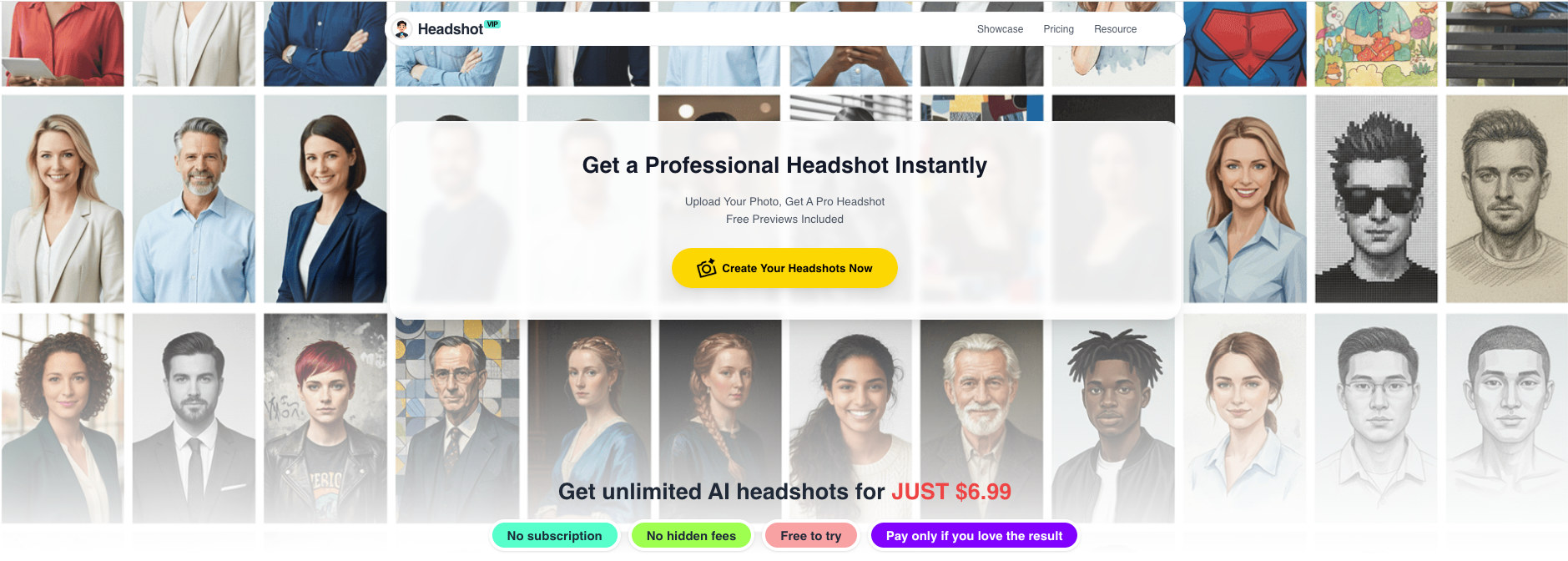
Alt: HeadshotVIP AI professional headshot upload and style selection screen
Step 3: Pick a professional style preset
HeadshotVIP offers business-focused presets that match the styles above, such as:
- “LinkedIn – Classic corporate”
- “Startup – Casual office”
- “Creator – Color background”
- “Executive – Dark studio”
- “Remote – Home office”
You can usually select multiple styles in one run, so you get several looks from the same selfies.
Step 4: Let the AI generate your headshots
- Click Generate and let HeadshotVIP process your images.
- Depending on your plan, this typically takes a few minutes to under an hour.
- The AI uses facial identity modeling to keep your features consistent while changing outfits, lighting, and backgrounds.
Behind the scenes, HeadshotVIP:
- Reconstructs your face in higher resolution
- Adjusts lighting for a professional, well-lit look
- Swaps in chosen outfits and backgrounds
- Keeps your identity consistent across all outputs (key for teams)
Step 5: Review, favorite, and download
Once your results are ready:
- Browse through the generated headshots.
- Favorite the ones that look most like you and match your industry.
- Download in high resolution (optimized for LinkedIn, resumes, and websites).
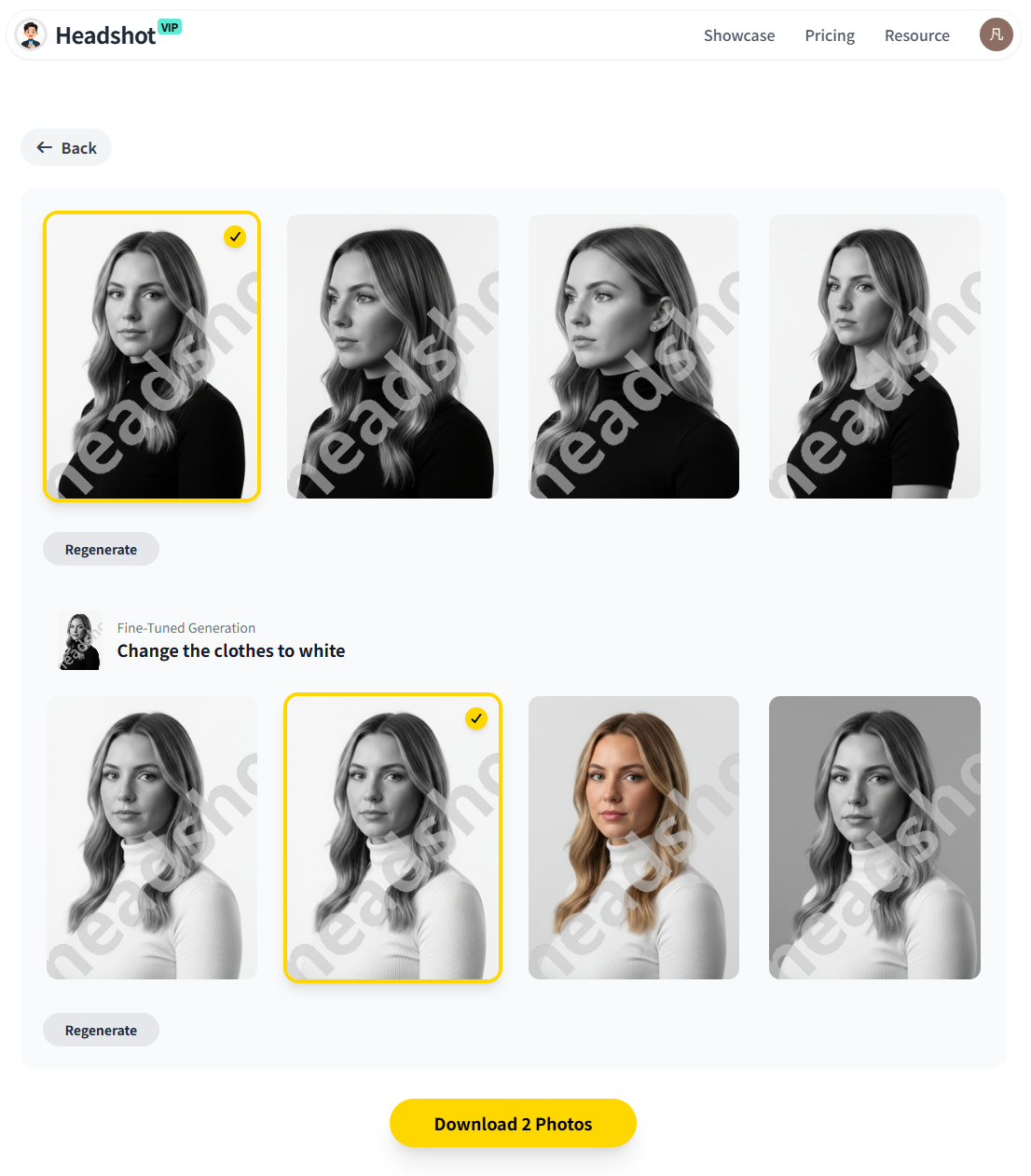
Alt: HeadshotVIP AI-generated professional headshot examples for LinkedIn
Step 6: Test how it looks on LinkedIn
Before you set it and forget it:
- Upload your favorite image to LinkedIn temporarily
- Check:
- Does your face stay clear in the circular crop?
- Is the expression still natural at small sizes?
- Does the background feel too dark or too bright compared to your feed?
If it doesn’t feel right, go back to HeadshotVIP and pick a lighter/darker background or slightly different pose.
Why use HeadshotVIP for AI headshot generation?
- ✅ Business-focused styles: Presets designed specifically for LinkedIn, resumes, company sites.
- ✅ Identity consistency: Advanced modeling reduces the “this doesn’t quite look like me” problem.
- ✅ Team-ready: Generate consistent style, lighting, and framing across whole teams or companies.
- ✅ High-resolution outputs: Suitable for profile photos, speaker bios, and even print.
- ✅ Privacy-focused: Photos are processed with privacy in mind; you’re not handing your face to a random experimental model.
Limitations to keep in mind (honest note):
- Results still depend on your uploads. Dark, blurry, heavily filtered selfies will give you weaker outputs.
- You have less manual control over precise poses than an in‑person photographer. If you need ultra-specific posing, you may want a hybrid approach (AI + retouching).
Method 2: Alternative AI headshot generators (Canva, generic tools, etc.)
You can also create an AI-generated headshot using tools like:
- Canva’s Profile Photo / AI headshot app
- Multitool AI image generators (with face features)
- Other dedicated services (like those compared in long-form review articles)
These can be good if you:
- Already design everything in Canva
- Only need 1–2 simple photos
- Are okay with doing more manual tweaking
Pros
- Often cheap or freemium (Canva gives limited free credits).
- Integrated with existing design tools (easy to drop your headshot into a resume or banner).
- Fine for basic personal use or casual social profiles.
Cons (where HeadshotVIP tends to win)
- Less focus on business-specific styles; you might get looks that feel more “social media” than “executive.”
- Face likeness can be hit-or-miss, especially with generic models.
- Limited features for team consistency (matching style across dozens of employees).
- You may spend more time manually adjusting backgrounds, crops, and colors to look properly professional.
If your goal is a serious LinkedIn or business profile photo, a tool that specializes in business headshot creation (like HeadshotVIP or dedicated headshot services) usually gives more reliable, realistic results.
10 practical tips to make your AI professional headshot look real (and trustworthy)
These tips apply no matter which LinkedIn headshot generator you use, but they’re especially useful when configuring styles in HeadshotVIP.
Start with realistic selfies
Use photos that look like you today. If you’ve shaved a beard, changed hair color, or started wearing glasses, update your selfies first.Avoid heavy beauty filters in the source photos
Over-smoothed or heavily edited selfies confuse AI models and often result in plastic-looking skin. Natural, sharp photos work best.Keep accessories consistent
If you want glasses or a specific hairstyle in your AI outputs, include several selfies with those features present.Aim for neutral, timeless clothing styles
Trendy patterns and overly bright colors date quickly. Solid, mid-tone colors usually age better on LinkedIn.Balance personality with professionalism
A real smile and a bit of color are great; novelty backgrounds, props, or gimmicks usually aren’t for LinkedIn.Use a simple, high-contrast background
Make sure your head doesn’t blend into the background. Dark hair on a dark gray background, for example, can look muddy at small sizes.Check how it looks on mobile
Most recruiters and clients will first see you on a phone. Zoom out and ensure your face is still clearly visible and expressive.Match your industry norms—then add 10% polish
Search LinkedIn for people with the roles you want and notice their headshot style. Aim for slightly more polished than the average, not radically different.Keep it honest
It’s tempting to let AI “airbrush” you into someone else. Don’t. An AI headshot should feel like your best professional day, not a new identity.Refresh your headshot every 1–2 years
Roles change, trends evolve, and your look shifts. Updating your professional AI headshot is easier than re-booking a photoshoot—use that to your advantage.
For more in-depth best practices, you can also read:
FAQ: AI professional headshots for LinkedIn
Q1: Are AI headshots okay to use on LinkedIn?
Yes. LinkedIn does not forbid AI-generated photos, as long as they accurately represent you and don’t mislead people. Many professionals quietly use AI virtual headshots already—especially remote workers and startups. The key is that the image still looks like you in real life.
Q2: How many photos should I upload to an AI headshot generator?
Most tools, including HeadshotVIP, work best with 8–20 clear selfies. Enough variety helps the AI understand your face from different angles and lighting, leading to more realistic results and fewer “this doesn’t look like me” moments. Avoid duplicates or nearly identical shots.
Q3: Can AI headshots replace a real photographer?
For many LinkedIn profiles, websites, and internal company pages, yes, they’re often good enough—especially if budget or time is tight. However, if you need highly art-directed images for a major campaign, book cover, or magazine spread, a human photographer still offers finer control over posing, subtle retouching, and composition. A lot of professionals now use AI for everyday branding and reserve photographers for special occasions.
Summary
A strong AI professional headshot can quietly boost your response rates on LinkedIn, make your resume feel more polished, and give your personal brand a consistent, trustworthy look. The “magic” isn’t just the AI—it’s choosing the right style, pose, background, and outfit for your role.
Instead of guessing, use the proven styles above:
- Classic corporate for traditional industries
- Modern startup / tech for product and engineering roles
- Creative brand headshots for designers, marketers, and creators
- Remote, executive, academic, and inclusive looks tailored to your reality
Tools like HeadshotVIP make it easy to go from a handful of everyday selfies to studio-quality, LinkedIn-ready portraits in minutes, with presets that match each of these styles.
Try HeadshotVIP Now:
- Starter: $6.99 – Perfect for one polished LinkedIn headshot
- Professional: $9.99 – More styles, more high‑res options
Related Articles
- Professional-Headshot-Tips
- ai-professional-headshot-branding-guide-2025
- best-ai-professional-headshot-generator-for-linkedin-2025
Current Date: 2026-01-14