How to Use AI Professional Headshots to Boost Your Brand (2025)
How to Use AI Professional Headshots to Boost Your Brand (2025)
If your LinkedIn photo is still a cropped party pic or a blurry webcam shot, you’re leaving opportunities on the table. Recruiters, clients, and collaborators often see your headshot before they read a single word about you. In 2025, an AI professional headshot lets you look polished and consistent everywhere without booking a photo studio or spending hundreds of dollars.
This guide shows you exactly how to use AI headshots to strengthen your personal brand across LinkedIn, resumes, portfolios, and social media. You’ll get:
- Practical pose, outfit, and style prompts
- A step‑by‑step workflow using HeadshotVIP
- Tips to avoid “fake” or plastic‑looking AI images
So you end up with photos that look like you—just on your best day.

Why AI Professional Headshots Matter for Your Brand in 2025
Most guides stop at “upload a selfie and click generate.” But if you care about personal branding, the real question is:
How do AI‑generated headshots help people trust you and remember you?
Across the top tools (like Canva’s AI headshot generator and HeadshotPro), three themes keep coming up:
First impressions are digital by default
Before someone meets you, they see your:- LinkedIn profile
- “About” page on your portfolio
- Author bio on a blog or podcast
- Slack/Teams profile in remote jobs
A clean, professional AI virtual headshot makes you look intentional, not accidental.
Consistency beats perfection
A single perfect photo on LinkedIn but a casual selfie on your website feels disjointed. Consistent AI professional headshots across platforms:- Make you easier to recognize
- Signal that you’re serious about your work
- Help small teams look unified and credible
AI makes quality affordable and fast
Traditional headshots often cost $150–$300+ and take days to schedule and edit. AI tools, including HeadshotVIP, create studio‑style results in minutes, at a fraction of the price.
The catch: results still depend on how you prepare, what you upload, and how you use the images. That’s what the rest of this guide is for.
How to Plan an AI Professional Headshot That Fits Your Brand
Before you touch any tool, decide what you want your photo to say about you. This is where most people skip ahead—and end up with generic, forgettable photos.
1. Define your brand “tone”
Ask yourself:
- Do I want to look more corporate or creative?
- More approachable or authoritative?
- More youthful/energetic or calm/experienced?
Then match that to concrete choices:
| Brand Tone | Expression & Pose | Outfit Ideas | Background Ideas |
|---|---|---|---|
| Corporate / formal | Soft smile, direct eye contact, neutral | Dark blazer, shirt/blouse, minimal accessories | Studio grey, office, blurred city |
| Friendly / casual | Bigger smile, slight head tilt | Smart casual shirt, knit, simple dress | Bright neutral, modern workspace, café |
| Creative / modern | Relaxed pose, slight sideways angle | Textured jacket, turtleneck, bold but clean look | Studio color wash, bookshelf, design wall |
| Executive / expert | Confident neutral or small smile, straight | Dark suit, crisp shirt, subtle jewelry | Dark gradient, boardroom, office window |
Write your target tone in one sentence, for example:
“I want a friendly but credible startup‑founder look for LinkedIn and my personal website.”
You’ll reuse this in your HeadshotVIP style prompts.
2. Choose where each AI headshot will be used
Different platforms have slightly different requirements:
LinkedIn & CVs
- Cropped tight (head + shoulders)
- Clean, non‑distracting background
- Neutral or soft smile
Portfolio & personal website
- Medium crop (to mid‑torso)
- Can tolerate more “environment” (office, bookshelf)
- Slightly more personality in pose and clothing
Social media (Twitter/X, Instagram, YouTube)
- Can be more expressive and colorful
- Circular crops—avoid cutting off your face at the edges
Plan 2–3 “hero” headshots:
- 1 main LinkedIn/resume image
- 1 website/about image
- 1 social media or speaker/podcast image (more expressive)
Method 1: Using HeadshotVIP (Recommended)
HeadshotVIP is built specifically for business headshot creation—not fantasy avatars or cartoons. If your main goal is a believable, LinkedIn‑ready photo that works across your professional channels, this is the most direct route.
Use Case
- Job seekers refreshing LinkedIn and CVs
- Freelancers and founders building a consistent brand across multiple platforms
- Remote teams that need a unified set of AI professional headshots fast
Step‑by‑step: Create your AI professional headshot with HeadshotVIP
Go to HeadshotVIP
Visit the official site:
👉 https://headshot.vipCreate an account and pick your plan
- Starter: best if you just need 1–2 great headshots
- Professional: better if you want multiple styles (LinkedIn + website + social)
- Team / Business: if you’re generating consistent images for your whole team
Prepare and upload your selfies
For best results, upload 8–15 photos that follow these rules:- Good, even lighting (near a window is ideal; avoid harsh overhead lights)
- Neutral background if possible (plain wall is fine)
- Variety of angles: straight on, 30° left/right, a couple slightly higher or lower
- No heavy filters, sunglasses, or strong makeup distortions
- Keep hair and facial hair close to how you want to appear in the final photos
This matters because HeadshotVIP’s AI uses advanced identity consistency modeling to keep your face recognizably “you” across styles.
Choose your styles (LinkedIn, corporate, startup, creative, executive)
HeadshotVIP offers business‑oriented style presets. A simple setup that works for most people:Style 1 – LinkedIn Classic
- Outfit: navy or charcoal blazer, light shirt
- Background: studio grey or soft gradient
- Expression: gentle smile
Style 2 – Website / Founder
- Outfit: smart casual (e.g., turtleneck or open‑collar shirt)
- Background: modern office or bookshelf
Style 3 – Social / Creator
- Outfit: clean but relaxed
- Background: soft color, brighter lighting
In HeadshotVIP, select the preset styles that most closely match these goals.
Refine with prompts: poses, outfits, and vibes
When you have a chance to add notes or select variants, use concrete, branding‑focused prompts like:
For LinkedIn / CV
“Head and shoulders framing, neutral studio background, soft natural lighting, slight smile, direct eye contact, business formal outfit.”
For founders / execs
“Mid‑torso crop, blurred modern office background, confident neutral expression, dark suit jacket and white shirt, professional but approachable look.”
For creatives / coaches / creators
“Head and shoulders, soft colorful gradient background, smart casual outfit (turtleneck or simple top), warm friendly smile.”
Specificity helps the AI avoid weird poses or mismatched outfits.
Generate and review your AI headshots
HeadshotVIP will:
- Analyze your uploaded selfies
- Rebuild lighting, background, and outfit
- Generate multiple high‑resolution options in each style
When reviewing:
- Zoom in on eyes, teeth, and hairline
- Check for subtle distortions (earrings melting into hair, weird collars, extra fingers if hands are visible)
- Star or download 3–5 of the most realistic, on‑brand images
Download optimized files for each use case
Export versions optimized for:
- LinkedIn: square crop, 400×400+ px (HeadshotVIP is tuned for this)
- Resumes: slightly larger, high‑res JPG
- Websites and bios: 1200px wide, landscape or portrait depending on layout
Save them in a simple folder structure:
/headshots/2025/linkedin-main.jpg/headshots/2025/cv-main.jpg/headshots/2025/website-about.jpg
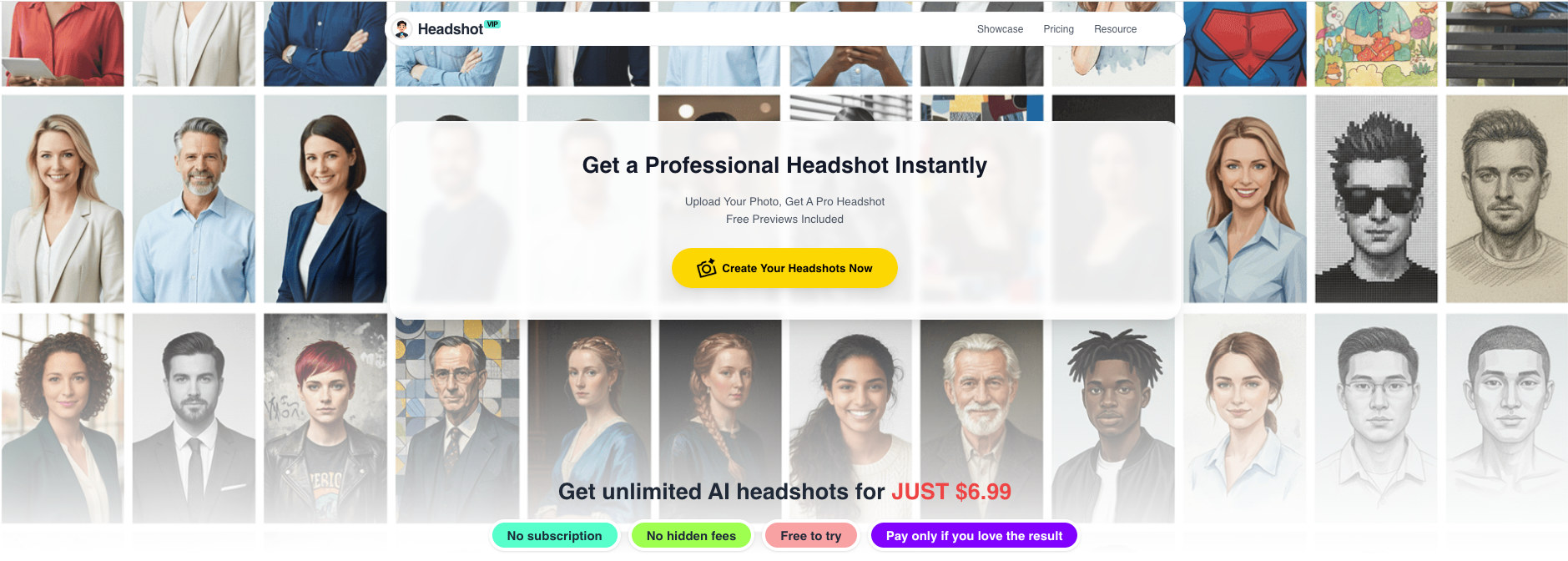
Alt: HeadshotVIP AI professional headshot generator showing upload and style selection
Why use HeadshotVIP for AI professional headshots?
✅ Business‑first styles
Everything is tuned for LinkedIn, resumes, and company websites—not cosplay or fantasy filters.✅ High‑resolution, platform‑ready outputs
Optimized for professional platforms (LinkedIn, CVs, About pages) so your photo stays sharp and clean even when cropped.✅ Identity consistency
Advanced facial modeling keeps you recognizable across different poses, backdrops, and outfits—critical for personal branding.✅ Fast, simple workflow
Upload → choose styles → review → download. You don’t need design skills or separate photo‑editing software.✅ Team consistency
For teams, style‑consistent batch generation keeps everyone on the website and in pitch decks looking like they went to the same photographer.
Limitations to keep in mind (honest view):
- Results still depend heavily on your original selfie quality (lighting/angles).
- You have less micro‑control over tiny pose adjustments than with a live photographer.
Method 2: Other AI Headshot Generators (Canva, General Tools, etc.)
If you’re already deep into another platform, like Canva, you can still create decent AI‑generated headshots. Here’s where they fit.
Option A: Canva AI Headshot Generator
How it works (simplified):
- Open Canva and create a new design.
- Go to Apps → Profile Photo (or similar AI headshot app).
- Upload a clear selfie, choose your gender identity, and generate headshots.
- Fine‑tune using built‑in tools (background remover, filters, etc.).
- Export and crop for LinkedIn or social media.
Pros:
- Good if you already design resumes, social posts, or presentations in Canva.
- Built‑in photo editing tools (background remover, filters, overlays).
- Has a free tier with limited daily credits.
Cons (vs. HeadshotVIP):
- Styles are more generic and less focused on business headshot creation.
- Less emphasis on identity consistency across many outputs.
- LinkedIn‑specific optimization and team consistency are not the core focus.
Option B: General AI avatar/photo tools
Many AI tools create avatars or portraits from selfies. These can be fun for social media, but for professional branding:
- They often exaggerate features or smooth skin too much (the “plastic” look).
- Outfits and backgrounds may not align with your industry norms.
- Terms of use and privacy practices vary widely—always read the fine print.
In short:
Use these for experimentation or casual social media, but lean on HeadshotVIP (or other business‑focused tools) for anything tied to your career.
7 Practical Tips to Make Your AI Professional Headshot Look Real (and On‑Brand)
Most people lose realism on small details. Here’s how to avoid that.
1. Start with better selfies than you think you need
You can fix backgrounds and outfits, but not:
- Motion blur
- Heavy shadows across your face
- Grainy, low‑resolution images
Aim for:
- Rear camera of your phone (if possible)
- Clean window light, facing the light
- Camera at eye level, about arm’s length away
2. Keep accessories and hair consistent
AI models look for patterns. If you:
- Wear glasses in only 1 of 10 photos
- Change hair length dramatically across uploads
…you’re more likely to get inconsistent results.
Try to:
- Use recent photos with your current look
- Either wear glasses in most selfies, or in none
3. Use “micro‑expression” prompts
Big grins can distort teeth; total deadpan can feel cold. When you choose styles in HeadshotVIP or write prompts, think:
- “Small confident smile”
- “Warm, approachable expression”
- “Calm, neutral focus”
These usually look more believable than “big smile.”
4. Match outfit to your industry
A few simple rules:
Finance, law, enterprise tech
- Dark blazer, collared shirt
- Simple jewelry, neutral colors
Design, marketing, startups
- Smart casual, one visual interest piece (e.g., textured jacket, turtleneck)
- Avoid loud patterns that distract
Coaching, healthcare, education
- Softer colors, approachable expression
- Backgrounds: light, airy, non‑intimidating
When selecting styles in HeadshotVIP, think about the typical headshot for your role on LinkedIn.
5. Test your AI virtual headshot in small circles first
Before you roll it out everywhere:
- Update your Slack/Teams first and see if coworkers say it looks like you.
- Ask 2–3 friends, “Does this look like me on a good day, or too AI?”
If people say, “It looks like you, just more rested,” you’re in the sweet spot.
6. Be transparent where it matters
Most platforms (including LinkedIn) allow AI headshots, as long as they reasonably represent you. To stay trustworthy:
- Don’t radically change age, body shape, or essential features.
- For speaker bios or personal sites, you can add a subtle line like:
“Photo created with AI based on real photography.”
If you work in regulated or very conservative fields, stick closer to your real appearance.
7. Keep a small set of “official” photos
Once you’ve picked your favorites from HeadshotVIP:
- Choose one primary and one backup for:
- CV
- Website
- Professional social platforms (X, GitHub, Dribbble, etc.)
Using the same image across multiple platforms builds visual recognition. People remember you faster.
Simple Comparison: General AI Tools vs. HeadshotVIP
| Feature / Need | General AI Avatar Tools | Canva AI Headshot Generator | HeadshotVIP (Recommended) |
|---|---|---|---|
| Focus on professional branding | Mixed (often casual/avatars) | Good, but multi‑purpose | High – LinkedIn & business first |
| Identity consistency across outputs | Varies a lot | Decent with good selfies | Strong facial consistency modeling |
| Business‑focused styles (corporate, exec, startup) | Limited / generic | Some presets | Multiple business‑only styles |
| Team / company‑wide consistency | Rare | Not built for this | Designed for teams & companies |
| Output resolution for LinkedIn & CVs | Often social‑size only | Good, can be upscaled | High‑res, platform‑optimized |
| Fine control via prompts (poses/outfit vibes) | Basic | Moderate (via edits) | Integrated into style selection |
| Privacy and photo handling | Varies widely | Covered by Canva’s policies | Privacy‑focused, pro use case |
Quick FAQ About AI Professional Headshots
Q1: Are AI headshots allowed on LinkedIn?
A: Yes. LinkedIn’s rules focus on authenticity and professionalism, not on how the image was created. As long as your AI‑generated headshot looks like you and isn’t misleading (for example, a completely different age or identity), you’re fine. Keep it professional, well‑lit, and recognizable.
Q2: How many selfies do I really need to upload?
A: For tools like HeadshotVIP, 8–15 clear selfies with varied angles and expressions is ideal. Fewer than that, and the model may not fully understand your features. Too many low‑quality or inconsistent photos can also hurt results, so prioritize clarity over quantity.
Q3: What if my AI headshot doesn’t look like me?
A: First, check your inputs: Were your selfies too dark, heavily filtered, or outdated? Try again with better lighting and simpler photos. In HeadshotVIP, you can change styles and regenerate. If you still don’t like the results, fall back on a solid real photo and use AI tools for subtle background and lighting improvements instead.
Q4: Is an AI professional headshot enough for all use cases?
A: For most digital use cases (LinkedIn, CVs, websites, speaker bios), yes—if it’s realistic and high‑quality. For specific printed materials or ultra‑high‑end executive branding, some people still book a traditional photographer and then use AI tools to create additional styles that match.
Summary
A strong AI professional headshot in 2025 isn’t about looking fake or overly polished—it’s about showing up consistently as the best version of yourself wherever people find you online.
If you:
- Define your brand tone (corporate, creative, executive, etc.)
- Upload clear, well‑lit selfies
- Use a professional‑focused tool like HeadshotVIP
- Pick 2–3 on‑brand images and use them consistently
…you can upgrade your entire digital presence in an afternoon.
HeadshotVIP stands out because it’s built specifically for LinkedIn‑ready, resume‑friendly, business headshots with strong identity consistency and team support, rather than generic avatars.
Try HeadshotVIP Now:
- Starter: $6.99 – perfect for individuals who need a few strong photos
- Professional: $9.99 – more styles, higher resolution, ideal for active personal brands
Related Articles
- Professional-Headshot-Tips
- best-ai-professional-headshot-generator-for-linkedin-2025
- create-ai-professional-headshot-for-personal-brand-2025
Current Date: 2026-01-12