Protect Your AI Headshot Privacy with Secure Tools (2025)
Protect Your AI Headshot Privacy with Secure Tools (2025)
If you’re thinking about using an AI professional headshot or a LinkedIn headshot generator, you’re probably asking the same question as people on Reddit: “Is this actually safe for my photos?”
You’re right to worry. Your face is biometric data. In the wrong hands, it can be reused, resold, or used to train models without your consent. This guide explains AI headshot generation privacy protection in plain language and shows you how to pick secure tools—plus how HeadshotVIP handles privacy, automatic deletion, and copyright ownership.
By the end, you’ll know exactly what to look for in a safe AI-generated headshot service and what to avoid.

Why AI Headshot Privacy Matters More Than You Think
Most top AI headshot tools (like HeadshotPro and Aragon) now advertise “we respect your privacy”. That’s good—but you still need to understand what actually happens to:
- The selfies you upload
- The AI-generated headshots you download
- The hidden data stored behind the scenes (logs, model checkpoints, backups)
From the reference tools:
- HeadshotPro highlights SOC 2 compliance, claims they don’t use your photos to train AI and say data is automatically deleted after a period.
- Aragon promises not to sell your data or train models on your photos without permission and is also SOC 2 + GDPR compliant.
- Reddit users repeatedly ask for tools that “don’t keep or reuse images” and even recommend local-only options.
These are all pointing at the same concern:
“I want good AI headshots, but I don’t want to lose control of my face.”
To protect yourself, you need to understand three core areas:
- Data handling – where your photos go, how long they live, and who can access them
- Model training & reuse – whether your images secretly improve someone else’s AI
- Copyright & ownership – whether you legally own your AI-generated headshot
Let’s break these down.
How AI Headshot Tools Handle Your Data (And What Can Go Wrong)
Most AI headshot generators follow a similar flow:
- You upload 6–20+ selfies
- The service trains or adapts an AI model to “learn” your face
- The model generates 30–100+ professional headshots
- You download your favorites
The privacy risk is in what happens during and after this process.
Common Data Practices (Good and Bad)
Here’s what you should check in any AI headshot generator’s privacy policy:
Photo Storage Duration
- Safe: “We delete your original uploads and generated images automatically after X days”
- Risky: No clear deletion timeline, or indefinite storage “for product improvement”
Use of Photos for Training
- Safe: “We do not use your photos to train our AI models unless you explicitly opt in”
- Risky: Broad consent language like “we may use your content to improve our services” without a clear opt-out
Data Sharing & Selling
- Safe: “We never sell your photos or personal data to third parties”
- Risky: Vague language about sharing with “partners,” “affiliates,” or “marketing providers”
Security Standards
- Good signs: SOC 2 Type II, GDPR compliance, encryption (e.g., AES-256), independent audits
- Red flags: No mention of security controls at all
User Rights
- Look for: Right to delete data, export data, and revoke consent for processing or training
Typical Privacy Risks With AI-Generated Headshots
Even with reputable tools, here’s what can go wrong if privacy isn’t tight:
- Unwanted model training: Your face becomes part of a general model that can be used to generate lookalikes or synthetic identities.
- Data breach risk: A poorly protected system leaks a huge library of faces and associated emails.
- Misuse by third parties: A partner company uses your image for marketing or training without you ever realizing.
- Ambiguous copyright: You upload selfies, but the terms say the company can reuse generated headshots commercially.
The “most private” option—mentioned by Reddit users—is to run everything locally on your own GPU. That’s ideal for hardcore privacy advocates, but not realistic for most professionals.
So the next best thing is to choose privacy‑first online tools and know how to use them safely.
Method 1: Using HeadshotVIP (Recommended Privacy-Conscious Option)
Use Case:
Professionals, job seekers, and teams who want LinkedIn-ready AI headshots while keeping strong control over their data, automatic deletion, and copyright ownership.
HeadshotVIP is built as a privacy-focused AI professional headshot generator. It keeps the workflow simple—upload → generate → download—but adds clear privacy guarantees around what happens to your photos and who owns what.
Step-by-Step: How to Create Private AI Headshots with HeadshotVIP
Go to the official site
- Open: https://headshot.vip
- Always type the URL or bookmark it—avoid look‑alike phishing domains.
Create an account with minimal data
- Sign up with email or SSO.
- Use a work or personal email you control.
- Don’t reuse passwords; use a password manager.
Review the Privacy & Terms (2-minute check)
Focus on three lines:- How long uploads are stored
- Whether your photos are used to train models
- Who owns the generated images
HeadshotVIP’s core commitments are:
- Automatic deletion: Training photos and intermediate data are automatically removed after processing or a short retention window.
- No training on your face without consent: Your photos are not silently added to generic training sets.
- You own the results: You hold the copyright to your AI-generated headshot for both personal and commercial use.
Prepare good, privacy-safe selfies
- Use photos:
- In neutral or simple environments (home/office is fine)
- Without other identifiable people
- Without sensitive documents or screens in the background
- Aim for:
- 8–15 photos
- Mixed angles (front, ¾, slight side)
- Good lighting (window light is perfect)
- This improves results and reduces the need to re-upload more data later.
- Use photos:
Upload your selfies
- Drag and drop or select from your device.
- Avoid syncing from shared workplace drives containing other people’s images.
- Once uploaded, HeadshotVIP’s backend:
- Builds a temporary identity-consistent model of your face
- Runs generation on secured servers
- Removes training artifacts after the session per policy
Choose your styles (LinkedIn, corporate, startup, executive, creative)
- Pick 1–3 styles that match your goal:
- LinkedIn / corporate: Traditional business look
- Startup / creative: Slightly more relaxed, modern backgrounds
- Executive: Strong, polished look for leadership roles
- HeadshotVIP optimizes output ratios for:
- LinkedIn profile image
- Resume/CV portrait
- About-page / bio photos
- Pick 1–3 styles that match your goal:
Generate and review your AI headshots
- Wait a short period (usually minutes, depending on plan).
- Review 30–100+ results (depending on your pricing tier):
- Check likeness
- Avoid any that feel “off” or over-stylized
- Download only what you like and store locally in a secure folder or cloud storage you control.
Trigger manual cleanup if you want extra assurance
- Although HeadshotVIP uses automatic deletion, you can:
- Delete your project / session from your dashboard
- Remove your account if you’re done with the service
- This gives you an extra layer of control beyond the default retention window.
- Although HeadshotVIP uses automatic deletion, you can:
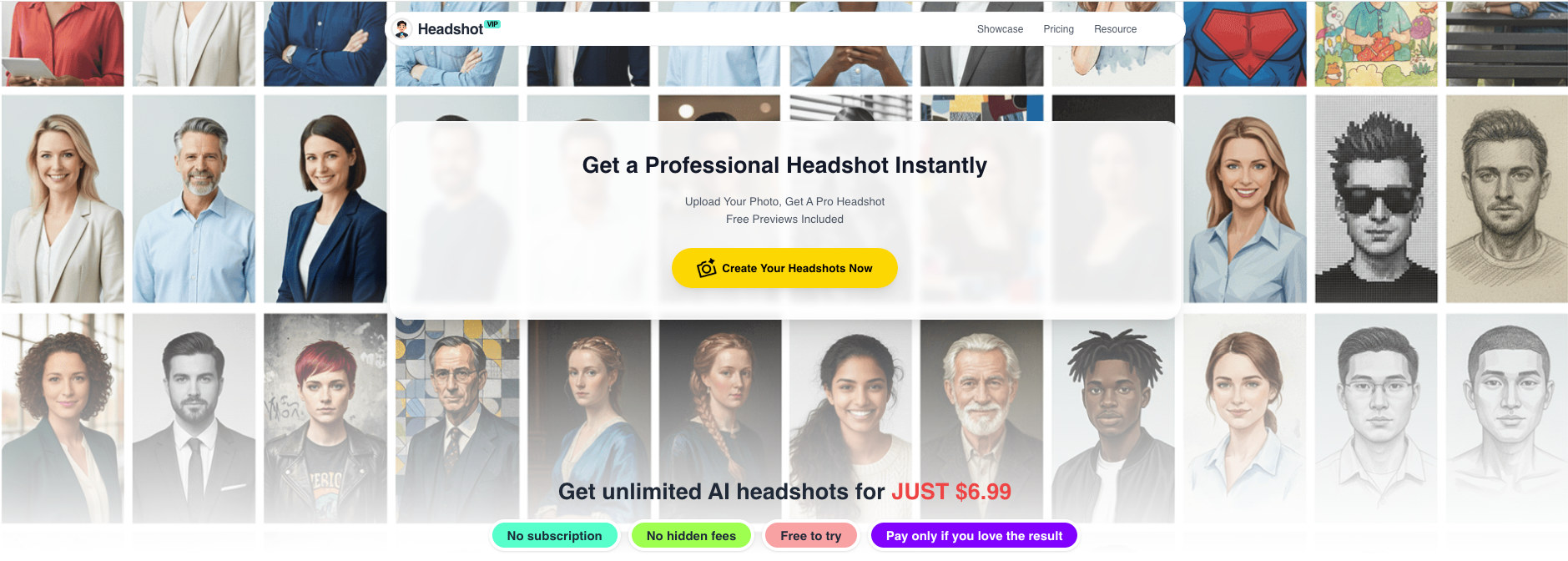
Alt: HeadshotVIP AI professional headshot generation privacy-focused workflow
Why HeadshotVIP Is a Strong Choice for Privacy
HeadshotVIP is designed around AI headshot generation privacy protection, not just image quality.
Key privacy & control advantages:
✅ Automatic deletion of source selfies
Training photos are automatically removed after processing or within a defined short window, reducing long-term breach risk.✅ No stealth model training on your face
Your selfies are not silently recycled into global training datasets without explicit opt-in.✅ You own full copyright to your AI-generated headshot
You can use your images on LinkedIn, CVs, portfolio sites, and company websites without worrying about licensing.✅ Identity‑consistency modeling without oversharing
HeadshotVIP’s AI focuses on preserving your face across styles without needing extra demographic data about you.✅ Optimized for professional platforms
Output sizes, crops, and resolutions are tailored for LinkedIn and resumes, so you don’t have to reupload or regenerate multiple times.
Honest limitations (so you can plan around them):
⚠️ Results still depend heavily on your input quality
Poor lighting or extreme angles may mean you need another upload session (more data in transit).⚠️ Less manual retouching control than a human photographer
If you want pixel‑perfect manual edits, you may still choose to retouch locally in a photo editor after download.
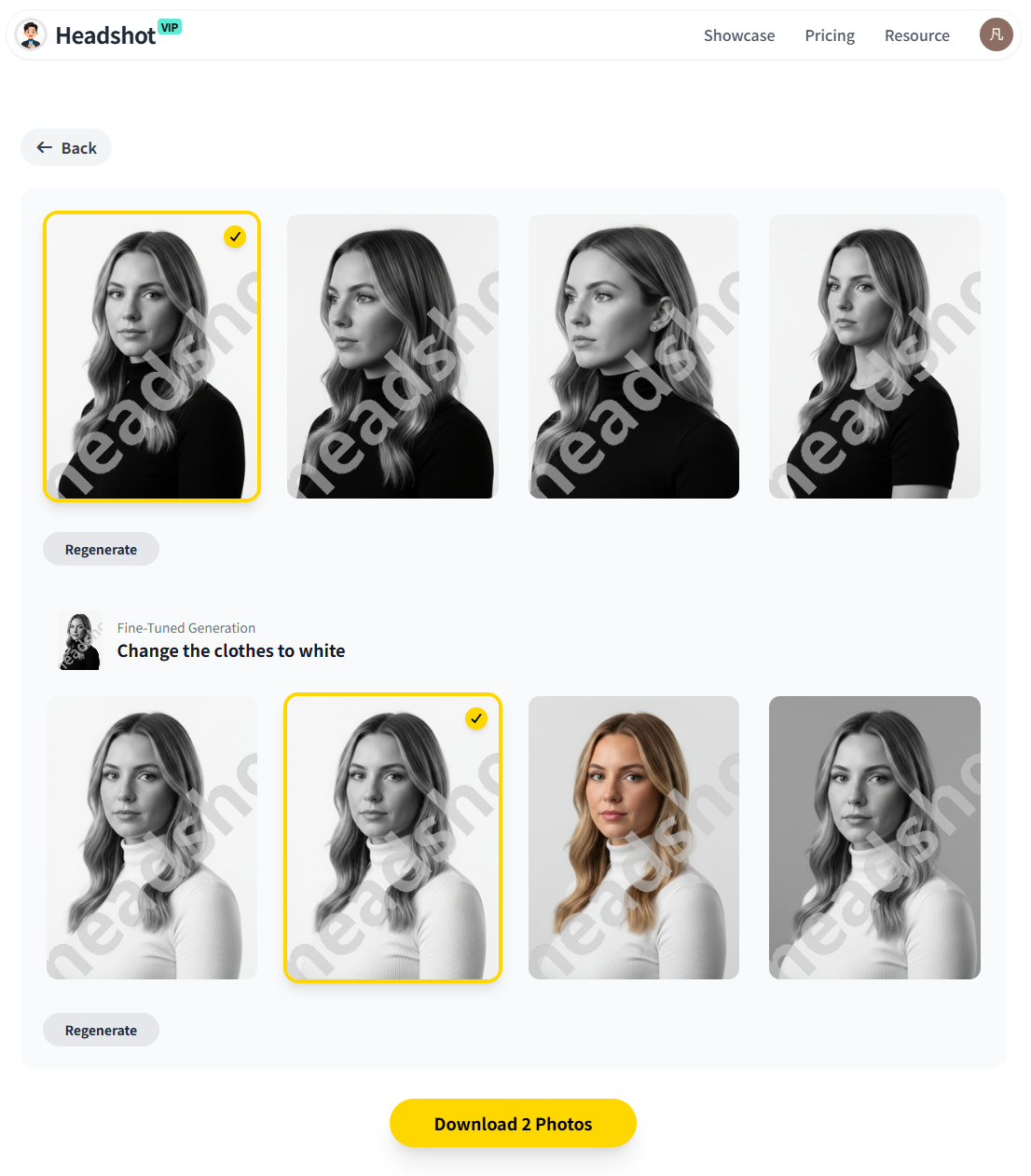
Alt: HeadshotVIP AI-generated headshot results for LinkedIn and professional use
Method 2: Other AI Headshot Options (And Their Trade-Offs)
You might already be considering other big-name tools, or you’ve seen them recommended online. Let’s look at your main categories.
Option A: Big Commercial AI Headshot Platforms
Examples include: HeadshotPro, Aragon, and similar services.
Pros:
- Often have:
- Strong security posture (SOC 2, GDPR, encryption)
- Detailed security & privacy pages
- Good realism and style variety
- Easy to use for individuals and teams
- Popular and battle-tested across many users
Cons (from a privacy standpoint):
- May keep your photos for 30+ days or more
- Often use broad wording like “improve our models,” which can include:
- Using anonymized data for training
- Deriving embeddings from your face
- Privacy terms can be long and hard to parse, making it difficult to know:
- Exactly when your data is deleted
- Whether generated images might be reused in marketing
- Large marketing stacks often involve multiple third parties (analytics, support tools, CDNs) that see some metadata and traffic patterns
These services are not “unsafe” by default—but if your threat model is strict (e.g., you work in a sensitive industry or just care a lot about your biometric privacy), you might prefer a tool with shorter retention and clearer non-training guarantees.
Option B: Local / Self-Hosted AI Headshot Generation
Reddit’s privacy enthusiasts often say the only truly private way is to run AI locally on your own machine.
Pros:
- Your photos never leave your device
- No third-party servers, no cloud storage, no vendor breaches
- Maximum control over:
- Models used
- Deletion of every asset (images, checkpoints, logs)
Cons:
- Complex setup:
- Requires a decent GPU
- Installing frameworks, models, and UIs (e.g., Stable Diffusion + extensions)
- Steeper learning curve:
- You must manage prompts, model choice, and upscaling yourself
- Inconsistent results:
- Getting truly “LinkedIn-ready” headshots takes tuning, not just clicking
For most professionals, this is overkill. But if you are extremely privacy-conscious and technically comfortable, local generation is the gold standard.
FAQ: AI Headshot Generation Privacy Protection (2025)
Q1: Can AI headshot tools legally own or reuse my face?
A: They shouldn’t—but some terms give them broad rights. Always check two sections:
- “User Content” or “Your Content” – This should say you retain ownership of your photos and generated images.
- “License You Grant Us” – This may allow the service to use your data to operate, improve, and market. Prefer services where this license is narrow (only for operating the service) and explicitly excludes third‑party resale and unconsented model training. HeadshotVIP is designed so you own the copyright to your AI-generated headshot and your selfies aren’t reused.
Q2: How long is it safe for a service to store my uploaded selfies?
A: Shorter is almost always safer. A reasonable pattern is:
- Use photos briefly to:
- Train a temporary model
- Generate your headshots
- Then automatically delete source photos and training artifacts within days, not months or years.
Some providers keep data 30+ days (e.g., for support or retries). That’s acceptable if you trust them and they’re audited, but if you prefer minimal exposure, look for tools like HeadshotVIP with explicit automatic deletion and easy manual delete options from your account.
Q3: Are AI-generated headshots allowed on LinkedIn and resumes?
A: Yes, as of now LinkedIn does not ban AI-generated photos as long as they accurately represent you and are not used to impersonate another person. Recruiter surveys (like those cited in recent industry articles) even show that many recruiters are comfortable with high-quality AI headshots if they look like professional photos.
The real risk isn’t platform rules—it’s where your photos are stored. Use tools that clearly state you own the results and don’t use them for unrelated training or ads.
Q4: How can I quickly tell if an AI headshot generator is privacy-friendly?
A: Before uploading anything, skim for these lines:
- “We never sell your photos or personal data.”
- “We do not use your photos to train AI models without your permission.”
- “You retain ownership of the photos you generate with our service.”
- “You can delete your data and account at any time.”
If a site doesn’t have a privacy policy, or uses extremely vague language like “we may use your content for any purpose,” close the tab.
Q5: Is HeadshotVIP safe for company-wide team headshots?
A: Yes, if you’re looking for a LinkedIn headshot generator for teams, HeadshotVIP is designed for consistent branding plus privacy. For team use:
- Each member uploads their own selfies over HTTPS
- Style-consistent batch generation ensures a unified look
- Photos are processed with the same privacy rules:
- Automatic deletion of source uploads
- No unconsented use for external training
- Generated headshots are owned by the company/user (depending on your internal policy)
For added security, you can centralize downloads through a single admin and delete each project once everyone’s headshots are approved.
Quick Privacy Checklist When Choosing Any AI Headshot Tool
Use this 1-minute checklist before you upload a single selfie:
Ownership:
- Do I keep full rights to my AI-generated headshot?
Training:
- Do they clearly say they won’t use my photos to train AI without my opt‑in?
Deletion:
- Is there an automatic deletion policy for uploads?
- Can I manually delete my data and account?
Security:
- Do they mention SOC 2, GDPR, encryption, or a trust/security page?
Business Model:
- Is this a paid product (like HeadshotVIP, HeadshotPro, Aragon), or is it “free” and likely monetizing data?
If any of these are unclear, move on.
Summary
AI professional headshot tools can save you hundreds of dollars and hours of time—but only if you’re confident about AI headshot generation privacy protection. The main risks are long-term storage of your selfies, hidden model training, and unclear copyright ownership.
HeadshotVIP focuses on the parts most guides ignore:
- Automatic deletion of training photos and intermediate data
- No silent model training on your face
- You own the copyright to every AI-generated headshot
- Outputs tailored for LinkedIn, resumes, and company sites
That means you can use AI-generated headshots for LinkedIn and your personal brand without feeling like you’ve lost control of your biometric data.
Try HeadshotVIP Now:
- Starter: $6.99 – For individuals needing a solid set of LinkedIn-ready headshots
- Professional: $9.99 – More styles and higher-resolution outputs for multi-platform branding
Related Articles
Current Date: 2026-01-11