How to Use AI Professional Headshots for Business Profiles (2025)
How to Use AI Professional Headshots for Business Profiles (2025)
If your company website still uses blurry Zoom screenshots or mismatched selfies on the team page, you’re not alone. Traditional studio shoots are expensive, hard to coordinate (especially with remote teams), and need redoing whenever someone joins or leaves.
Here’s the good news: an AI professional headshot can now give you studio-quality, business-ready portraits in under an hour—if you follow the right workflow.
This guide walks you step-by-step through creating and deploying AI-generated headshots specifically for business profiles, About pages, team directories, and portfolios. You’ll see how to do it with HeadshotVIP (plus alternatives), how to keep everything on-brand, and how to avoid the common “AI face” mistakes that hurt trust.
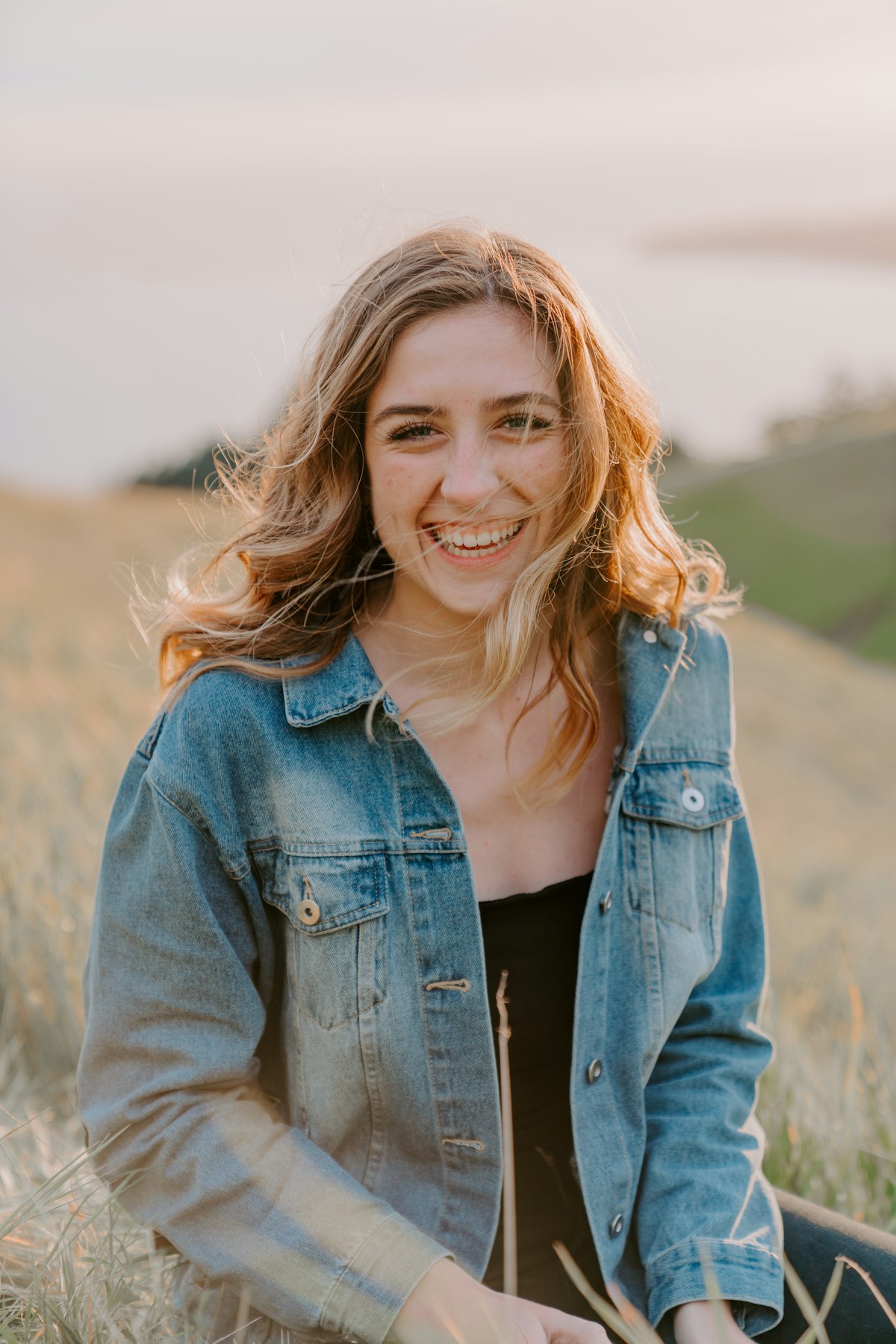
Why AI Professional Headshots Work So Well for Business Profiles
Most articles focus on AI photos for LinkedIn or dating apps. Business websites have slightly different needs:
- Consistency across the team – same framing, similar lighting, coherent backgrounds.
- Brand alignment – photos should match your site’s visual style and audience expectations.
- Trust and clarity – visitors must instantly recognize people and feel they’re real and approachable.
- Easy updates – new hire? Role change? Rebrand? You don’t want to rebook a photographer every time.
AI solves these problems when it’s used with a clear workflow:
- You generate realistic, on-brand portraits from simple selfies.
- You keep a reusable style (or “preset”) for your company.
- You export in the exact sizes and ratios required by your site or portfolio builder.
- You can regenerate or adapt photos as your brand evolves.
According to user reviews on popular generators like Aragon and Canva, the main benefits people highlight are time savings, cost savings, and variety of usable options. For business profiles, there’s an extra benefit: you can roll out a new, polished look for your entire team in days instead of months.
Plan Your Business Headshot Style Before You Touch Any AI Tool
The biggest difference between “okay” AI photos and truly professional business portraits is planning.
Before generating anything, answer these five questions as a team (or for yourself if you’re a solo founder/freelancer):
1. What impression should your headshots give?
Choose 1–2 words you want every headshot to communicate, for example:
- Corporate & trustworthy – law, finance, healthcare.
- Friendly & approachable – agencies, SaaS, coaching.
- Creative & bold – design studios, startups, media.
This will drive choices for backgrounds, outfits, and expressions.
2. What background style fits your website?
Common options for AI virtual headshots:
- Plain light background (white, light grey, soft gradient)
- Clean, timeless, works with most website designs.
- Office-like background (blurred workspace, windows, subtle cityscape)
- Great for B2B or professional services; feels “on the job.”
- Brand-color accent background
- Useful when your site uses strong brand colors; just keep it subtle so faces remain the focus.
For consistency, pick one primary background style and (optionally) one backup variant.
3. What framing and crop will your site use?
Check your current or planned layout:
- Are profile photos square, 4:5, or circle-cropped?
- Are they displayed small (directory) or large (bio pages)?
- Do you need landscape versions for press kits or speaker bios?
Write this down. AI tools can output different ratios, but you’ll save time if you know your target size in advance.
4. What dress code makes sense?
Decide a clear rule set, such as:
- Corporate: suit jacket, solid shirt/blouse, no loud patterns.
- Smart casual: blazer or neat shirt, no hoodies, simple jewelry.
- Creative: relaxed clothing, but still clean and well-fitted.
If you have a brand style guide, align colors and formality with it.
5. Do you need one style or multiple?
Examples:
- Single style: All employees share one look for the team page.
- Role-based variation:
- Leadership: more formal, classic background.
- Creatives / product: slightly more relaxed, warmer background.
Once you’ve locked these five decisions, you’re ready to generate.
Method 1: Using HeadshotVIP for High-Fidelity Business Headshots (Recommended)
Use Case:
Professionals, founders, and teams who want realistic, privacy‑first AI professional headshots designed for business profiles, About pages, and company directories—without juggling complex tools.
HeadshotVIP focuses on high-identity fidelity (it still looks like you), clean lighting, and site-ready output ratios, which makes it ideal for business use rather than casual “AI avatar” fun.
Step-by-Step: Create AI Business Headshots With HeadshotVIP
Open HeadshotVIP
Go to the official site: https://headshot.vip.
No need to install heavy software; it runs in your browser.Create or log into your account
- Use your work email if you’re generating for business use.
- For teams, ask your admin to set up a shared workspace or team plan so you can maintain consistent styles.
Choose a business-focused style
In HeadshotVIP, pick from profiles tuned for business use, such as:
- Corporate / Executive – for formal industries and C‑level bios.
- Startup / Founder – slightly relaxed but still sharp and credible.
- Creative Professional – softer lighting, more personality.
- LinkedIn / General Professional – safe choice for most roles.
For company-wide use, select one base style to apply across the team. You can tweak backgrounds or outfits within that style later.
Prepare and upload your source photos
To get the best AI-generated headshot quality, follow these guidelines:
- Upload 6–15 clear photos (HeadshotVIP will specify the minimum).
- Use photos where:
- Your face is clearly visible and not cropped.
- Lighting is even (avoid harsh backlight or deep shadows).
- No sunglasses, heavy filters, or face‑distorting lenses.
- You’re facing the camera or at a slight natural angle.
Mix in:
- 2–3 straight-on selfies,
- 2–3 slight left/right angles,
- 1–2 with a softer smile, 1–2 with a neutral expression.
This helps HeadshotVIP’s identity consistency modeling understand your features correctly.
Select backgrounds and crops for business profiles
Within HeadshotVIP’s options:
- Choose plain or office-style backgrounds for:
- About page headshots
- Team directory thumbnails
- Press/PR photos
- Set output aspect ratios:
- Square (1:1) for team grid or circle avatars.
- 4:5 or 3:4 for bio sections and portfolio pages.
- 16:9 or 3:2 for banner-style hero images if you need them.
Many tools ignore these practical details; HeadshotVIP is optimized for LinkedIn, CVs, and company websites, so ratios and resolution presets match common usage.
- Choose plain or office-style backgrounds for:
Generate your AI professional headshots
- Confirm your selections and start generation.
- Typical processing time is minutes, not days (exact timing depends on plan and queue).
- You’ll get a set of varied options—different angles, expressions, and subtle background variations, all within your chosen style.
Review, mark favorites, and download
Inside your HeadshotVIP gallery:
- Flag 3–5 favorites:
- 1 main image for your company profile.
- 1 with a slightly wider crop for guest articles, podcasts, or PR.
- 1 variant with a different outfit/background in case your site layout changes.
- Download in high resolution (for press and print) and keep web‑optimized versions for faster page loads.
For teams, you can:
- Batch download selected images for all members.
- Share a link with your web designer or HR/marketing team.
- Flag 3–5 favorites:
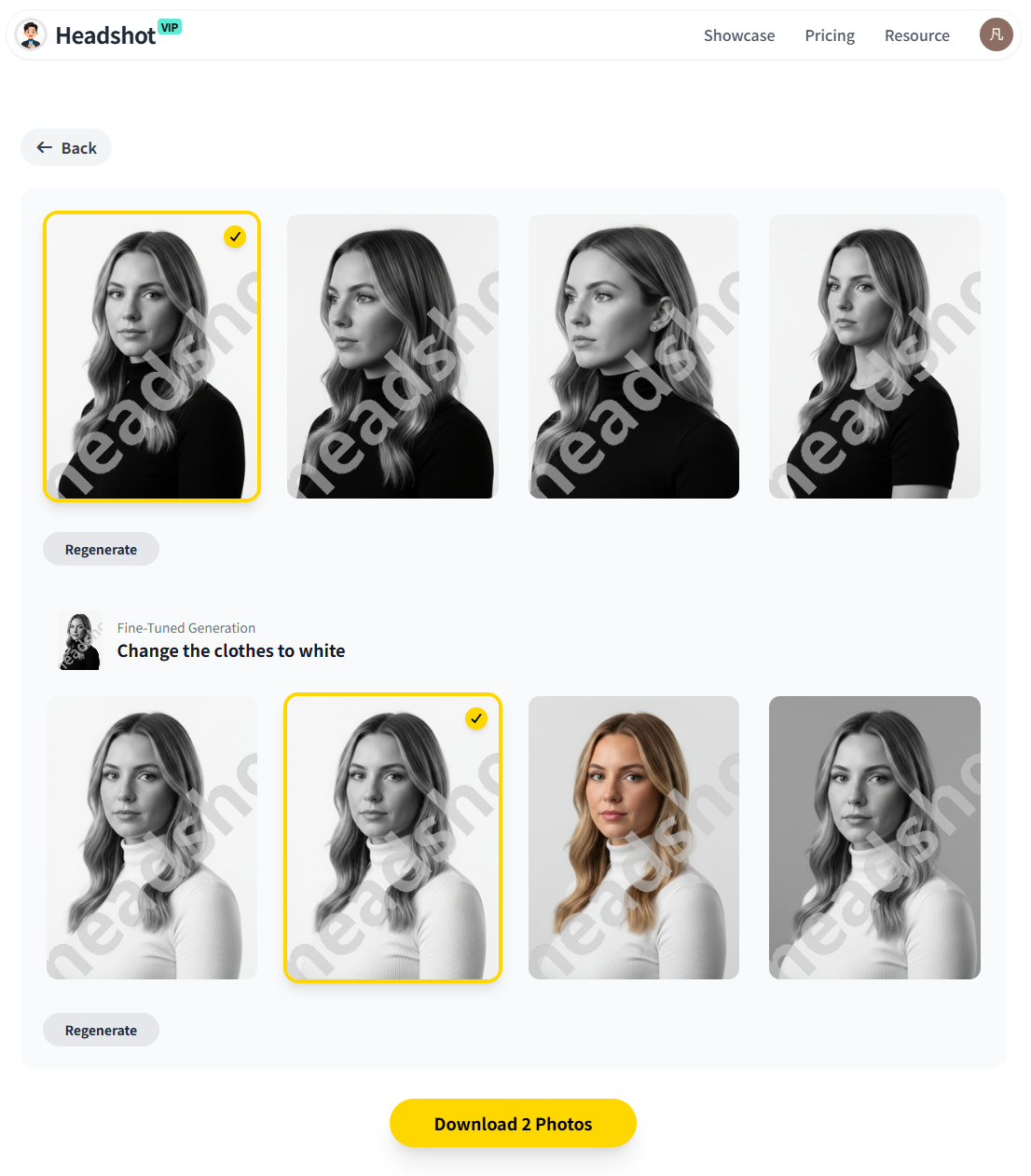
Alt: HeadshotVIP AI professional headshots displayed on a business team page layout
Why HeadshotVIP Works Especially Well for Business Profiles
✅ Identity accuracy
Advanced facial recognition and modeling help keep your features realistic—no “who is that?” moments when clients meet you on Zoom.✅ Business-first styles
Styles are tuned for professional platforms (LinkedIn, websites, CVs), not cosplay or novelty avatars.✅ Consistent team look
Style-consistent batch generation lets you produce a unified set of AI virtual headshots for entire teams or departments.✅ Privacy-focused
Images are processed with privacy-first handling; as a paid product, HeadshotVIP doesn’t rely on selling your data.✅ Site-ready outputs
Resolution, aspect ratios, and crop options are optimized for:- About pages
- Team directories
- Speaker/author bios
- Portfolio sites
Honest limitations to be aware of
- Final quality still depends on your input photos. Very dark, blurry, or heavily filtered selfies will limit results.
- Pose and micro-expression control is more limited than a live photographer directing you on set.
- If you need extremely specific art direction (e.g., custom office space, branded props), you may still combine AI results with some manual Photoshop/retouching.
Method 2: Using General AI Headshot Generators (Canva, Aragon & Others)
If you’re already using tools like Canva or Aragon, you can absolutely adapt them for business profiles. They just require a bit more manual planning to ensure consistency.
Option A: Canva’s AI Headshot Generator
Best for: Solo professionals or very small teams who already design in Canva and want a quick, free or low-cost headshot.
How it works (high level):
- In Canva, open the AI Headshot Generator.
- Upload a clear selfie (or a handful of photos).
- Select your gender identity and basic style preferences.
- Let Canva generate options.
- Use Canva’s editor to:
- Remove or adjust the background.
- Apply subtle filters.
- Crop to your website’s required ratio.
Pros:
- Easy if you already use Canva.
- Free starter credits for testing.
- Built‑in editing tools (background remover, filters, cropping).
Cons (vs. HeadshotVIP):
- Less specialized in business headshot creation; results can lean toward generic social-profile looks.
- Limited control over strict brand consistency across larger teams.
- Identity resemblance can vary; some outputs may feel slightly “AI touched” if pushed too far.
Option B: Aragon and other specialist generators
Tools like Aragon focus strongly on realism and volume (dozens of outputs from a set of selfies). They’re often praised in independent reviews (like the Substack comparison you saw) for producing a high percentage of usable photos.
Typical flow:
- Upload 6–15 selfies.
- Choose attire/background packs.
- Wait for the AI model to train and generate 40–100+ headshots.
- Download your favorites and crop them manually for your website.
Pros:
- Very realistic results, often “photographer-level” at first glance.
- Large variety of poses, outfits, and lighting in a single batch.
- Useful if you want photos for both LinkedIn and personal use (dating, travel, etc.).
Cons (vs. HeadshotVIP for business profiles):
- Not always tuned for website-specific crops and ratios; you may need more manual resizing.
- Can generate a lot of “fun” or non‑business results you’ll never use for your company site.
- Privacy safeguards and data policies vary—always review the provider’s privacy and training policies.
How HeadshotVIP Compares for Business Profile Use
Below is a simplified comparison for business-focused scenarios (About pages, team directories, portfolios):
| Feature / Use Case | Canva AI Headshots | General Pro Generators (e.g. Aragon) | HeadshotVIP |
|---|---|---|---|
| Primary focus | General social / creative | Realistic portraits, wide use cases | Business & professional profiles |
| Identity consistency (looks like you) | Good with strong inputs | Very good | Very good, tuned for professional use |
| Team-wide style consistency | Manual, per design | Possible but not website‑oriented | Built-in style-consistent batch generation |
| Site-ready ratios (LinkedIn, About page, CV) | Manual crop | Manual crop | Presets optimized for pro platforms |
| Depth of business-specific styles (corporate, startup, executive) | Limited | Mixed packs | Multiple business-focused styles |
| Privacy & data use (training, resale) | Depends on plan/policies | Varies by provider | Privacy-first, paid product—no data resale |
| Best fit for… | Quick, casual upgrades | Maximum variety from one upload | Serious business profiles & company sites |
If your main goal is “I want my website and company profiles to look like a serious, trustworthy business,” a purpose-built workflow like HeadshotVIP typically gets you there faster with fewer random, unusable results.
Practical Tips for Using AI Headshots on Business Websites
Once you’ve generated your AI professional headshots, it’s easy to drop the ball in implementation. These details matter for conversions and trust.
1. Keep consistency across all pages
- Use one main photo per person across:
- About page
- Team page
- Individual bio pages
- Author boxes on blog posts
- If you use a variant (e.g., speaking vs. casual), keep it intentional:
- Main site: formal version
- Personal portfolio or blog: slightly more relaxed version
This helps visitors recognize people instantly.
2. Standardize crops and sizes
- Decide on:
- Aspect ratio (e.g., 1:1 for team grid, 4:5 for bios).
- Minimum pixel size (e.g., 800×800 for crisp retina displays).
- Use your generator’s export options or your CMS to:
- Auto-crop consistently.
- Compress images for performance (without blurring faces).
If you’re using HeadshotVIP, set the output ratio to match your CMS needs from the start to reduce rework.
3. Match photos to brand colors and tone
- If your site background is light:
- Prefer neutral or slightly darker backgrounds, so heads don’t “disappear.”
- If you use strong brand colors:
- Use subtle tints or blurred gradients in the background to echo those colors instead of full solid bright tones that distract from faces.
You can generate a few test combinations, export them, and compare directly on your website staging environment.
4. Be transparent (if needed) about AI use
For most visitors, realistic AI professional headshots are indistinguishable from studio shots. But for some industries (legal, healthcare, education), transparency can build trust.
Consider:
- A small internal note in your brand guidelines:
“Headshots are AI-generated using HeadshotVIP based on real staff photos.” - Optional disclosure in a blog or hiring FAQ if your audience is tech‑savvy and might ask.
5. Store originals and keep a regeneration plan
- Keep:
- Original selfies or reference photos.
- A note of which style/background you used in your AI tool.
- When:
- Someone changes haircut or grows a beard.
- Your brand color palette changes.
- You redesign the site layout.
You can quickly regenerate updated AI headshots using the same style so your team page doesn’t slowly drift into chaos.
6. Check for uncanny details before publishing
Before going live, scan each image for:
- Odd hands or ears (if visible).
- Over‑smoothed “plastic” skin.
- Incorrect eye color.
- Jewelry or clothing details that don’t exist in real life (if that matters for recognition).
Reject or lightly edit any images that feel off. Tools like HeadshotVIP minimize these issues, but a final human check is still the safest step.
FAQ: AI Professional Headshots for Business Sites
Q1: Are AI professional headshots acceptable for company websites and corporate bios?
A: Yes—if they look realistic and reflect how you actually appear. Many recruiters and clients already see AI-generated headshots on LinkedIn and company sites daily. The key is to avoid overly stylized, “airbrushed” or obviously fake looks. Stick to natural lighting, business-appropriate outfits, and accurate likeness.
Q2: How many photos should I upload to get good AI results?
A: Most tools—including HeadshotVIP—work best with 6–15 clear, well-lit photos. You don’t necessarily need more; variety matters more than quantity. Include different angles, slight expression changes, and at least a few neutral, straight‑on selfies.
Q3: Can I use one AI headshot set across my website, LinkedIn, and resume?
A: Absolutely. That’s often the smartest move for personal branding. Use:
- A square or circle crop for LinkedIn and Slack/Teams.
- A slightly taller 4:5 crop for About pages and bios.
- A wider crop for hero sections or speaker images.
HeadshotVIP and similar tools let you export multiple ratios from the same base image.
Summary
Using an AI professional headshot for business profiles in 2025 is no longer a shortcut—it’s often the most practical, consistent, and affordable way to present your brand.
To recap:
- Plan your style, background, dress code, and ratios before generating anything.
- Use a business-focused generator like HeadshotVIP to create realistic, identity-accurate portraits tuned for sites, CVs, and professional bios.
- If you use general tools (Canva, Aragon, others), be more deliberate about cropping, branding, and consistency.
- Standardize how you deploy photos across your About page, team page, and portfolio, and keep an update plan for new hires or rebrands.
Try HeadshotVIP Now:
- Starter (individuals): $6.99
- Professional (power users): $9.99
Create your first AI business headshot set today:
Try HeadshotVIP Free →
Related Articles
- ai-professional-headshot-branding-guide-2025
- ai-headshot-generation-privacy-protection-guide-2025
- create-ai-virtual-headshots-for-business-profiles-2025
Current Date: 2026-01-20