Create AI professional headshots for TikTok that stand out (2025)
Create AI professional headshots for TikTok that stand out (2025)
On TikTok, people judge your content in a split second—often before your video even starts. Your profile picture, comment avatar, and the tiny bubble in your vertical thumbnails all come from one place: your headshot.
If your TikTok headshot looks blurry, dark, or off‑brand, you’re quietly losing followers, watch time, and brand deals. The good news: you don’t need a studio shoot to fix it. With modern AI professional headshot tools, you can turn a handful of selfies into a crisp, on‑brand TikTok headshot that pops in the feed.
Here’s how to do TikTok headshot creation the right way in 2025, plus a concrete workflow using HeadshotVIP that’s tuned for social platforms.

What makes a TikTok headshot different from LinkedIn or Instagram?
Most AI headshot guides focus on LinkedIn. TikTok is a different world:
- The app is mobile‑first and vertical
- Your avatar appears tiny in feeds, comments, lives, and DMs
- The audience skews younger and higher‑energy
- Your headshot has to work on profile, story-style bubbles, and video thumbnails
So you’re not just making a “nice photo of your face.” You’re making a micro‑brand icon that’s:
- Instantly recognizable at 40–80 px
- Bright enough to stand out on a dark or busy For You page
- Aligned with your content niche (edu‑creator ≠ prank channel ≠ finance pro)
Think of your TikTok headshot as your channel logo, not just a selfie.
Key visual rules for TikTok headshots
Use these as your checklist when generating and cropping your AI-generated headshot:
Tight crop on your face
- Frame: forehead to mid‑chest, with your face occupying ~60–70% of the circle
- Avoid far‑away full‑body shots—your features vanish in the tiny icon
High contrast between you and the background
- Light subject on slightly darker background, or the reverse
- Helps your avatar pop in comments and on dark mode
Simple, clean background
- Solids, subtle gradients, or soft studio backgrounds
- Avoid clutter, text, or detailed scenes that’ll just turn into noise
Consistent, on‑brand vibe
- Colors and expression should match your content:
- Finance / tech / career: calmer, neutral or cool tones
- Beauty / lifestyle: soft light, warm or pastel tones
- Comedy / high‑energy: brighter colors, bigger expressions
- Colors and expression should match your content:
Realistic, not uncanny
- TikTok users are great at spotting “AI weirdness”
- Your AI headshot should look like you on a good day, not like a different person
How to create a standout TikTok headshot with AI
Method 1: Using HeadshotVIP (recommended)
Use case:
Creators, marketers, and professionals who want a polished, realistic AI professional headshot that works on TikTok and can also be reused on LinkedIn, websites, and other social platforms.
This workflow assumes you already have a few decent selfies on your phone. If not, grab a window, clean wall, and your phone camera—you’re good.
Step 1: Collect the right input selfies
The quality of your AI headshot generation depends heavily on your starting photos.
Aim for 10–20 selfies that match these rules:
- Varied angles: front, slight left, slight right
- Different lighting: but all reasonably bright—no heavy shadows across half your face
- Neutral to light expressions: pleasant, natural smile works best for TikTok
- No heavy filters: avoid beauty filters, AR effects, animal ears, etc.
- Sharp focus: if your camera focused on the background, don’t use that image
Try to include at least:
- 2–3 indoor photos near a window
- 2–3 outdoor photos in the shade (not direct midday sun)
- 2–3 with slightly different hairstyles or outfits that still feel like “you”
This variety helps HeadshotVIP’s model learn your real facial structure and avoid AI artifacts.
Step 2: Upload to HeadshotVIP
- Go to HeadshotVIP in your browser.
- Choose a plan (Starter is usually enough for a TikTok headshot; you can upgrade later if you want more looks).
- Create an account and go to the photo upload step.
- Upload your curated selfies.
HeadshotVIP will automatically check resolution and basic quality. If something is obviously unusable (very dark, cropped eyes, etc.), skip it.
Step 3: Pick TikTok‑friendly styles
HeadshotVIP is optimized for professional platforms like LinkedIn, but many of those styles double as excellent TikTok avatars if you choose correctly.
For TikTok, prioritize:
- Startup / creator / casual business styles
- Clean backgrounds, sharp lighting, less formal outfits
- Creative styles
- Slightly bolder colors, softer depth of field, more personality
- Avoid ultra‑formal “boardroom” styles unless your TikTok is strictly corporate or finance.
When in doubt, mix:
- 1–2 corporate/clean styles (for cross‑use on LinkedIn, resumes)
- 2–3 creator‑style looks (for TikTok, Instagram, YouTube)
This gives you options to A/B test thumbnails and profile icons later.
Step 4: Generate your AI headshots
- Confirm your style selection.
- Start the AI headshot generation process.
- Wait for your notification email or refresh the dashboard after processing.
HeadshotVIP will produce a batch of high‑resolution social media headshots with:
- Even, flattering lighting
- Professional, non‑distracting backgrounds
- Consistent likeness across all images (same person, different looks)
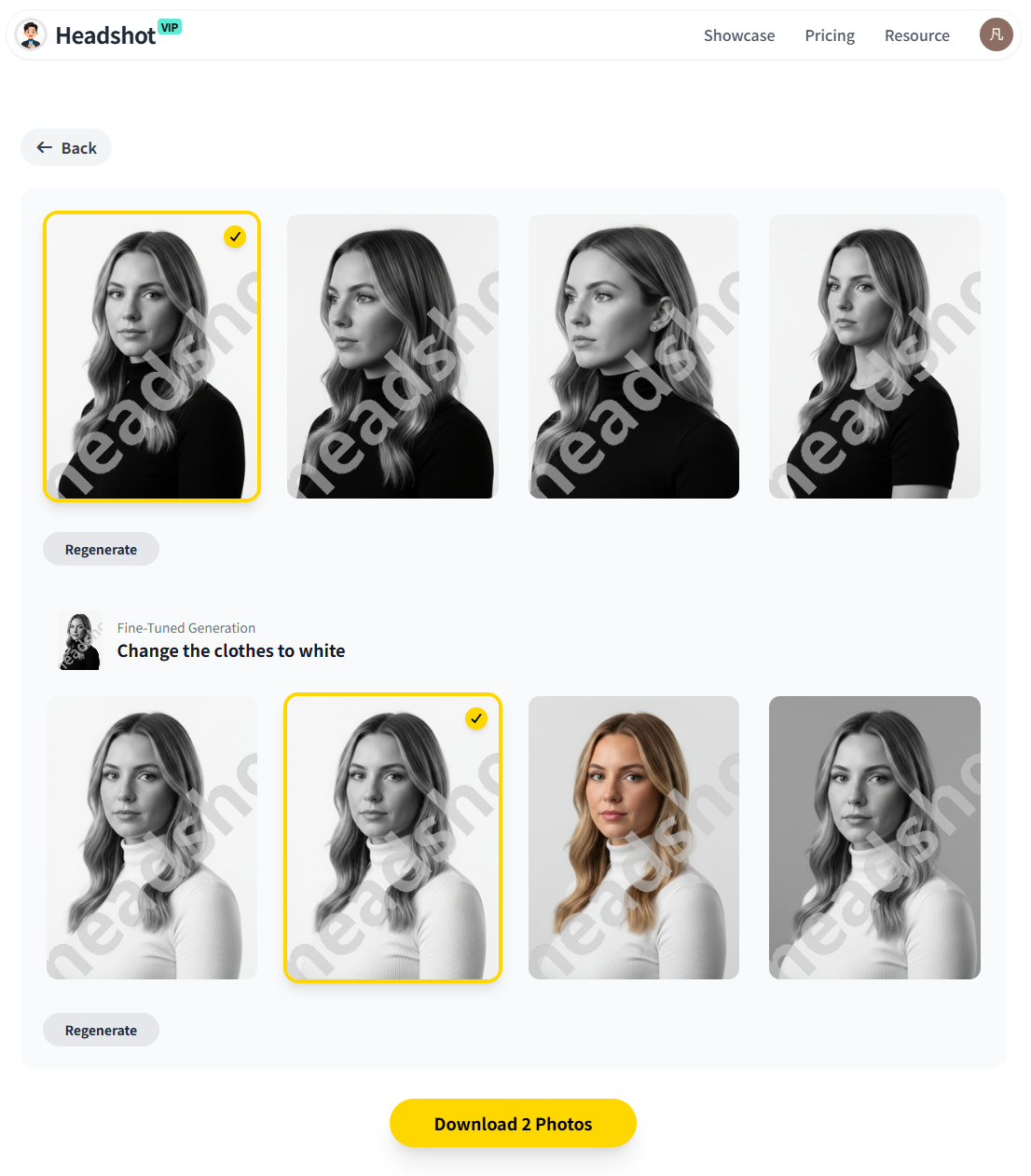
Alt: HeadshotVIP AI professional headshots suitable for TikTok profiles and social media
Step 5: Pick the 3 best options for TikTok
Open your results and evaluate them as tiny circles, not just full‑screen:
- Shrink your browser or preview them at ~10–15% size.
- Ask:
- Can I clearly see my eyes and smile?
- Does the background stay clean and not blend with my hair or clothing?
- Does it look like me, or like a distant cousin?
Choose 3 favorites that:
- Have your face large in the frame
- Have strong separation between you and the background
- Match your channel vibe (color + expression + outfit)
You can use 1 as your main profile, and the others for:
- TikTok profile banners or thumbnails
- YouTube/TikTok cover images
- Other socials and your website
Step 6: Crop and export for TikTok
TikTok uses a circular avatar, but you upload a square.
Do this:
- Open your chosen headshot in any basic editor (Photos app, Canva, Figma, etc.).
- Crop to 1:1 square with your:
- Eyes at roughly the vertical center
- Top of head ~5–10% from the top edge
- Ensure your face occupies ~60–70% of the width.
- Export at at least 512×512 px (HeadshotVIP provides higher‑res, so you’re safe).
Upload this square to TikTok:
- Go to Edit profile → Change photo
- Select your image, then adjust the circle crop so your face is centered and not cut off.
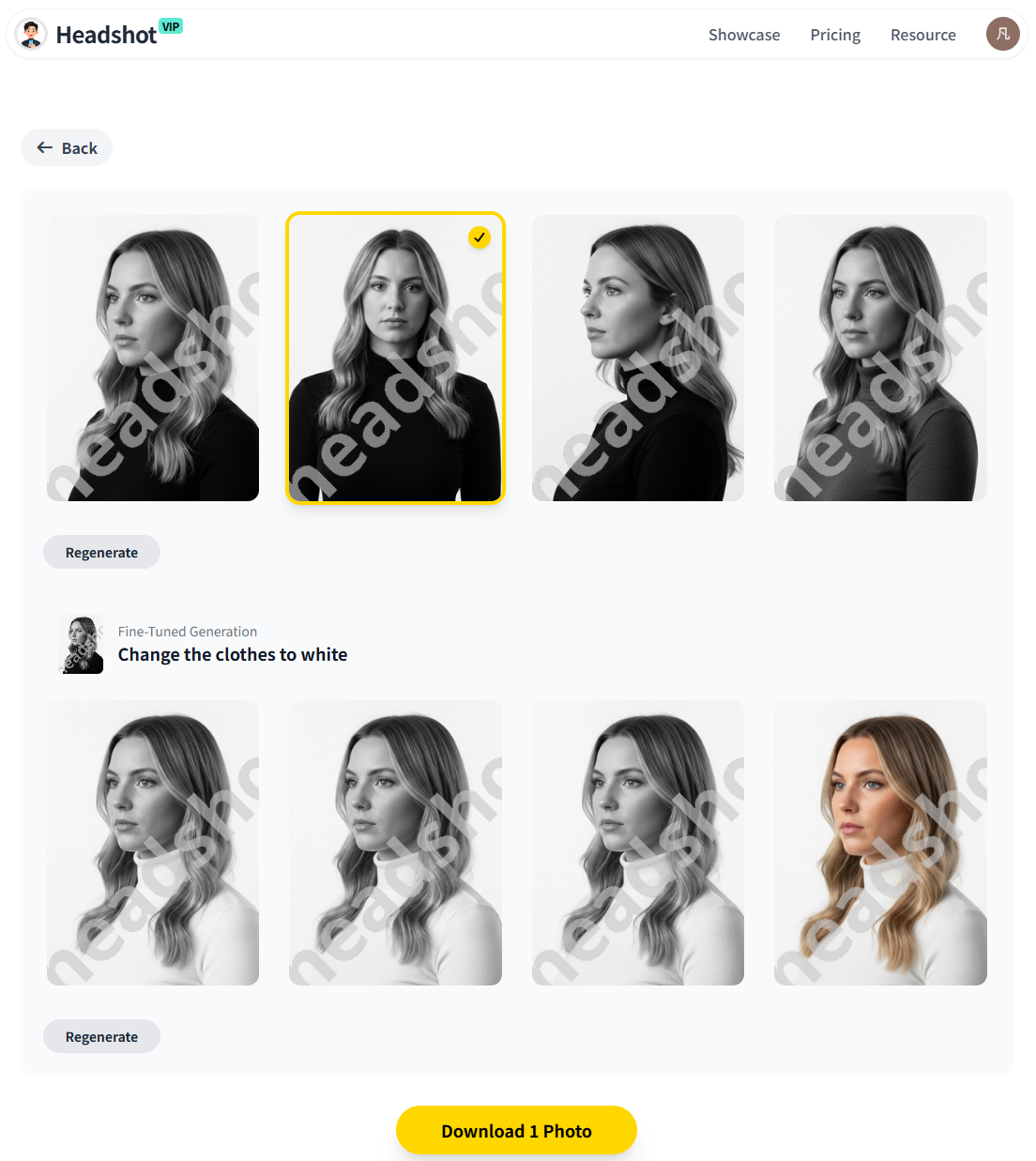
Alt: Cropped AI-generated headshot from HeadshotVIP ready for TikTok profile picture
Why use HeadshotVIP for TikTok headshots?
- ✅ Realistic likeness: Advanced facial identity modeling keeps you looking like you, not an AI avatar.
- ✅ Business‑ready and creator‑friendly: Styles that work on both TikTok and LinkedIn so you don’t manage separate “identities.”
- ✅ Strong lighting & backgrounds: Intelligent background and light reconstruction tuned for professional clarity.
- ✅ High resolution: Outputs that stay crisp even when reused in thumbnails, banners, or other social platforms.
- ✅ Team consistency: If you run a brand or agency account, you can generate consistent team headshots for multi‑host channels.
Limitations to keep in mind (honest view):
- The AI can’t fix very poor input photos (heavy filters, extreme blur, low light).
- You have less micro‑control over every pose than in a traditional studio shoot.
Method 2: DIY TikTok headshot with your phone camera
If you’re not ready to use an AI headshot generator yet, you can still improve your TikTok headshot with a simple DIY setup. This is similar to what popular TikTok “how to create headshot” and Canva walkthroughs show, but tuned for TikTok’s realities.
Pros:
- No extra tools needed beyond your phone
- You keep full control over expression and styling
Cons (compared to HeadshotVIP):
- Lighting, skin tones, and background will be less polished
- Limited reuse for LinkedIn, websites, or resumes
- More time spent taking and retaking photos
Quick DIY workflow
Set up your background
- Plain wall, curtain, or door—avoid clutter and posters
- Neutral colors (white, light gray, beige) work best
Get good light
- Face a window during daytime
- Avoid direct sun; aim for bright but soft light
- If inside at night, use a ring light positioned just above eye level
Use your rear camera if possible
- Rear cameras are usually sharper than front cameras
- Use a tripod or stack of books; enable a timer
Frame like TikTok wants
- Portrait orientation
- Face fills the upper 2/3 of the frame
- Leave a little space above your head so you can crop later
Take 20–30 shots, not 3
- Micro‑adjust chin angle, head tilt, and expression
- Look directly at the lens, not the screen
Edit lightly (or use Canva)
- Increase brightness and contrast a bit
- Avoid heavy smoothing filters—TikTok users notice
- In Canva, drop the image into a square frame with a simple, solid background
Upload & crop in TikTok
- Same as Method 1: ensure your face stays large and centered in the circle.
This works, but you’ll likely end up with one decent TikTok avatar, whereas HeadshotVIP gives you an entire set of AI professional headshots you can reuse across your online presence.
HeadshotVIP vs DIY vs generic AI tools: which is best for TikTok?
Here’s a practical comparison if you’re deciding how to handle your TikTok headshot creation:
| Feature | DIY Phone + Canva | Generic AI Headshot Apps | HeadshotVIP |
|---|---|---|---|
| Cost | Free (time cost) | Low–mid | Low–mid (Starter & Pro tiers) |
| Time required | 30–90 minutes shoot + edits | 10–30 minutes setup | 10–20 minutes end‑to‑end |
| Realism / likeness | High (it’s you) | Varies; sometimes “AI‑ish” | High; identity‑consistency modeling |
| Background & lighting | Depends on your room | Often generic or over‑stylized | Tuned for pro, social‑friendly looks |
| Number of usable headshots | 1–3 | 2–10 on average | Dozens of usable outputs |
| Works for TikTok | Yes | Yes | Yes (plus other platforms) |
| Works for LinkedIn, CVs | Usually too casual | Sometimes; may look fake | Yes; designed for professional use |
| Team / brand consistency | Hard to match | Limited | Yes, dedicated team options |
In practice:
- If you only care about TikTok and love DIY, your phone is enough.
- If you want one set of AI-generated headshots you can use on TikTok, LinkedIn, your website, and pitch decks, HeadshotVIP is usually more efficient and consistent than generic tools.
Pro tips to make your TikTok AI headshot really stand out
These small tweaks make a big difference in how your social media headshot performs on TikTok.
1. Match your headshot to your niche
Let your niche guide your style choices in HeadshotVIP (or your DIY styling):
Education / career / finance TikTok
- Clothing: smart casual or business (solid shirt, blazer or clean top)
- Background: neutral or soft gradient
- Expression: confident, friendly, not over‑the‑top
Beauty / lifestyle / fashion TikTok
- Clothing: on‑trend, a bit more color
- Background: light, maybe a subtle pastel or soft studio look
- Expression: warmer smile, approachable
Comedy / entertainment / memes TikTok
- Clothing: relaxed, maybe a signature color or graphic
- Background: brighter or slightly more saturated
- Expression: more animated, but still natural enough to work on professional platforms if reused
2. Design with “tiny avatar” reality in mind
Most creator headshots that look amazing full‑screen fail when shrunk.
Before finalizing your choice:
- Zoom out until the image is similar in size to a TikTok comment bubble.
- If you can’t clearly see your eyes and basic expression, choose a closer crop or a different photo.
- Avoid:
- Busy patterns behind your head
- Hair color that matches the background
- Very dark clothing on a dark background
3. Keep it consistent across platforms
For personal branding, consistency beats perfection.
Use the same or closely related AI professional headshot on:
- TikTok
- YouTube
- Your website “About” page
This repetition makes you instantly recognizable when a viewer jumps platforms to look you up—especially important for:
- Brand deals
- Speaking opportunities
- Freelance or consulting leads from TikTok
With HeadshotVIP, you can generate a set of related looks and pick:
- The most relaxed one for TikTok
- The most formal for LinkedIn
- A mid‑point for your website
4. Refresh strategically, not constantly
You don’t need to change your TikTok headshot every week.
A good rhythm:
- Refresh every 6–12 months, or when:
- Your hairstyle or facial hair changes significantly
- You pivot your niche or rebrand your channel
- Your current photo feels noticeably lower quality than your latest content
Because HeadshotVIP gives you multiple styles at once, you can refresh your look without scheduling a new shoot—just switch to another AI headshot from your existing set.
5. Be transparent if asked about AI
More viewers are aware of AI imagery. If someone asks whether your photo is AI‑generated:
- You can be honest:
- “I used an AI headshot tool based on my real selfies so I don’t have to book new shoots all the time.”
- Emphasize it still represents how you actually look today.
Trust matters on TikTok. As long as you’re not using heavily altered images that mislead people, AI professional headshots are widely accepted—especially among creators and remote professionals.
Summary
A strong TikTok headshot is more than a nice selfie. It’s a tiny, high‑impact brand asset that follows you across For You pages, comments, lives, and DMs.
The easiest way to nail TikTok headshot creation in 2025 is to:
- Understand TikTok’s constraints: tiny circle, mobile, high‑energy visuals.
- Use an AI headshot generation tool like HeadshotVIP to turn 10–20 solid selfies into dozens of AI professional headshots with clean lighting and backgrounds.
- Choose and crop 1–3 options that keep your face large, recognisable, and on‑brand for your niche.
- Reuse those images across TikTok, LinkedIn, and your broader personal brand so viewers recognize you everywhere.
Try HeadshotVIP now:
- Starter: $6.99 – perfect for a creator‑grade TikTok and LinkedIn headshot set
- Professional: $9.99 – more styles, higher‑resolution outputs, and extra flexibility
Related Articles
- create-ai-professional-headshot-for-personal-brand-2025
- create-ai-professional-headshots-for-instagram-2025
- ai-professional-headshot-branding-guide-2025
Current Date: 2026-01-19