Boost AI professional headshot for job interviews (2025)
Boost AI professional headshot for job interviews (2025)
You’ve polished your resume, practiced interview questions, and updated your LinkedIn. But your photo still looks like a cropped vacation pic from 2019.
For many recruiters, your AI professional headshot is the first thing they see—on LinkedIn, in email, in your ATS profile, even on video interview invites. A weak or inconsistent image can quietly hurt your chances, even if your skills are great.
In this guide, you’ll learn how to:
- Choose and generate an AI professional headshot tailored to your target role
- Use tools like HeadshotVIP to get studio-quality results from simple selfies
- Match your photo style to industry (tech, creative, finance, etc.) and seniority
- Keep your AI-generated headshot consistent across LinkedIn, resumes, and interview tools
- Avoid common AI headshot mistakes that turn off recruiters

Why AI professional headshots matter more for interviews than you think
Most AI headshot guides stop at “look good on LinkedIn.” For interviews, the stakes are higher and more specific.
Here’s what really happens in hiring:
- Recruiters skim hundreds of profiles: Faces and headlines are what they remember.
- Hiring managers compare candidates side-by-side in ATS dashboards—your photo often appears right next to your name.
- Video interviews and scheduling tools pull in your LinkedIn or Google avatar automatically.
- Perceived “fit” and seniority are influenced by micro-details: posture, expression, background, outfit.
According to LinkedIn’s own data, profiles with photos get far more views and connection requests. Combine that with the explosion of AI professional headshot tools (like Canva, BetterPic, and others), and it’s clear candidates are upgrading their image.
But here’s the gap:
Most people generate an AI headshot once, slap it on LinkedIn, and stop there. To actually boost interview outcomes, you need to:
- Design the headshot around the role you want, not just “a nice picture”
- Make it consistent everywhere a recruiter might see you
- Keep it realistic and trustworthy, not plastic or over-edited
The rest of this article walks you through that—step by step.
Step 1: Define the right “interview persona” for your AI headshot
Before you open any LinkedIn headshot generator, decide what you want your image to signal.
Think in three dimensions:
1. Target role & seniority
Your headshot for an entry-level designer should not look like a Fortune 500 CFO, and vice versa.
For junior & entry-level roles:
- Expression: Warm, approachable, slightly bigger smile
- Outfit: Simple blazer/shirt, not overly formal
- Background: Clean, light, modern (soft grey, light beige, subtle office)
For mid-level ICs (engineer, marketer, PM, etc.):
- Expression: Confident, relaxed, engaged
- Outfit: Business casual (blazer + t-shirt, shirt without tie)
- Background: Neutral or subtle office—avoid anything too “stock photo”
For senior & leadership roles:
- Expression: Calm, assured, slightly serious smile
- Outfit: Suit jacket/blazer, industry-appropriate level of formality
- Background: Neutral studio or executive office feel
2. Industry expectations
Different industries expect different “vibes” from a professional AI headshot:
Tech / Startups:
- OK: T-shirt + blazer, modern office or color gradient background
- Avoid: Overly corporate, stiff poses, heavy retouching
Finance / Consulting / Law:
- OK: Formal shirt, blazer, sometimes tie (men), conservative cuts (all genders)
- Background: Simple, dark/neutral, studio-like
- Avoid: Playful expressions, casual clothes, bright cartoonish colors
Creative (design, media, marketing):
- OK: Slightly more color, softer backgrounds, subtle personality
- Avoid: Overly experimental filters that look like social media edits
Healthcare / Education / Non-profit:
- OK: Friendly expression, softer lighting, approachable appearance
- Avoid: Extremely dramatic lighting or intimidating angles
3. Platform fit
You’ll likely reuse the same AI-generated headshot across:
- Resume / CV
- Portfolio or personal site
- Scheduling tools and video interview platforms
- Email / Slack / internal tools once you’re hired
That means your image should be:
- Croppable to a square or circle without cutting off your face
- High enough resolution for a CV (at least 800×800px)
- Clean background that works both small (LinkedIn bubble) and large (website bio)
Action step:
Write a 1–2 line “persona brief” before you generate anything. Example:
“Senior product manager in B2B SaaS—confident, thoughtful, modern but not flashy. Business casual blazer, neutral background, soft smile.”
You’ll use this to guide your prompts and style choices in HeadshotVIP.
Step 2: Generate a tailored AI professional headshot with HeadshotVIP (recommended)
Method 1: Using HeadshotVIP (Recommended)
Use Case:
Job seekers and career changers who want studio-quality AI professional headshots specifically optimized for LinkedIn, resumes, and interview-related platforms—without booking a photographer.
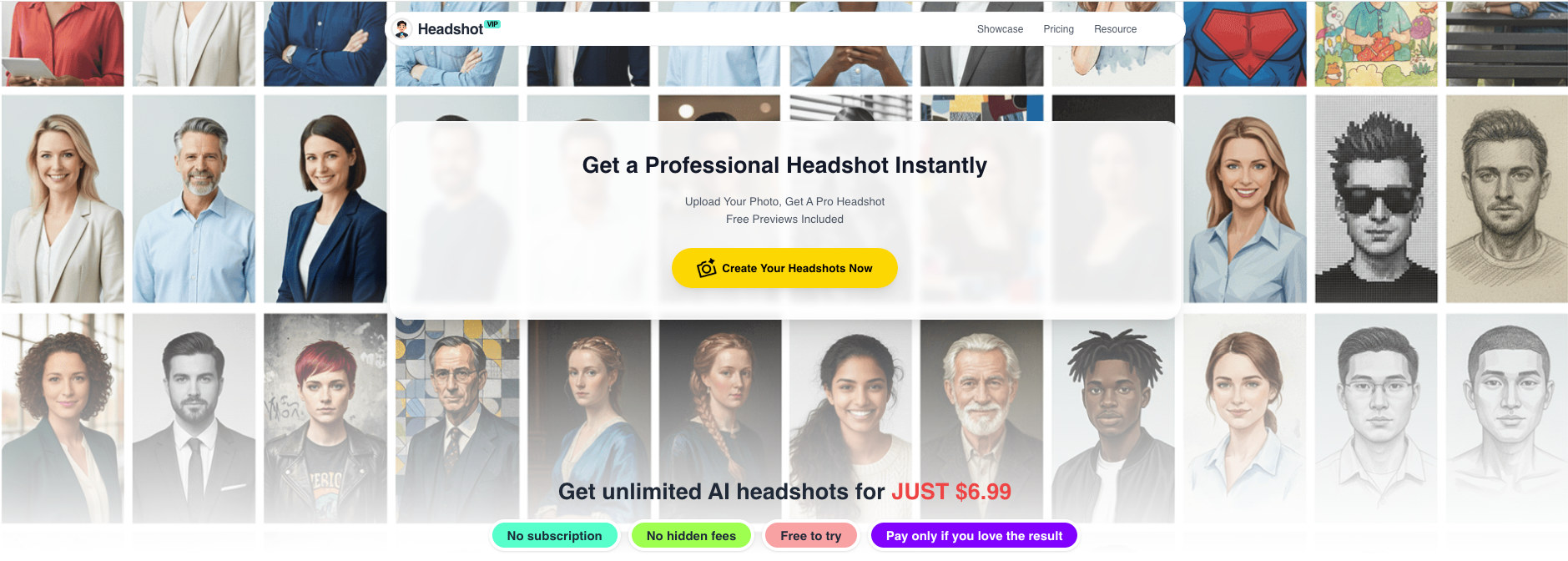
HeadshotVIP takes everyday selfies and turns them into consistent, business-focused portraits designed for professional use.
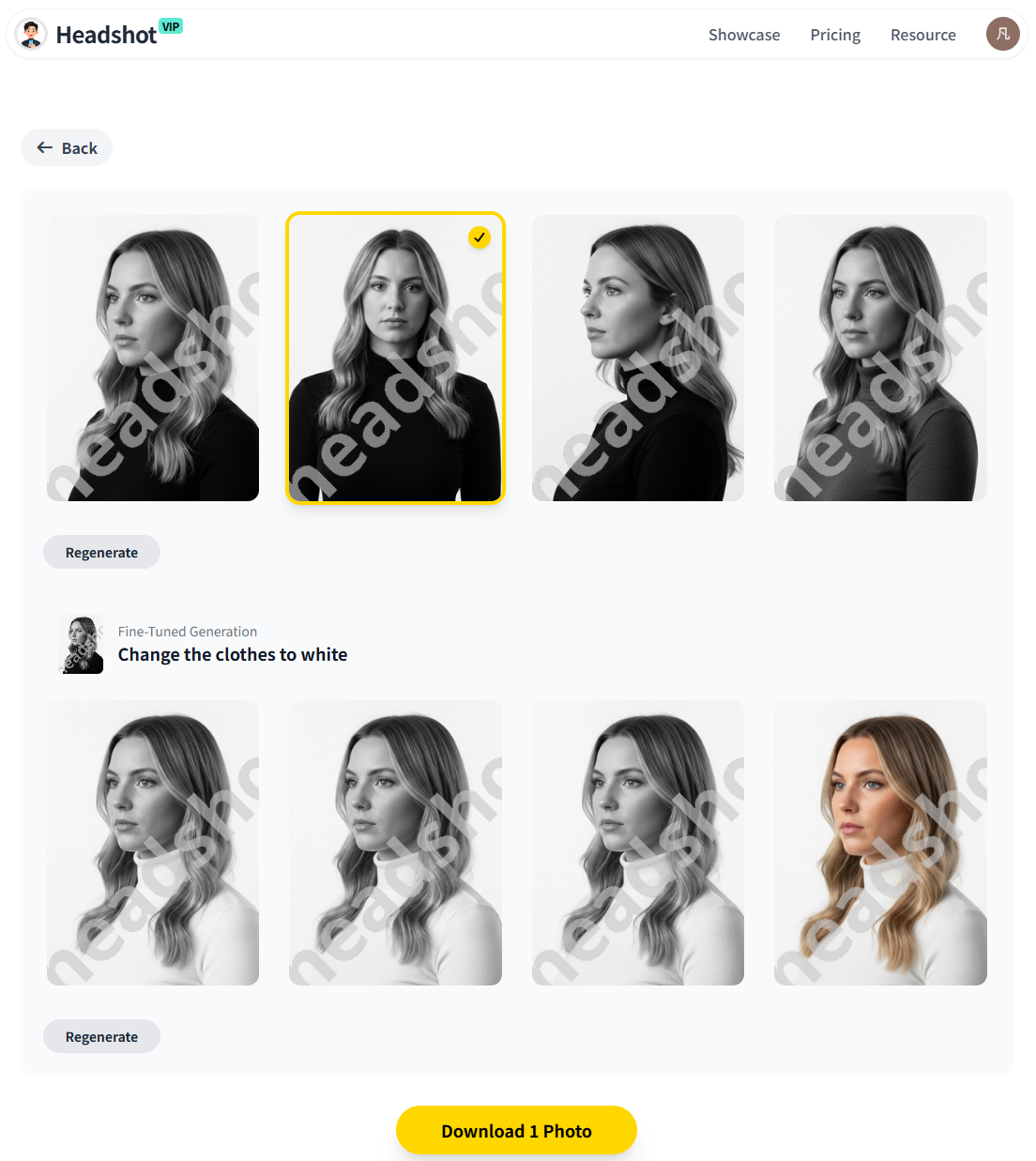
Operation Steps (HeadshotVIP)
Go to HeadshotVIP
Open the official site:
👉 https://headshot.vipCreate an account & choose a plan
- For most individuals, the Starter or Professional plan is enough.
- Teams or cohorts (bootcamps, startups, agencies) can use the Team / Business option for consistent team photos.
Prepare and upload your selfies
For best results, upload 8–15 photos that meet these guidelines:
- Good lighting (natural daylight is ideal; avoid harsh shadows)
- Different angles: front, slight left, slight right
- No sunglasses, heavy filters, or face-obstructing hair
- Neutral to light expressions (you can add more “smile” in the generated styles)
- Avoid tiny, heavily compressed images from messaging apps
This matters: HeadshotVIP’s AI can only be as accurate as the faces you give it.
Select a professional style aligned with your interview goals
HeadshotVIP offers multiple business-focused styles, such as:
- LinkedIn – balanced, general-purpose professional
- Corporate – more formal, ideal for finance, consulting, or law
- Startup – relaxed but polished, great for tech or product roles
- Executive – authoritative, ideal for director/C-level candidates
- Creative – modern with a bit more personality
Match these to the persona you defined in Step 1.
For example, aiming for a PM role at a SaaS startup? Try LinkedIn + Startup sets.Generate your AI virtual headshots
- Click Generate and let HeadshotVIP process your images.
- The system uses advanced facial recognition and identity consistency modeling to keep you looking like you (not a random “AI face”).
- Lighting and background are intelligently reconstructed to feel like a studio shoot.
Review, shortlist, and download
- Pick 3–5 favorites:
- 1 “main” LinkedIn photo
- 1 slightly more casual version for internal tools or Slack
- 1–3 alternates for resumes, portfolios, or different regions/markets
- Download in high-resolution JPG/PNG, optimized for:
- LinkedIn profile photo & banner integrations
- Resume photos
- Website “About” pages and bios
- Pick 3–5 favorites:
Optional: Generate a consistent set for your personal brand or team
If you’re a founder, freelancer, or hiring manager:
- Use HeadshotVIP’s style-consistent batch generation for:
- Team pages
- Multi-platform branding (website, decks, sales collateral)
- This is especially helpful if your interview process includes meeting multiple stakeholders; everyone sees a consistent, professional image of you.
- Use HeadshotVIP’s style-consistent batch generation for:
Advantages of HeadshotVIP for interview-focused headshots
- ✅ Interview-first design: Styles tuned for LinkedIn, resumes, and business sites—not just casual social media avatars.
- ✅ Identity consistency: Advanced modeling keeps your features realistic, avoiding the “AI face swap” effect some tools produce.
- ✅ Business-focused styles: LinkedIn, corporate, startup, executive, and creative options aligned with real hiring contexts.
- ✅ High-resolution outputs: Ready for ATS-friendly resumes, company bios, and large-format portfolio pages.
- ✅ Team consistency: Generate unified headshots for you and your team, which looks great to recruiters and clients.
- ✅ Privacy-aware processing: HeadshotVIP is built with privacy-focused image handling (no unnecessary data reuse).
- ✅ Fast workflow: Simple upload → choose style → generate → download—ideal when you have an interview coming up in days.
Method 2: Other AI headshot generators (and how they compare)
There are plenty of alternatives—Canva’s AI headshot generator, dedicated tools like BetterPic, Proshoot, Aragon AI, and others highlighted in public reviews. They can absolutely work, especially if you already use them for design or want to experiment.
Typical alternatives
Canva AI headshot generator
- Works inside Canva’s design interface
- Good if you want to quickly clean up a selfie and put it in templates
- Limited “career-specific” control; better for general profile pictures
Multi-tool comparison (e.g., BetterPic, Proshoot, etc.)
Public testers (like the Substack review that tried 30+ tools) often highlight:
- BetterPic – Very realistic outdoor/ambient lighting
- Proshoot – High face likeness, natural features
- Aragon AI – Lots of usable shots per run
These are solid if you’re mainly testing visual realism across many styles.
Pros of using general AI headshot generators
- Broad style variety (casual, social media, fun avatars)
- Some offer free trial credits
- Tools like Canva integrate with design templates, resumes, and social posts
Cons (where HeadshotVIP stands out)
- ❌ Many tools focus on “cool” styles, not interview-appropriate looks
- ❌ Fewer options to match industry and seniority (e.g., executive vs junior)
- ❌ Some results look over-smoothed or slightly “off,” which can hurt trust
- ❌ Team consistency is often an afterthought
- ❌ Privacy policies and data reuse can be unclear
When to still use them:
- You want a quick upgrade for a casual profile (e.g., Twitter, Instagram)
- You already pay for Canva and just need a basic AI virtual headshot
- You’re experimenting before committing to a dedicated career-focused tool
For serious job searching—especially if you’re actively interviewing—using a tool like HeadshotVIP, which is tuned for business and interview contexts, usually gives a more reliable, recruiter-friendly result.
How to make your AI headshot interview-ready: 7 practical tips
Once you’ve generated a strong AI professional headshot, the real leverage comes from how you use it. These tips focus specifically on interviews and applications.
1. Keep it realistic and human, not “AI-perfect”
Recruiters see AI images every day now. Over-polished skin or warped details are red flags.
Do:
- Choose shots where:
- Skin texture still looks natural
- Your eye color and facial features match real life
- Clothes and background don’t look obviously fake
- Keep a friendly, authentic expression
Avoid:
- Plastic, ultra-smoothed skin
- Dramatic DOF blur that looks fake
- “Instagram filter” vibes
If a generated result looks like another person wearing your face, discard it.
2. Match your AI headshot to your interview wardrobe
You don’t need to match perfectly, but you also don’t want a jarring difference.
Good rule of thumb:
Your AI headshot should look like how you’d appear on a typical video call for that job.
- If your headshot shows you in a blazer and shirt, but you show up in a hoodie, it can subtly affect perceived reliability.
- Choose a style you can comfortably recreate with real clothes you already own.
This is especially important for panel interviews and on-site visits, where people who saw your LinkedIn will meet you in person.
3. Use one “master” image and adapt it smartly across platforms
Inconsistent photos across your digital footprint can weaken your professional brand.
Here’s how to build a coherent system:
LinkedIn
- Use your strongest, most neutral AI professional headshot.
- Crop to square, keep enough space around your head.
Resume / CV
- Use the same photo or a very close variant.
- Keep it small (top corner) and ATS-friendly (simple file name, reasonable size).
Portfolio / personal site
- You can use a slightly wider crop (head + shoulders).
- Same outfit and expression as LinkedIn for continuity.
Email / tools (Outlook, Gmail, Slack, Teams)
- Use the same image so when you email a recruiter, they instantly recognize you.
Tip: Create a small folder like headshots-2025/ with:
linkedin-main.pngcv-photo.pngwebsite-bio.pnginternal-tools.png
All derived from the same HeadshotVIP set.
4. Tune your headshot for different regions (optional but powerful)
If you’re applying globally, expectations around headshots vary:
- In some countries (parts of Europe, Asia), a resume photo is standard.
- In others (US, UK tech), resumes without photos are common—but LinkedIn still matters.
You can:
- Use a more formal variant (corporate style) for regions/industries that expect it.
- Use a more neutral, business-casual variant for markets that prefer a low-key approach.
HeadshotVIP makes this easy by letting you generate multiple styles from the same base selfies.
5. Align your headshot with your headline and About section
Your photo, headline, and summary are usually the first three things a recruiter notices on LinkedIn.
Make them tell one coherent story:
If your headshot: calm, executive, focused
Then your headline could be: “Senior Finance Manager | FP&A | Building reliable forecasting systems for growth-stage companies”
If your headshot: approachable, creative, modern
Then your headline could be: “UI/UX Designer | Turning complex SaaS workflows into intuitive, delightful experiences”
The visual and verbal signals should match.
6. Use your AI headshot strategically during the interview process
Here are specific touchpoints where your AI-generated headshot can subtly boost outcomes:
LinkedIn connection requests to recruiters and hiring managers
A clean, professional image increases acceptance and reply rates.Calendly / scheduling profile picture
Some tools show your avatar when people book or confirm calls. Use the same photo there.Video call platforms
- Set your profile picture in Zoom/Teams/Meet to match LinkedIn.
- If your camera drops or you join audio-only, they still see your professional image.
Follow-up emails
- Google/Outlook avatars often display in the recipient’s inbox.
- Consistent headshots make you more recognizable across interactions.
These touches won’t turn a weak resume into an offer, but they make you memorable and credible when you’re already a good fit.
7. Review for bias, diversity, and authenticity
One common concern with AI virtual headshots is that they may:
- Lighten or change skin tone
- Alter facial features toward “default” beauty standards
- Flatten cultural expression
You want a headshot that’s:
- True to your identity
- Respectful of your background
- Professional without erasing who you are
Practical checks:
- Compare your AI headshot side-by-side with a recent real photo.
- Check:
- Is the skin tone accurate?
- Are facial features (nose, eyes, jaw, hair texture) preserved?
- Would people who know you instantly recognize you?
If not, adjust:
- Try a different style in HeadshotVIP
- Upload more accurate, well-lit selfies
- Avoid tools that consistently alter identity beyond light enhancement
For context on bias in automated systems, you can read the American Bar Association’s brief on AI and bias in hiring:
AI and Algorithmic Bias.
Quick comparison: Canva vs generic tools vs HeadshotVIP
| Feature / Need | Canva AI Headshot | Generic Tools (e.g., BetterPic, etc.) | HeadshotVIP |
|---|---|---|---|
| Focus on job interviews & applications | ❌ General design use | ⚠️ Varies by tool | ✅ Yes |
| Business-specific styles (LinkedIn, exec) | ⚠️ Limited | ⚠️ Mixed, often generic | ✅ Multiple |
| Identity consistency & realism | ⚠️ Good with strong input | ✅ Some top tools excel | ✅ Core focus |
| Team / company-wide consistency | ❌ Not primary | ❌ Rare | ✅ Built-in |
| High-res files for resumes & websites | ✅ Yes | ✅ Usually | ✅ Optimized |
| Integrated photo editing & templates | ✅ Very strong | ❌ Minimal | ⚠️ Focused on headshots, not design |
| Best use case | Simple upgrades, social posts | Testing many looks, personal branding | Interview-focused professional headshots |
Use Canva or other tools if you need quick, general improvements or social content.
Use HeadshotVIP when your main goal is interview success and professional consistency.
FAQ: AI professional headshots for interviews
Q1: Are AI professional headshots allowed or “ethical” for job applications?
A: Yes—when used responsibly. You’re essentially simulating what a professional photographer would do: adjust lighting, background, and minor imperfections. The key is honesty: your AI professional headshot should still look like you. Don’t change core features (face shape, skin tone, etc.) or misrepresent your age or identity. Recruiters care far more about accuracy and professionalism than whether you used a camera or AI.
Q2: Will an AI-generated headshot hurt my chances if recruiters notice?
A: In most cases, no—if the image is realistic and professional. Many recruiters already see AI-enhanced photos daily. Problems arise only when the picture looks fake, heavily filtered, or unlike you in real life. That’s why tools like HeadshotVIP focus on natural, identity-consistent results instead of overly stylized avatars. When in doubt, pick the most subtle, realistic option.
Q3: How many AI headshots do I actually need for a job search?
A: For a typical 2025 job search, 3–5 strong images are enough:
- Main LinkedIn / ATS headshot (your default everywhere)
- Slightly more formal variant (for specific industries or regions)
- Slightly more casual variant (for internal tools or creative roles)
4–5. Optional alternates for your portfolio or personal site.
HeadshotVIP can generate dozens, but you only need a small, curated set. Quality and consistency beat quantity.
Summary
A strong AI professional headshot won’t replace good experience or interview skills—but it can:
- Make recruiters stop scrolling and actually read your profile
- Help hiring managers remember you between interview rounds
- Signal the right level of professionalism for your target role and industry
- Create a consistent, trustworthy presence across LinkedIn, resumes, email, and video calls
To make it work for interviews, not just vanity:
- Define your interview persona (role, industry, seniority).
- Use a focused tool like HeadshotVIP to generate realistic, business-ready images.
- Keep your AI-generated headshot consistent across all touchpoints.
- Prioritize authenticity, diversity, and trust over “AI perfection.”
Try HeadshotVIP Now:
- Starter: $6.99 – Ideal for individual job seekers needing a clean LinkedIn + resume set
- Professional: $9.99 – More styles, higher resolution, and extra variants for personal branding
Related Articles
- how-to-use-ai-professional-headshot-for-job-search-2025
- ai-professional-headshot-branding-guide-2025
- ai-headshot-generation-privacy-protection-guide-2025
Current Date: 2026-01-29