Boost AI professional headshot for resumes in 2025
Boost AI professional headshot for resumes in 2025
If you’re updating your resume for 2025, you’ve probably asked yourself two questions: “Should I add a photo?” and “Is an AI professional headshot OK?”
Remote hiring, global applications, and AI screening tools (ATS) have changed what works on a CV. A blurry selfie can hurt your chances, but a clean, AI professional headshot can make you look polished and trustworthy—if you use it correctly and in the right context.
This guide walks you through everything: when to add a photo, where to place it on your resume, what styles work for recruiters and ATS, which countries and industries expect (or reject) photos, and how to create a resume-ready AI-generated headshot using HeadshotVIP step by step.

Do you really need an AI professional headshot on your resume?
Before you generate anything, you need to know if a resume photo is a good idea for your situation. Most articles talk about LinkedIn or personal branding; let’s focus strictly on resumes and CVs.
1. Countries where a resume headshot is common (or expected)
In these regions, a small, professional headshot on your CV is normal and often preferred:
- Europe (especially DACH & Southern Europe)
Germany, Austria, Switzerland, France, Spain, Italy, Portugal, Belgium, Netherlands (mixed but often acceptable). - Latin America
Brazil, Mexico, Argentina, Chile, Colombia. - Parts of Asia & Middle East
Japan, South Korea, UAE, Saudi Arabia, Turkey.
In these markets, not having a photo can make your CV feel incomplete or less personal.
Best practice: In these countries, an AI-generated headshot is fine as long as it looks realistic, neutral, and professional.
2. Countries where resume headshots can hurt you
In some countries, photos on resumes are discouraged or can even raise discrimination concerns:
- United States
- United Kingdom
- Canada
- Australia & New Zealand
- Nordic countries (often lean no-photo, depending on industry)
According to many HR guidelines (for example, U.S. EEOC advice, which discourages collecting visual info that could bias decisions), employers prefer photo-free resumes to reduce bias risk.
Best practice: In these regions, skip the resume headshot and instead:
- Use your AI professional headshot on LinkedIn and your portfolio.
- Mention your LinkedIn URL prominently at the top of your resume.
3. Industries where resume photos help vs. hurt
Think in terms of “client-facing” vs “compliance-heavy.”
Photos usually help:
- Sales & account management
- Marketing, PR, communications
- Consulting and advisory roles
- Real estate, hospitality, event management
- Creative roles (design, media, performing arts – though portfolios matter more)
Photos usually hurt or are unnecessary:
- Finance (especially in US/UK)
- Legal
- Government and public sector
- Academia & research (outside some EU markets)
- Technical/engineering roles in conservative companies
Rule of thumb:
If your face is part of building trust with clients or audiences, a small, professional headshot can help. If the industry is very regulated or risk-averse, leave it out.
How to use an AI headshot on your resume the right way
Once you know a photo is appropriate for your country and industry, the next step is placement, size, and style. This is the part most guides skip.
1. Where to place your AI professional headshot on a resume
For ATS and recruiters, these layouts work best:
Top-left column layout (most common)
- A narrow left column (about 20–25% width)
- Place your headshot at the top of that column
- Below it: name, title, contact info, links (LinkedIn, portfolio)
Top-right corner layout (simple, one-column CV)
- Your name and title in a large font at the top left
- A small circular or rounded-rect headshot aligned to the top right
- Contact details below your name, not under the photo
Two-column modern layout (for designers/creatives)
- Left: photo + short summary + skills
- Right: experience + education + achievements
No matter the layout:
- Keep the photo above the fold (visible on first screen).
- Avoid putting text directly over the image.
- Do not put the photo in headers/footers that some ATS systems might ignore.
2. Ideal size & format for resume headshots in 2025
- Shape: Circle or rounded rectangle (looks cleaner and modern)
- Size (on an A4/Letter resume):
- Height: 3–4 cm (1.2–1.6 in)
- Width: proportional; don’t exceed 15–20% of total page width
- Resolution:
- Source image: at least 800×800 px
- Resume export: 300 DPI PDF for print, 150 DPI+ PDF for online
Don’t:
- Use a full-body image.
- Use a huge photo that pushes your experience below the fold.
- Embed a 10MB+ image file that makes your resume heavy and slow to open.
3. Style rules: what makes an AI-generated headshot “resume-ready”
Whether you use HeadshotVIP or another tool, follow these style rules:
- Expression: soft smile or neutral. No exaggerated grin, no duckface.
- Framing: head and shoulders, with a little space above your head.
- Background: solid light grey, off-white, or very subtle gradient.
Avoid busy office stock photos, beach scenes, or heavy bokeh. - Clothing:
- Corporate roles: shirt + blazer (tie optional), or smart blouse/dress.
- Startups/creative: smart casual is fine (plain top, no big logos).
- Colors:
- Stick to neutrals: navy, grey, black, white, beige.
- Avoid neon colors and overly saturated filters.
Most common resume headshot mistakes:
- Over-smoothing skin so you look like a plastic avatar.
- AI changing your eye color or facial proportions too much.
- Trendy social media styles (heavy shadows, dramatic filters).
- Obvious AI artifacts (weird ears, jewelry fused into skin, distorted glasses).
If the photo looks like “a filter” rather than “you on a good day,” redo it.
How to create a resume-ready AI professional headshot with HeadshotVIP
Method 1: Using HeadshotVIP (Recommended)
Use case:
Job seekers and professionals who want a realistic, resume-safe AI headshot that matches LinkedIn, looks professional across regions, and doesn’t require booking a photographer.
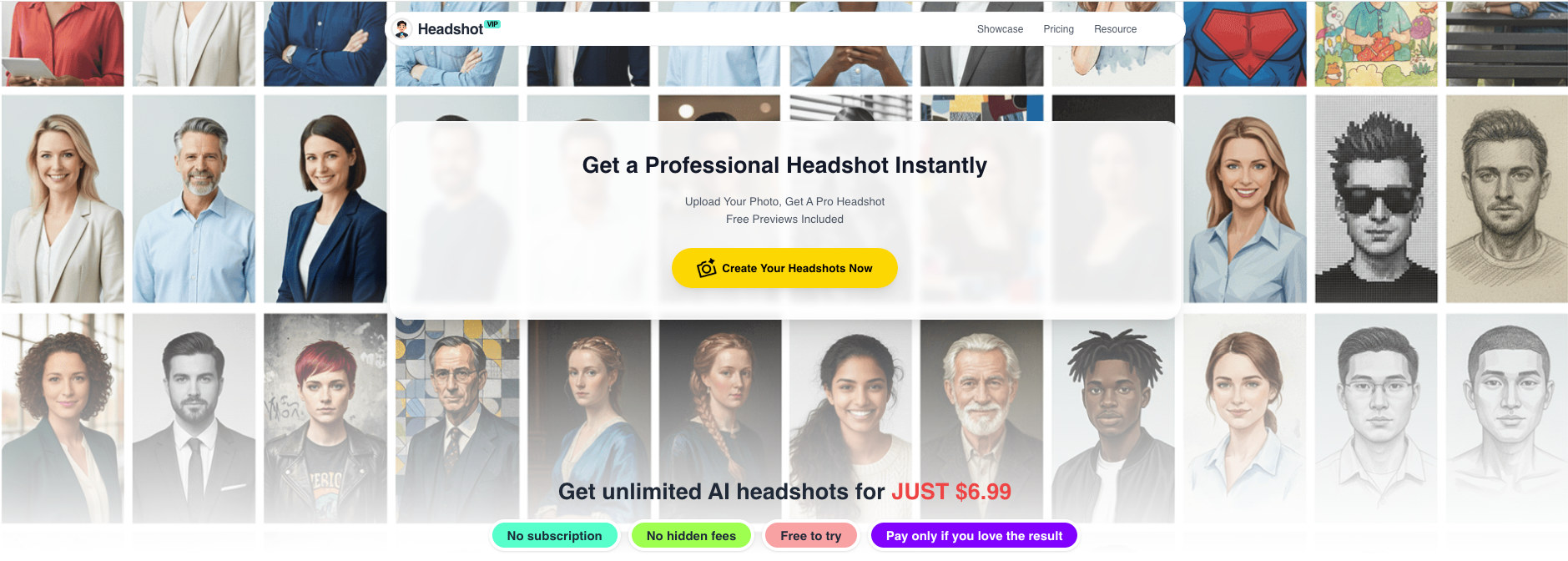
Step-by-step: From selfie to resume headshot
Go to HeadshotVIP
Open the official site: https://headshot.vip.
You can use it directly in your browser—no heavy software needed.Create an account and choose a plan
- Starter: best if you just need one solid AI professional headshot for your resume and LinkedIn.
- Professional: better if you want multiple outfits/backgrounds and high-resolution outputs (useful for your website, slide decks, or conference bios).
- Team / Business: for companies that need consistent headshots for an entire team page.
Prepare and upload your source photos
For best results, upload 8–15 photos of yourself that:
- Show you in good, natural or soft indoor light
- Include front-facing shots and a couple of slight angles
- Don’t use sunglasses, heavy hats, or extreme filters
- Include at least 2–3 photos in clothes similar to your ideal look (e.g., shirt, blazer)
HeadshotVIP’s results depend heavily on input quality. Blurry, dark selfies = more AI artifacts.
Pick a “resume-safe” style in HeadshotVIP
Inside HeadshotVIP, choose from business-focused styles like:
- “Corporate / LinkedIn” – perfect for CVs in business, tech, consulting
- “Executive” – for senior roles, board profiles, C-level resumes
- “Startup / Creative Professional” – for product, design, marketing
For resumes, avoid:
- Casual portraits (hoodies, cafes, streetwear)
- Overly stylized or colorful backgrounds
Generate your AI professional headshots
Click Generate and let HeadshotVIP process your photos.
Depending on plan and queue, this usually takes minutes, not hours.Under the hood, HeadshotVIP uses:
- Facial recognition & identity consistency models to keep your features accurate
- Lighting and background reconstruction to simulate studio conditions
- Style-consistent batch generation if you’re doing this for a team
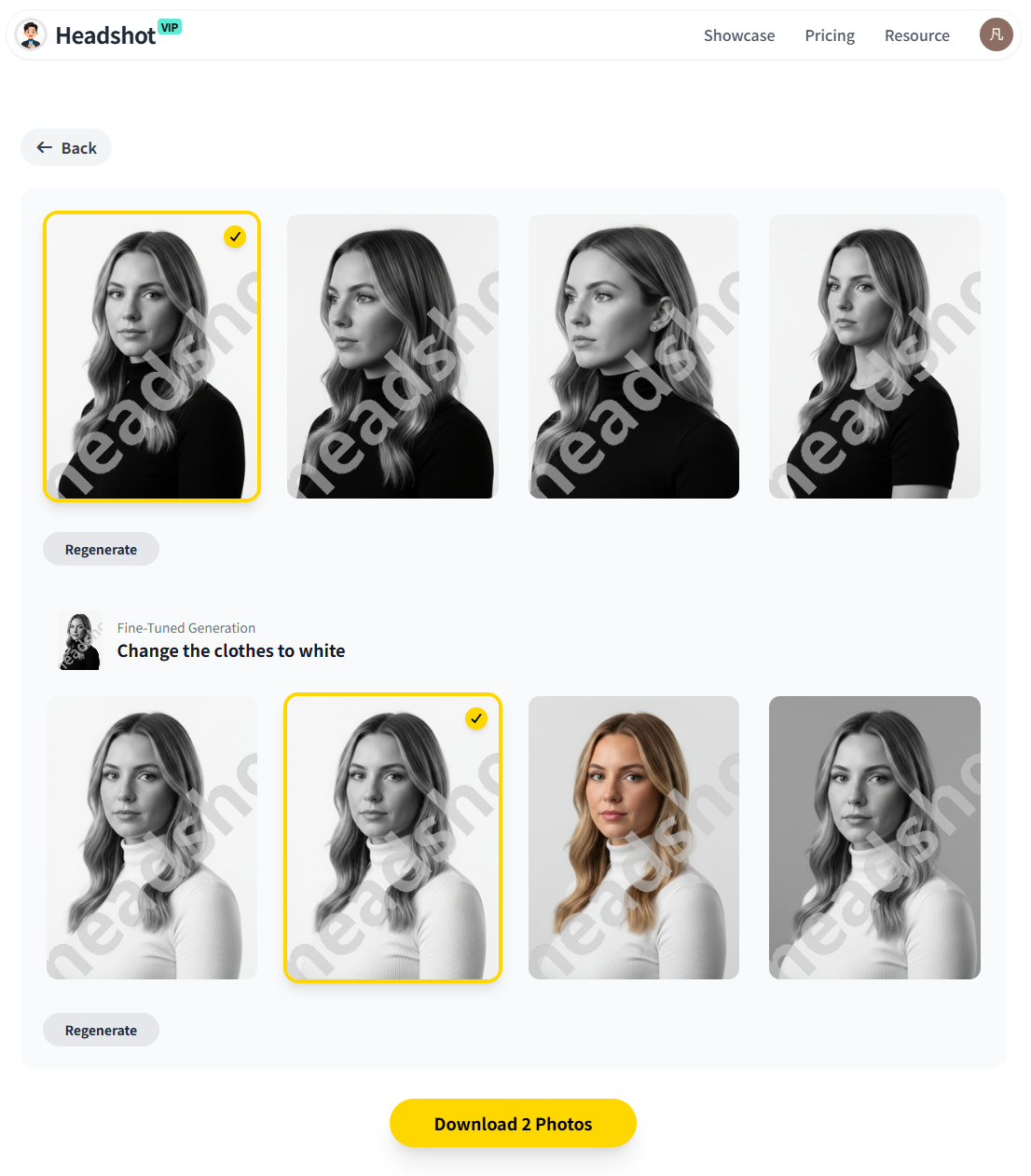
Review, select, and download
Once your images are ready:
- Shortlist 2–3 that look most like you on a real-world good day.
- Avoid any where:
- Eyes look off-center or mismatched
- Teeth or lips look smudged
- Hair blurs into the background unnaturally
- Download the best file in high resolution.
Crop and optimize for your resume layout
Use a basic editor (or your resume builder) to:
- Crop to a square or 4:5 portrait around your head and shoulders
- Resize so it appears 3–4 cm tall on the final PDF
- Export your resume as PDF (not Word) to preserve layout and image quality
Advantages of using HeadshotVIP for resume headshots
- ✅ Business-focused styles: Designed for LinkedIn, resumes, bios—not for cosplay or fantasy looks.
- ✅ High-resolution outputs: Clean even in printed CVs or large-profile images.
- ✅ Consistent style: Great if you want your LinkedIn, resume, and portfolio to match.
- ✅ Team-ready: Companies can generate uniform photos for everyone (useful for company CV templates and bid documents).
- ✅ Privacy-focused processing: Images are processed with privacy in mind; no need to share files beyond the platform.
Limitations to be aware of (honest take)
- Results still depend on your input photos. If all uploads are low-light bathroom selfies, no AI can fully fix that.
- Pose and expression control are limited compared to a live photographer. You might generate 20+ images and select just 2–3 truly great ones.
- Very unusual haircuts, heavy accessories, or niche clothing can sometimes confuse the model.
Method 2: Using general AI headshot tools (Canva, generic generators, etc.)
Plenty of tools now create AI-generated headshots, from Canva’s AI headshot generator to standalone services compared in long reviews like Anangsha Alammyan’s testing of 30+ tools. Many of these tools focus on LinkedIn photos or personal branding rather than resumes specifically.
How these alternative tools typically work
- You upload several selfies.
- Choose a general style (e.g., “Corporate,” “Casual,” “Studio”).
- Wait for AI to generate a batch of photos.
- Download the ones you like.
Pros of general AI headshot tools
- 👍 Wide range of creative looks (outdoor, lifestyle, various outfits).
- 👍 Some offer free trials or low-cost test runs.
- 👍 Great if your main goal is social media or personal branding.
Cons for resume-specific use
- 👎 Styles are often too casual or stylized for formal resumes.
- 👎 Some tools over-edit faces, causing a “plastic” AI look that recruiters notice.
- 👎 Fewer options optimized for team consistency when a company needs matching CVs.
- 👎 Some platforms are vague about data and privacy, which matters when you’re uploading many personal images.
If you use these tools, apply the same rules from earlier:
- Choose neutral backgrounds and business attire.
- Avoid unrealistic retouching.
- Crop and size correctly on your resume.
HeadshotVIP’s strength is that it starts from a business/resume-first mindset, not a social media mindset.
10 pro tips to make your AI professional headshot work for your resume
Use these as a checklist before you finalize your CV.
Match your current appearance
If you’ve changed your hairstyle, facial hair, or glasses recently, make sure the AI headshot still looks like you today. Recruiters dislike “catfishing” photos.Align your photo with your target role
- Applying for a corporate finance job? Choose a more formal style.
- Applying at a startup or creative agency? Smart casual is OK.
Keep the file size reasonable
- Under 1–2 MB for the final CV PDF is a good target for online applications.
- Oversized embedded images can cause ATS upload errors.
Use the same headshot across platforms
Reuse your HeadshotVIP image on:- Portfolio site
- Conference speaker bios
- Email profile (optional)
This reinforces visual recognition of your personal brand.
Avoid “over-posing” shots
Overly dramatic angles, hand-on-chin poses, or fashion-magazine vibes can feel off in a CV context. Keep it simple and approachable.Check accessibility and contrast
A very pale background plus pale clothing can make your face blend into the page. Make sure there’s enough contrast so your face is clearly visible, even on older monitors.Don’t hide your skills behind your photo
A good headshot can support your application, but content wins. Make sure:- Your top achievements are visible in the first half of page 1.
- The photo doesn’t push critical information too far down.
Test-print your resume
Print your CV in black and white. If your headshot turns into a muddy blob, try a lighter background and higher-contrast photo.Check local norms when applying abroad
If you’re applying to both Europe and the US, consider keeping two CV versions:- One with photo (for photo-friendly markets)
- One without photo (for US/UK/Canada/AU roles)
Be transparent if asked
If an interviewer asks whether your photo is AI-generated, a simple, honest reply works:
“Yes, I used an AI headshot tool based on my own photos to get a clean, professional image.”
Recruiters care more about honesty than whether you booked a studio.
Quick FAQ about AI professional headshots on resumes in 2025
Q1: Is it acceptable to use an AI-generated headshot on my resume?
A: Yes—if your market and industry are photo-friendly and the image looks realistic. Many professionals now use AI-generated headshots created from their real selfies. The key is that the photo should be an honest, accurate representation of you, not a heavily altered “fantasy” version.
Q2: Will an AI professional headshot affect ATS (Applicant Tracking Systems)?
A: Most ATS tools mainly parse text, not images. The photo itself won’t help or hurt parsing, but a bad layout can. Place the headshot in a fixed position (top-left or top-right), export as PDF, and keep text in simple columns and fonts so ATS can read your resume easily.
Q3: Is it better to skip the photo and only use my headshot on LinkedIn?
A: In the US, UK, Canada, and similar markets, that’s usually the safer choice. Put your AI headshot on LinkedIn and add your LinkedIn URL at the top of your resume. In countries like Germany, France, Spain, or Brazil, including a small professional headshot on the CV is normal and can help.
Summary
Using an AI professional headshot on your resume can boost your first impression—if you respect local norms, choose the right style, and keep things realistic. In photo-friendly countries and client-facing roles, a clean, businesslike AI-generated headshot helps recruiters connect your name to a face and perceive you as prepared and professional.
HeadshotVIP makes it easy to go from everyday selfies to resume-ready, high-resolution headshots tuned for business use. With business-focused styles, identity-consistent AI, and privacy-conscious processing, it’s a strong choice for both individuals and teams who want consistent, HR-friendly images without booking a studio.
Try HeadshotVIP Now:
- Starter: $6.99 – ideal for one solid resume + LinkedIn headshot
- Professional: $9.99 – more styles and higher-resolution outputs for multi-channel use
Related Articles
- Professional-Headshot-Tips
- ai-generated-headshot-tips-to-look-professional-2025
- how-to-use-ai-professional-headshot-for-job-search-2025
Current Date: 2026-01-30