Create AI professional headshot for personal brand (2025)
Create AI professional headshot for personal brand (2025)
If your LinkedIn photo still looks like a cropped party shot or a blurry webcam capture, you’re not alone. Hiring a photographer can easily cost $200–$300, and coordinating a shoot is a headache when you just want a clean, professional image that matches your personal brand everywhere.
The good news: AI professional headshot tools now make it possible to turn a few decent selfies into a full library of on‑brand portraits in minutes—not just one photo, but a system of visuals for LinkedIn, your website, and social media.
Here’s how to create an AI professional headshot and build a consistent personal brand in 2025, step by step, using a workflow you can reuse anytime you update your look or your role.
Why AI professional headshots are now a core part of your personal brand
A headshot isn’t just a profile picture anymore—it’s often your first “handshake” with:
- Recruiters scanning LinkedIn search results
- Potential clients checking your website
- Podcast hosts, conference organizers, and journalists pulling your photo for promos
Traditional advice and most current guides focus on “how to look good in one photo.” The gap: they rarely talk about brand consistency—using AI-generated headshots to create a cohesive visual identity across platforms.
Pulling from what tools like Canva, Aragon, and top reviewers highlight, here’s what actually matters in 2025:
Realism and likeness
Many AI tools over-smooth skin or subtly change your features. For a personal brand, your headshot should look like you on a good day, not a different person.Context‑appropriate styles
- LinkedIn: clean, neutral, businesslike
- Personal website: slightly more personality and color
- Instagram / content branding: bolder, creative, looser framing
Speed and flexibility
You should be able to go from “I need a new photo” to “I have a full set” in under an hour—not wait days for a photographer.Privacy and control
A professional headshot is biometric data. You want tools that are clear about how your photos are stored, used, and deleted.
AI headshot generators solve the speed and cost problem. A smart workflow turns them into the foundation of your personal brand image system, not just a quick LinkedIn swap.
A simple 5‑step workflow to create an AI professional headshot for your brand
Instead of randomly uploading selfies into whatever “free AI headshot generator” you find, use this repeatable workflow.
Step 1: Define your personal brand look (before touching any tool)
Spend 5–10 minutes answering these questions:
How do you want to be perceived?
Pick 2–3 words:- “approachable, expert, calm”
- “innovative, bold, creative”
- “trustworthy, detail‑oriented, precise”
What industry are you in?
- Corporate (finance, law, consulting) → more formal attire, simple backgrounds
- Tech / startup → smart‑casual, modern office or soft gradients
- Creative / content creator → more color, slightly looser crop, expressive poses
Where will you use the photos?
- LinkedIn profile and banner
- Resume / CV
- Personal website or portfolio
- Social platforms (Instagram, X, YouTube thumbnails, etc.)
Write this as a simple “visual brief” you can refer back to. Example:
“I want to look like a friendly, competent product manager in tech—smart‑casual, soft lighting, neutral background with a hint of color. I’ll use this on LinkedIn, my portfolio site, and speaking pages.”
This makes every decision later (clothes, background, crop) much easier.
Step 2: Capture or select the right source photos for AI
Every AI professional headshot generator—including HeadshotVIP, Canva, and Aragon—works better when your input photos are solid. The model can’t fully rescue dark, blurry, or heavily filtered shots.
Aim for 6–15 photos that follow these rules:
Must‑haves
- Good lighting
Natural window light works best. Face the window; avoid harsh overhead lighting. - Clear view of your face
No sunglasses, heavy shadows, or hair fully covering your features. - Varied angles and expressions
A mix of straight‑on, slight angles, different outfits. Look relaxed and natural.
Avoid
- Group photos where the AI might confuse faces
- Filters, heavy beauty retouching, or AR effects
- Extreme expressions (screaming, eyes closed, etc.)
Tip: Take a quick 10‑minute mini‑shoot at home:
- Stand ~1 meter from a window with soft daylight.
- Use your phone’s rear camera for better quality.
- Take photos from the chest up, leaving a bit of headroom.
- Vary your expression slightly: neutral, light smile, warm smile.
You’ll reuse these images across tools, so this small effort pays off.
Step 3: Choose the right AI headshot generator for your needs
There are three main categories of tools mentioned across top articles:
Design suites with an AI headshot app
- Example: Canva’s AI headshot generator
- Good for: casual upgrades, social profile pictures
- Limits: less control over likeness, fewer business‑specific styles
One‑off AI headshot services
- Example: Aragon and other paid generators
- Good for: large batches (60–100 photos), many backgrounds/outfits
- Limits: can feel more like a “photo dump” than a structured brand system
Brand‑focused headshot tools like HeadshotVIP
- Good for: people who care about professional, consistent, privacy‑aware branding across LinkedIn, resumes, and company websites
Because this guide is about personal branding—not just testing tools—let’s walk through a full workflow with HeadshotVIP, then compare it with alternatives.
Method 1: Using HeadshotVIP (Recommended)
Use Case: Professionals, founders, and freelancers who want studio‑quality, business‑first AI professional headshots that are safe to use on LinkedIn, resumes, and company “About” pages—without sending sensitive photos to random free services.
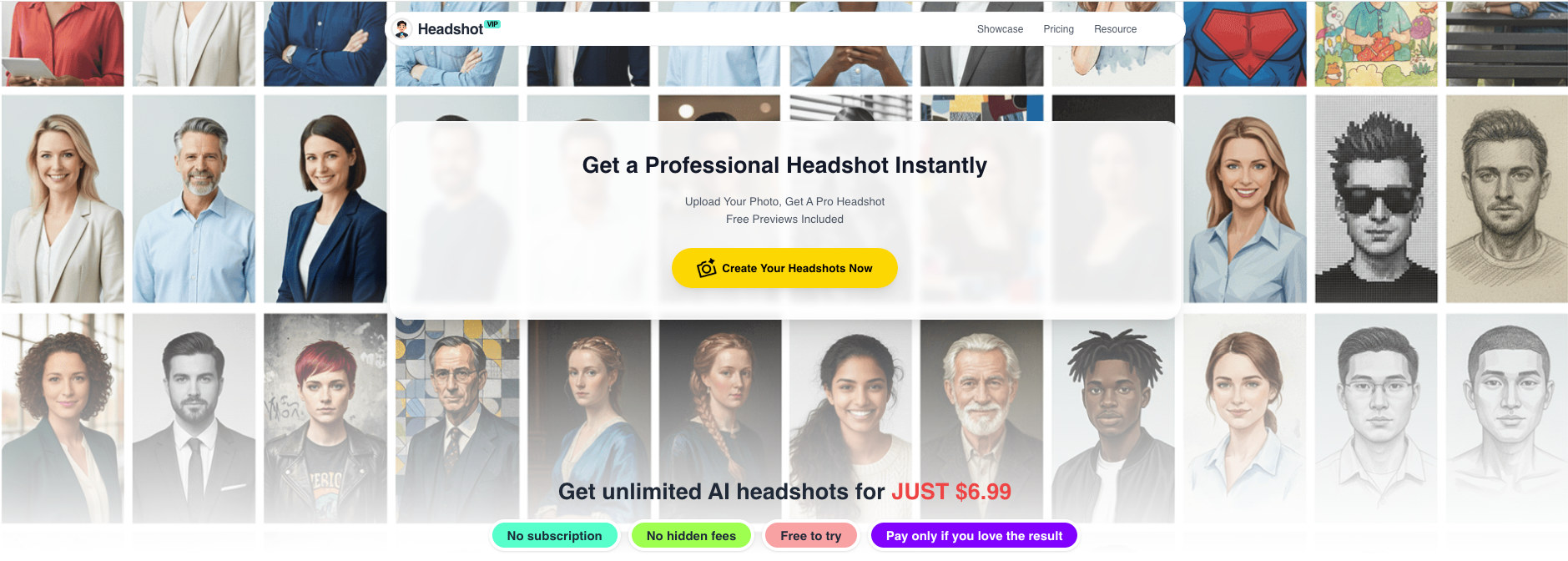
Operation Steps (HeadshotVIP workflow)
Go to the HeadshotVIP website
Visit https://headshot.vip in your browser. No complicated setup—everything runs online.Create your account and choose a plan
- Starter (best for individuals testing the waters)
- Professional (for more styles + higher‑resolution exports)
- Team / Business (for consistent company‑wide headshots)
Pick the lowest tier if you’re just updating your LinkedIn headshot; you can always upgrade later.
Upload your source selfies
- Upload 6–15 well‑lit selfies or portraits you selected in Step 2.
- Use a mix of angles and outfits, but keep them all recognizably you.
- Avoid heavily edited or filtered photos; authenticity produces better results.
Select your headshot style(s)
HeadshotVIP is optimized for business‑focused styles, such as:- LinkedIn classic (neutral background, mid‑distance crop)
- Corporate / executive (formal attire, studio lighting)
- Startup / tech (smart casual, modern office backgrounds)
- Creative professional (subtle color, softer background blur)
Choose one primary style that matches your brand brief, and optionally a second variation for social media or your personal website.
Set background and outfit preferences
- Background: plain light grey, white, subtle gradient, or blurred office
- Outfit: blazer and shirt, smart‑casual shirt, or slightly more relaxed creative looks
You don’t need to own the exact outfit in real life, but keep it realistic for your role. A software engineer and a corporate lawyer usually shouldn’t share the same visual vibe.
Generate your AI professional headshots
Click Generate and let HeadshotVIP create your set.
Behind the scenes, it uses:- Facial recognition and identity‑consistency modeling
- Intelligent lighting and background reconstruction
- Output ratios optimized for LinkedIn and CVs
You’ll get a batch of high‑resolution options, typically in minutes.
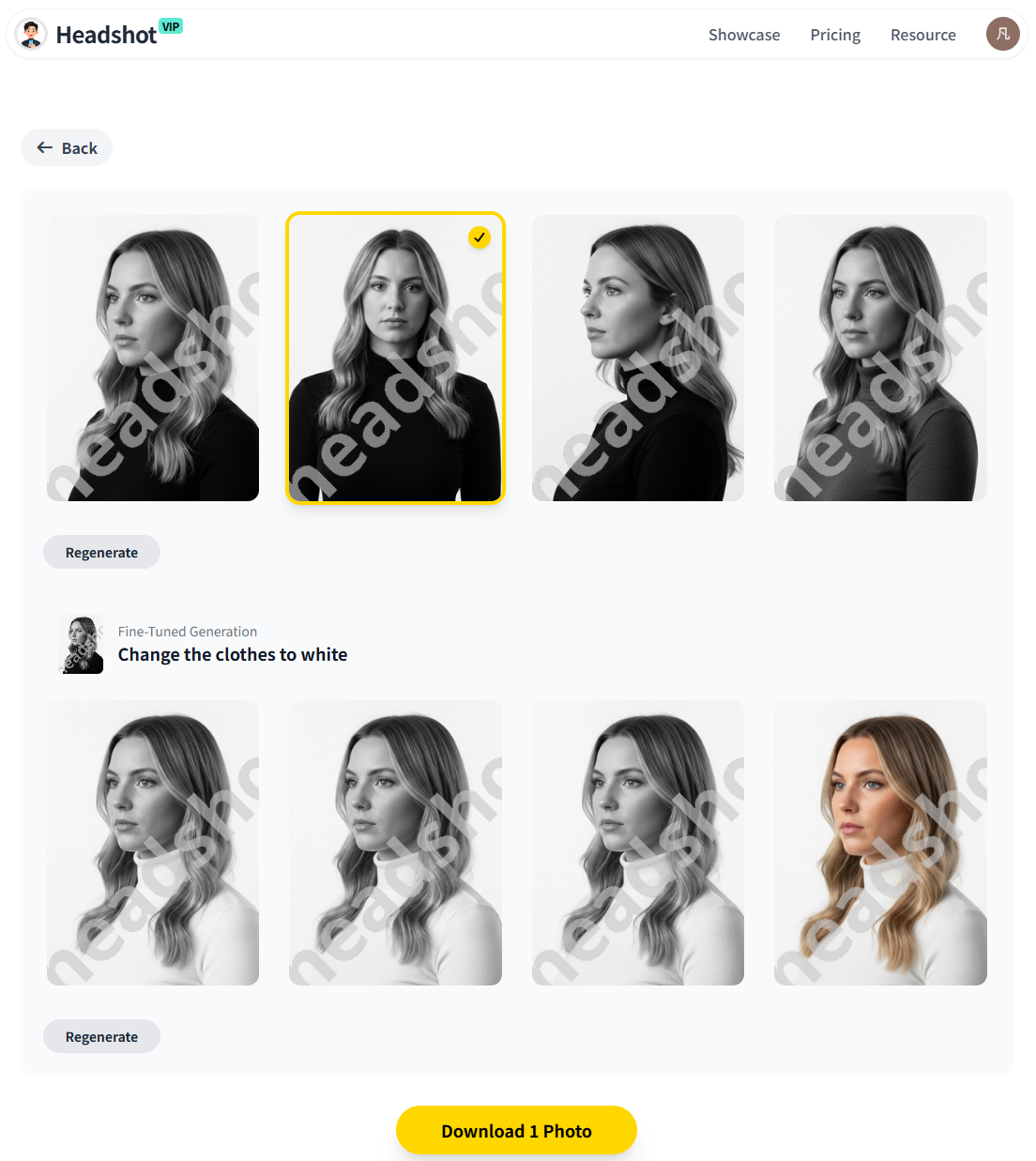
Review, shortlist, and download
- Pick 3–5 favorites that look most like you and match your brand brief.
- Download them as high‑resolution JPG/PNG files.
- Save them in a dedicated folder:
/Brand/Headshots-2025/.
Create platform‑specific variants (optional)
Use the same batch to export:- LinkedIn profile: tight crop, shoulders‑up, neutral tone
- LinkedIn banner / website: slightly wider crop, more background
- Instagram / content thumbnails: a bit more contrast and color
You can do light edits in any standard editor if needed, but start from the same HeadshotVIP base image to keep consistency.
Advantages of HeadshotVIP for personal branding
✅ Business‑first styles
Everything is designed around LinkedIn, CVs, company websites, and professional bios—not cosplay, cartoons, or novelty filters.✅ Strong identity consistency
The AI is tuned to maintain your real facial structure and features, so your AI professional headshot actually looks like you in person.✅ Privacy‑focused processing
HeadshotVIP emphasizes privacy‑safe image handling. Your selfies are used for generation, not resold or randomly reused for unrelated AI training.✅ Team‑ready consistency
If you’re a founder or hiring manager, you can generate a matching set of headshots for your team—same style, background, and framing across everyone.✅ Optimized output for professional platforms
Aspect ratios, resolution, and framing are tuned for LinkedIn, resumes, and About pages, so you spend less time resizing and recropping.
Limitations to be aware of (honest view)
- Results still depend on your input photos—poor lighting or extreme angles can reduce realism.
- Pose control is more limited than a live photographer; you can’t micro‑direct every shoulder angle.
For 95% of job seekers, freelancers, and remote professionals, that trade‑off is worth the massive time and cost savings.
Method 2: Using alternative AI headshot tools (Canva, Aragon & others)
You don’t have to use HeadshotVIP exclusively. Many people mix tools: one for quick experiments, one for final professional shots.
Here’s how the other common options fit into your workflow.
Option A: Free / low‑cost design tools (e.g., Canva)
Use case: Quick AI-generated headshot upgrades for social media and casual uses.
How it typically works:
- Open Canva and create a new design or open the Photo Editor.
- Go to Apps → search for the profile or headshot app (e.g., “ProfilePhoto”).
- Upload a selfie, pick your gender identity, and let Canva adjust background and lighting.
- Refine with Canva’s AI photo tools (background remover, filters, etc.).
- Export and upload to your social profiles.
Pros
- Easy to use if you already design in Canva
- Built‑in editing tools for filters, cropping, text overlays
- Usually offers limited free AI headshot credits
Cons (compared to HeadshotVIP)
- Less control over professional, business‑grade styles
- Likeness and realism can vary; sometimes edges feel “AI‑ish”
- Not specifically focused on LinkedIn / corporate headshots
Option B: High‑volume generators (e.g., Aragon and similar)
Use case: You want dozens of options and don’t mind sifting for the perfect one.
Typical process:
- Upload 6–20 selfies.
- Pick general categories (e.g., professional, dating, glamour, etc.).
- Wait while the service trains a mini‑model on your face.
- Receive 40–100+ AI-generated headshots with many outfits/backdrops.
Pros
- Huge volume of results in different outfits and backgrounds
- Often very impressive realism in many cases
- Good if you want casual + fun + professional all in one place
Cons (for branding)
- Overwhelming: you might get 80 images and only use 3
- Not all images will feel like “you”; some can slightly alter features
- Styles are broad: from business to dating to novelty packs, not as focused on a clean, consistent brand system
HeadshotVIP vs other AI headshot options (comparison)
Here’s a quick way to see when each approach makes sense.
| Feature / Need | Canva / design tools | Aragon‑type generators | HeadshotVIP |
|---|---|---|---|
| Core focus | General design + social | High‑volume AI photos for many use cases | Professional / business headshots |
| Primary use | Social posts, casual PFPs | LinkedIn + dating + fun packs | LinkedIn, CVs, websites, team pages |
| Realism & likeness | Good, can vary | Often very realistic, but mixed | Tuned for realistic, professional likeness |
| Number of outputs | A few per run | 40–100+ | Curated batch sized for branding |
| Style control (business‑specific) | Limited | Broad themes, not business‑only | Business‑focused styles (corporate, startup, executive, creative) |
| Team / company consistency | Manual work | Limited team features | Built‑in style‑consistent team headshots |
| Privacy emphasis | General SaaS policies | Varies by provider | Privacy‑focused, professional use |
| Best for | Quick experiments, casual | Variety lovers, heavy experimentation | People who care most about their professional brand image |
Use this table like a decision map:
- Want one clean set of career‑ready photos? → Start with HeadshotVIP.
- Want to play with designs or social‑first looks? → Add Canva into the mix.
- Want 100 photos in every possible outfit for multiple contexts? → Consider an Aragon‑style service as a secondary tool.
Pro tips to make your AI professional headshot look credible on every platform
Once you’ve generated your AI-generated headshot set, the real branding work begins: adapting it for each channel while keeping a consistent core look.
1. Use slightly different crops, not totally different photos
- LinkedIn: shoulders‑up, centered, minimal background distractions
- Personal website: a bit wider to show posture and environment
- Instagram / creator profiles: more playful crop, but same outfit and lighting
This keeps you recognizable while adapting to different aspect ratios.
2. Keep colors and lighting consistent
Recruiters and clients may see you on multiple platforms in the same week. If every profile picture looks like a different person, it subtly hurts trust.
Try to stick to:
- One main background color family (e.g., light grey / soft blue)
- Roughly similar brightness and contrast
- Similar clothing color palette (avoid wildly different moods like neon streetwear vs dark blazer unless that’s intentional for your brand)
3. Don’t over‑smooth or over‑filter
Many AI tools and beauty filters push skin smoothing too far. According to multiple recruiter surveys (see coverage on PetaPixel), recruiters increasingly accept AI photos—but they still dislike images that look fake or heavily distorted.
Aim for:
- Visible skin texture
- Natural eye whites (not glowing)
- Realistic hair edges, not a painted helmet look
If an image looks too perfect, pick a more natural variation.
4. Respect platform norms
- LinkedIn: avoid extreme angles, heavy shadows, or overly dramatic backgrounds. A light smile and eye contact are usually best.
- X / Instagram: you can go slightly more expressive or colorful, especially if you’re a creator or founder.
- CV / Resume PDFs (where culturally appropriate): keep it simple and neutral; no loud colors or experimental crops.
5. Keep an updated headshot “version history”
Your appearance and brand evolve. A simple version system helps:
Headshot-2025-Q1-LinkedIn.jpgHeadshot-2025-Q1-Website.jpgHeadshot-2025-Q3-Update.jpg
When you change jobs, titles, or hairstyles, run a quick new HeadshotVIP session and update everything in one go.
FAQ: Common questions about AI professional headshots
Q1: Will people be able to tell my headshot is AI-generated?
A: If you use realistic settings, good input photos, and a tool focused on professional styles like HeadshotVIP, most viewers won’t notice or care. What matters is that it looks like you and feels appropriate for your role. Recruiters are increasingly comfortable with AI professional headshots as long as they aren’t cartoonish or misleading.
Q2: Is it okay to use an AI-generated headshot on LinkedIn and my resume?
A: In most industries, yes—as long as the image is realistic and an honest representation of you. Avoid drastic body or facial changes that could be seen as deceptive. Think of AI as a way to simulate a well‑lit studio session, not a way to change who you are. If you’re in a highly conservative field, you may want to keep the look very natural.
Q3: How many AI headshots do I actually need for a strong personal brand?
A: You don’t need 100. In practice, 3–6 solid images are enough:
- 1 main LinkedIn / CV photo
- 1 website / About page photo (slightly wider)
- 1–2 variations for speaker bios or press
- 1–2 more expressive options for social or content thumbnails
HeadshotVIP’s curated batches make it easy to pick a small, coherent set instead of drowning in options.
Summary
You don’t need a $300 studio shoot to look credible and consistent online anymore. With a clear brand brief, a handful of good selfies, and the right tool, you can create an AI professional headshot set that works across LinkedIn, resumes, your website, and social media.
The key is to treat AI headshots as part of a personal branding workflow, not a one‑off gimmick:
- Define how you want to be perceived.
- Capture solid source photos.
- Use a professional‑grade generator like HeadshotVIP for business‑focused styles.
- Compare with other tools only when needed.
- Adapt your chosen images for each platform while keeping a consistent look.
Try HeadshotVIP Now:
- Starter: $6.99 – perfect for a new LinkedIn or CV headshot
- Professional: $9.99 – more styles and higher‑resolution outputs
Related Articles
- Professional-Headshot-Tips
- best-ai-professional-headshot-generator-for-linkedin-2025
- create-ai-professional-headshot-for-linkedin-2025-guide
Current Date: 2026-01-09