5 Ways to Use AI Professional Headshots to Boost Your Career (2025)
5 Ways to Use AI Professional Headshots to Boost Your Career (2025)
If your LinkedIn photo is a cropped party pic or a 5‑year‑old selfie, you’re quietly losing clicks, replies, and interview invites. Recruiters make snap judgments in under a second, and like it or not, your face is part of that decision.
The good news: you don’t need an expensive photoshoot anymore. An AI professional headshot can turn a normal selfie into a clean, business-ready portrait in minutes. The real career boost, though, comes from how you use that headshot strategically across your online presence—not just from generating it.
In this guide, you’ll learn 5 practical ways to use AI-generated headshots (with examples), plus a simple workflow using HeadshotVIP to get LinkedIn-ready photos fast.

Why AI Professional Headshots Matter for Your Career in 2025
Before we get into tactics, it helps to know why this matters so much for job searches and personal branding.
According to LinkedIn and multiple recruiting surveys:
- Profiles with a professional photo get far more profile views and connection requests than those without one.
- Recruiters often decide in under 1–2 seconds whether to click into a profile from search results.
- A clear, confident, professional image signals reliability, competence, and approachability before they’ve read a single word.
Traditional studio headshots can easily cost $200+ and require scheduling, travel, and retouching. Tools like Canva’s generator or HeadshotPro show that AI can now produce photorealistic, business-ready portraits from basic selfies.
What most articles miss is this: owning an AI-generated headshot is step 1. Using it strategically is what actually moves your career forward. That’s what the rest of this article focuses on.
1. Turn Your LinkedIn Profile Into a Click Magnet
LinkedIn is usually the first place recruiters, clients, and hiring managers see your face. Your AI professional headshot should:
- Stand out in search results
- Match your role and industry
- Feel trustworthy and current
How to optimize your LinkedIn photo with an AI-generated headshot
Use these simple guidelines:
Framing
- Aim for head and shoulders (about 60–70% of the frame is your face).
- Crop out excess background so you’re clearly visible, even as a small circle.
Background
- Use a clean, neutral or subtle office background.
- Avoid loud patterns and busy scenes that distract from your face.
Clothing
- Dress one notch above your typical work environment.
- Examples:
- Tech / startup: smart casual (plain shirt, blazer optional)
- Corporate / finance / law: suit jacket or formal blouse
- Creative: clean outfit with a touch of personality (color, texture)
Expression & pose
- Gentle smile or “soft serious” look; avoid extreme angles.
- Face the camera or a slight 10–20° angle—this feels confident but relaxed.
Consistency with your brand
- If your banner, headline, and About section say “Product Designer at early-stage startups,” your photo shouldn’t scream “corporate lawyer.”
Once your AI-generated headshot is ready:
- Go to LinkedIn → View profile → Edit profile photo
- Upload your new image
- Use the crop tool to keep your eyes roughly 1/3 from the top of the circle
- Disable heavy filters; a natural, sharp look performs best
Tip: Use LinkedIn’s “View as” option to make sure your photo still looks sharp in the tiny search-result thumbnail.
2. Make Your Resume and Portfolio Look Instantly More Senior
A lot of people think resumes shouldn’t have photos. In some regions and industries that’s true (e.g., parts of the US for certain roles). But in many markets—Europe, Asia, LATAM—and for client-facing, creative, consulting, or freelance roles, a subtle photo can:
- Make your CV more memorable
- Help hiring managers connect your name to your face from LinkedIn or a call
- Add a “finished” look to your personal brand
Where and how to use an AI headshot on your resume
Placement
- Top-left or top-right corner in a small circle or rounded square
- Size: about 2.5–3 cm / 1–1.2 in high—discreet but visible
Styling
- Use the same AI professional headshot as LinkedIn for consistency.
- Match the resume’s color accents to the background or clothing tones if possible.
When to include a photo
- Good idea for:
- Designers, marketers, sales, consultants, coaches
- Portfolios, personal websites, “About me” PDFs
- Avoid or research first for:
- Highly regulated HR processes or regions where photos are discouraged.
- Good idea for:
Using AI-generated headshots in your portfolio or website
On your personal site or portfolio:
- Put your best AI professional headshot near your name and role:
“Hi, I’m Sam – Product Manager helping B2B teams ship faster.” - Reuse the same image on:
- About page
- Contact page
- Case study author blocks
- Keep the style consistent: same background tone and clothing choice across pages.
This visual consistency makes you feel like a real, reliable person, not just a template.
3. Upgrade Social Media and Creator Profiles for More Opportunities
Even if you’re not “a creator,” your social profiles are often where networking and inbound opportunities quietly start.
An AI-generated headshot helps you look put-together on:
- Twitter / X
- Instagram (for professional or creator accounts)
- GitHub, Dribbble, Behance
- Slack / Discord communities
- Medium, Substack, YouTube channel art
How to adapt one AI headshot for different platforms
Instead of random photos everywhere, start with one base AI professional headshot and create variations:
LinkedIn / CV / Company site
- Most formal: blazer or professional top, neutral background.
Twitter / X, GitHub, product communities
- Slightly more relaxed: same face and hair, softer lighting or casual top.
Creator platforms (YouTube, Substack, Instagram for work)
- Same face again, but you can use:
- A warmer background
- Slightly more expressive smile
- On-brand colors that match your content style
- Same face again, but you can use:
You don’t need entirely different images. Just small style shifts keep everything on-brand while feeling native to each platform.
Tip: Keep your face instantly recognizable across all platforms. If someone meets you on a call, they should immediately connect you to your online profiles.
4. Increase Response Rates to Applications, Pitches, and Outreach
Most people stop at “upload photo and forget.” You can get more out of your AI professional headshot by using it strategically in outreach and materials that decision-makers actually open.
Use 1: Email signature that feels human, not spammy
A simple, clean email signature with a small AI headshot can:
- Make your cold outreach feel more personal
- Help hiring managers remember you between threads and interviews
- Build familiarity if you’re in sales, consulting, or freelancing
Keep it minimal:
- Name, role, company (or “Freelance [Role]”)
- LinkedIn link
- Small circular headshot (around 60–80 px)
Use 2: Job applications and portfolios
Some ATS platforms and job boards allow profile photos or portfolio links:
- Ensure the same AI-generated headshot appears on:
- The platform profile
- Your linked portfolio site
- Your LinkedIn
This “echo effect” builds trust: they keep seeing the same professional image attached to your name.
Use 3: Media kits, speaker bios, and press pages
If you:
- Speak at meetups or conferences
- Guest on podcasts
- Write guest posts or newsletters
You’ll often be asked for a bio + headshot.
Having a 4K, AI professional headshot ready to drop into:
- Event websites
- Landing pages
- Slide decks
makes you look immediately more credible and prepared.
Tip: Keep a small folder:/Headshots/LinkedIn, /Headshots/Speaking, /Headshots/Casual so you can respond to these requests in seconds.
5. Create a Consistent, “Real Company” Feel for Teams and Startups
If you’re a founder, hiring manager, or team lead, inconsistent photos (some studio, some blurry webcam shots, some from weddings) make your team page and LinkedIn presence look less trustworthy.
AI headshots can fix this overnight.
How AI professional headshots help teams
- Consistency: Same lighting style, background families, and crop across everyone.
- Speed: No need to coordinate a physical shoot across remote time zones.
- Cost: Often 8x cheaper than hiring a photographer, based on typical US headshot prices around $200+ (HeadshotPro cites ~$232.50 average).
Where this really pays off:
- “Our Team” / “About” page on your company site
- Pitch decks and investor updates
- Press kits and PR announcements
- Internal tools (Slack, Notion, company directory)
You don’t need everyone to look identical; you just want a cohesive visual language—same level of formality, similar backgrounds, and similar framing.
Method 1: Using HeadshotVIP to Generate Career-Ready AI Headshots (Recommended)
Use Case:
Job seekers, professionals, founders, and teams who want realistic, LinkedIn-ready AI professional headshots they can safely use on resumes, portfolios, company sites, and social profiles—without dealing with studios or complex editing tools.
HeadshotVIP focuses on:
- Realistic, multi-style, 4K headshots
- Business-first styles (LinkedIn, corporate, startup, executive, creative)
- Privacy-conscious processing and identity consistency
Step-by-step: Create your AI professional headshot with HeadshotVIP
Go to HeadshotVIP
Visit the official site: https://headshot.vip.Create an account and choose a plan
- Starter: best for one person updating LinkedIn and a resume
- Professional: for more styles, higher-resolution outputs, and multiple variations
- Team / Business: for company-wide headshots with consistent branding
Prepare and upload your selfies
- Use 5–15 clear photos if possible:
- Good lighting (daylight or a bright room)
- No heavy filters or AR effects
- Minimal accessories that block your face (no sunglasses, big hats)
- Mix of angles, but at least a few straight-on shots
- Results depend heavily on input quality, so avoid dark, grainy, or heavily cropped images.
- Use 5–15 clear photos if possible:
Pick your professional styles
- Choose from business-focused looks like:
- “LinkedIn Classic”
- “Corporate Boardroom”
- “Startup Founder”
- “Creative Professional”
- You can select multiple styles if you want options for LinkedIn, your CV, and your personal site.
- Choose from business-focused looks like:
Let the AI generate your headshots
- HeadshotVIP’s AI:
- Uses advanced facial recognition and identity consistency modeling to keep you looking like you
- Rebuilds lighting and backgrounds to look like a real studio photo
- Processing typically completes quickly (exact time depends on current load and plan).
- HeadshotVIP’s AI:
Review, download, and organize
- Pick the best images for:
- LinkedIn and job platforms
- Resume and portfolio
- Social media and email signatures
- Download high-resolution versions (optimized ratios for LinkedIn and CVs).
- Pick the best images for:
Advantages of using HeadshotVIP
- ✅ Career-focused styles: Designed specifically for LinkedIn, resumes, company sites, and professional bios—not just fun avatars.
- ✅ High-resolution output: 4K options available, which is ideal for speaking events, print materials, or press.
- ✅ Identity consistency: AI modeling that preserves your real features instead of giving you a cartoon or someone else’s face.
- ✅ Privacy-conscious: Built from the ground up with privacy-focused image handling. Your photos aren’t a data afterthought.
- ✅ Great for teams: Style-consistent batch generation makes it easy to give your whole team a polished, unified look.
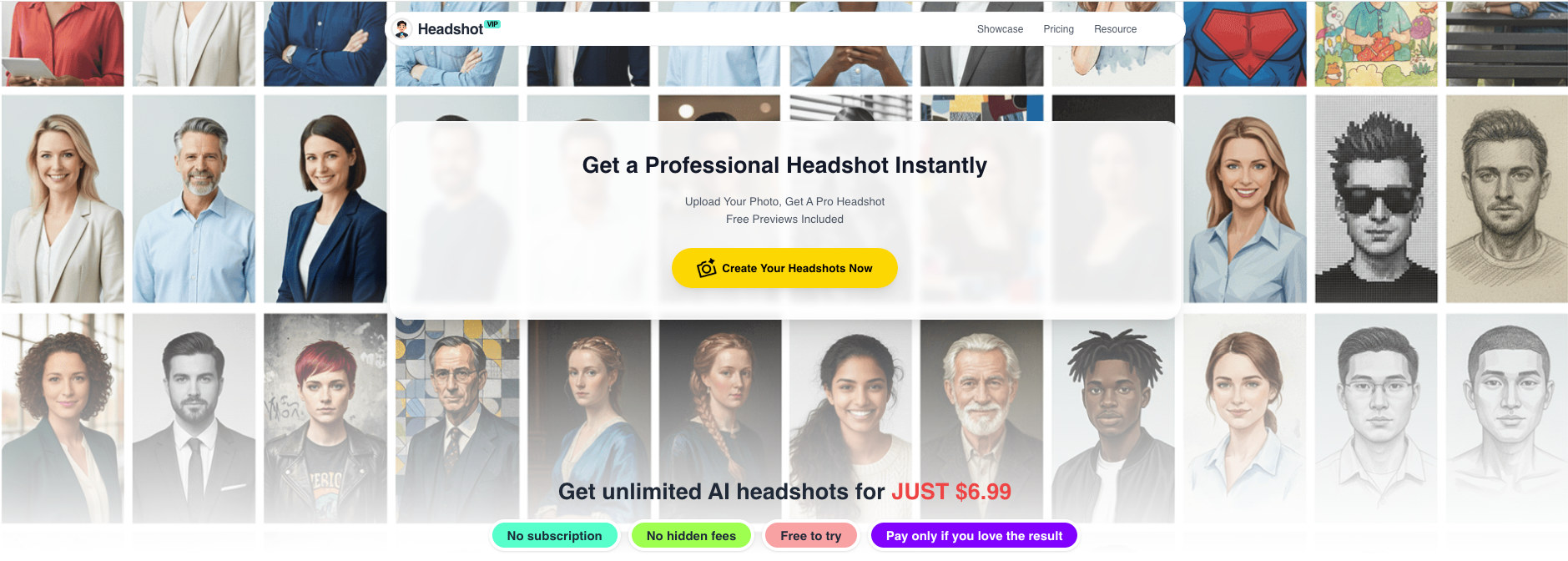
Method 2: Other AI Headshot Generators (And How They Compare)
There are many other ways to get an AI-generated headshot:
Design tools with AI headshot apps (e.g., Canva’s ProfilePhoto app)
- Good for quick, simple upgrades from a selfie
- Built-in editing tools for filters, cropping, and graphics
Dedicated AI headshot platforms (like HeadshotPro, BetterPic, Aragon AI and others discussed in independent reviews such as this Substack test of 30+ tools)
- Some focus on ultra-realistic business portraits
- Some offer massive style libraries or low-cost packages
Pros of alternative tools
- Often have free tiers or trials
- Deep integration with design features (e.g., Canva templates, filters)
- Huge ecosystem of other AI tools (generative fill, social post generators, etc.)
Cons vs. HeadshotVIP (for career-focused use)
- May focus more on fun avatars or social content than serious career branding
- Less control over business-appropriate styling (backgrounds or clothing might feel too casual)
- Privacy and data use policies vary; not all tools make it clear how your images are stored or used
- Team consistency is not always a first-class feature
If you only need a single quick upgrade for one casual profile, some of these tools can work fine. If you care about career progression, consistent branding, and realistic, professional results, a focused solution like HeadshotVIP usually makes more sense.
Practical Tips to Get the Most From Any AI Professional Headshot
These tips apply whether you use HeadshotVIP or any other LinkedIn headshot generator.
Choose the right “level” of formality for your industry
- Corporate, law, finance: full business attire, neutral office backgrounds.
- Tech, product, design: smart-casual with modern minimal backgrounds.
- Creative / media: you can inject more personality, but keep the image clean and sharp.
Avoid common AI “tells”
- Double-check:
- Hands (if visible) for extra fingers
- Jewelry or glasses for distortions
- Small artifacts in hair or around ears
- If something looks off, discard that image and pick another. Don’t risk a weird detail being the first thing someone notices.
- Double-check:
Keep your headshot updated
- Refresh every 1–2 years or after a major change (new hairstyle, glasses, etc.).
- You want people at interviews to recognize you instantly from your online photo.
Unify your brand across platforms
- Same (or very similar) AI professional headshot on:
- Portfolio
- Email signature
- Company bio
- This repetition builds trust and familiarity, especially in long hiring or sales cycles.
- Same (or very similar) AI professional headshot on:
Respect platform norms
- Some ATS systems or US-based roles might discourage photos on resumes.
- In those cases, keep the headshot for LinkedIn and portfolio, not the CV itself.
- For European and many international roles, a small, tasteful photo is still common and accepted.
- Some ATS systems or US-based roles might discourage photos on resumes.
Quick Comparison: Generic AI Tools vs. HeadshotVIP for Career Use
| Feature / Need | Generic AI Image Tool | Simple “Free” Headshot App | HeadshotVIP |
|---|---|---|---|
| Focus on career & LinkedIn use | ❌ Mostly generic art | ⚠️ Mixed | ✅ Yes |
| Realistic, business-appropriate styles | ⚠️ Varies widely | ⚠️ Some | ✅ Multiple business styles |
| High‑res (up to 4K) for resumes & speaking | ⚠️ Not always | ❌ Often limited | ✅ 4K options |
| Identity consistency across multiple shots | ⚠️ Hit or miss | ⚠️ Basic | ✅ Identity modeling |
| Team-wide consistent branding | ❌ Rare | ❌ Rare | ✅ Yes |
| Privacy-focused handling | ⚠️ Varies | ⚠️ Varies | ✅ Core priority |
| Easy to use for non‑designers | ❌ Often complex | ✅ Simple | ✅ Simple upload → generate → download |
FAQ About AI Professional Headshots for Career Growth
Q1: Will recruiters or clients care if my headshot is AI-generated?
A: In most cases, they care far more about whether the photo looks professional, current, and like you. If your AI headshot is realistic and accurate, it’s simply a modern way to get a good portrait—similar to using a filter or retouching in a studio. Avoid over-editing that makes you look like a different person.
Q2: Can I use an AI-generated headshot on LinkedIn and my resume?
A: Yes. LinkedIn fully allows AI-generated images as profile photos as long as they represent you accurately. For resumes, check regional norms: in some countries recruiters expect a photo; in others they prefer text-only CVs. Even when you skip a photo on your CV, you can still use your AI professional headshot on LinkedIn, your portfolio, and your email signature.
Q3: What kind of selfies work best for AI headshot generation?
A: Clear, well-lit photos are key. Use:
- Natural daylight or a bright indoor light
- A simple background if possible
- No heavy filters, face-smoothing apps, or AR effects
- Minimal obstructions (no sunglasses, large hats, or big hands covering your face)
The better your input, the more realistic and usable your AI-generated headshot will be.
Summary
A strong AI professional headshot won’t magically land you a job, but it does change how often people click, read, and reply. Used well, it:
- Makes your LinkedIn profile instantly more clickable
- Gives your resume and portfolio a finished, senior look
- Aligns your social, email, and personal brand into one clear identity
- Helps teams and startups look like a cohesive, trustworthy company
HeadshotVIP is built specifically for this career-focused use: realistic, multi-style 4K headshots, business-ready outputs, and privacy-first processing that you can confidently use across LinkedIn, resumes, portfolios, and team pages.
Try HeadshotVIP Now:
- Starter: $6.99 – ideal for one person updating LinkedIn and a CV
- Professional: $9.99 – more styles and higher-resolution images for multi-platform branding
Related Articles
- ai-professional-headshot-branding-guide-2025
- best-ai-professional-headshot-generator-for-linkedin-2025
- ai-headshot-generation-privacy-protection-guide-2025
Current Date: 2026-01-15