Best Free AI Headshot Generator for LinkedIn in 2025
Best Free AI Headshot Generator for LinkedIn in 2025
If you’re updating your LinkedIn in 2025, you’ve probably hit the same wall as everyone else: you know you need a clean, professional headshot, but you don’t want to spend $200+ on a photographer, book a studio, or hope your friend “with a nice camera” is available.
That’s why so many people are searching for a free AI headshot generator. The problem? A lot of “free” tools either look cartoonish, add weird artifacts, or quietly store your photos in ways that feel sketchy.
This guide shows you what actually works in 2025:
- The best free and freemium options for LinkedIn
- How they differ in realism, privacy, and hidden costs
- When it’s worth paying a few dollars for studio‑grade results with HeadshotVIP

What Makes a “Good” Free AI Headshot Generator for LinkedIn?
Most comparison posts just list tools. For LinkedIn, the bar is different: you don’t just want something “cool” — you want something believable and professional.
From testing popular tools (like Canva, HeadshotMaster, BetterPic free tier, Supawork, Remaker, and more), these are the criteria that actually matter:
1. Realism over filters
Free AI tools often:
- Over‑smooth skin
- Sharpen eyes unrealistically
- Add random accessories or makeup
- Produce outputs that look like game avatars
On LinkedIn, this is a problem. You want an AI professional headshot that could pass as a real studio photo, not something that screams “generated.”
Look for tools that:
- Keep your facial structure consistent
- Preserve natural skin texture
- Avoid heavy “beauty filter” effects by default
2. LinkedIn‑appropriate framing and style
An ideal LinkedIn headshot generator should:
- Focus on head and shoulders
- Use simple, non‑distracting backgrounds
- Offer business‑appropriate outfits and color tones
Some general AI portrait tools create full‑body fashion shots or cinematic scenes. Great for Instagram, but not your CV.
3. Transparent pricing and “free” limits
Almost no tool is 100% unlimited free. Common patterns:
- Daily free credits (e.g., 2–3 headshots per day)
- Free low‑res preview, pay for HD download
- Free trial for a single generation set
That’s not necessarily bad — but you should know exactly what you get before you invest time uploading photos.
4. Privacy and data handling
Many people now ask the right question: “What happens to my face data?”
For each tool, check:
- Does it clearly state how long images are stored?
- Is data used to train future models?
- Can you delete your data or request removal?
For professional platforms like LinkedIn, your photo is part of your identity. A trustworthy tool should treat it that way.
5. Speed and ease of use
Some tools need 20–30 selfies and take hours. Others generate in under a minute using a single selfie.
What works best depends on your goal:
- Need a quick upgrade before applying to a job? Single‑selfie, fast tools are fine.
- Want a long‑term personal brand photo set? More input images and slightly longer processing usually give better consistency.
Best Ways to Get a LinkedIn-Ready AI Headshot in 2025
Below are two main paths:
- Freemium but professional‑grade (HeadshotVIP – recommended)
- Completely free tools with realistic expectations
Method 1: Using HeadshotVIP (Recommended for LinkedIn & Resumes)
Use Case:
You want a LinkedIn-ready, resume-friendly AI professional headshot that looks like a real studio session, without paying typical photographer prices. You’re okay with a low‑cost plan if the result is actually good enough to use for years.
HeadshotVIP is designed specifically for business and career use — LinkedIn, company “About” pages, speaker bios, and team pages.
Step-by-step: How to create an AI professional headshot with HeadshotVIP
Go to the official site
Open your browser and visit:
👉 https://headshot.vipChoose your plan (or start at the lowest tier)
For individuals, HeadshotVIP offers affordable tiers (for example:- Starter: around $6.99
- Professional: around $9.99
Exact prices and promos may vary, so double‑check the pricing page.)
Prepare 5–10 clear selfies
For best results:- Use photos with good natural light (near a window works well)
- Avoid heavy filters or beauty apps
- Include different angles (front, slight left/right)
- Don’t crop too tight — leave some space above your head
Upload your photos
- Drag and drop your selfies into the uploader
- Confirm that your face is clearly visible in each image
- Follow any on‑screen prompts for gender or style preferences (e.g., “corporate,” “startup,” “creative,” etc.)
Pick LinkedIn‑appropriate styles
HeadshotVIP focuses on business contexts, so you can choose from:- LinkedIn classic (neutral background, simple lighting)
- Corporate (formal outfits, clean studio feel)
- Startup / tech (slightly more relaxed, soft backgrounds)
- Executive (strong presence, darker or richer tones)
- Creative professional (still polished, but with a bit more personality)
Generate and review your AI headshots
- The AI processes your images and creates a batch of headshots
- Scan for:
- Likeness to your real face
- Natural skin texture
- No weird artifacts in hair, ears, or eyes
- Mark your favorites — these are the ones you’ll export for LinkedIn, CV, email signatures, etc.
Download in high resolution and upload to LinkedIn
- Export your top picks as high‑resolution JPG/PNG
- On LinkedIn:
- Crop to square
- Center your face (eyes around the upper third of the frame)
- Check that it still looks sharp on mobile and desktop
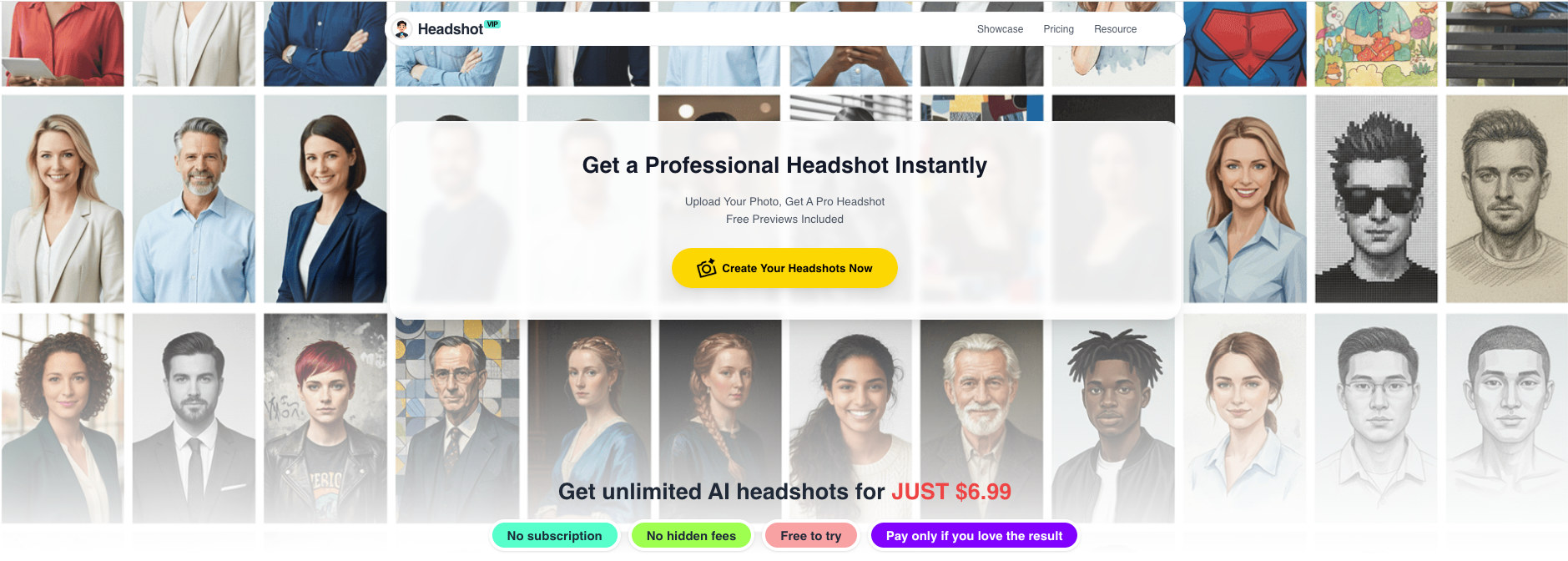
Alt: HeadshotVIP free AI headshot generator interface for LinkedIn-ready headshots
Why HeadshotVIP works well for LinkedIn (even vs “free” tools)
Advantages:
✅ Business‑first styling
Everything is built around professional use: LinkedIn, resumes, portfolios, and team pages. You won’t have to fight through fantasy or “cosplay” styles just to find something usable.✅ Realistic, not plastic
Identity‑consistency modeling and intelligent lighting reconstruction keep your face recognizable while avoiding over‑airbrushing.✅ Optimized for professional platforms
Aspect ratios, resolutions, and crop areas work well for:- LinkedIn profile photos
- CV/Resume blocks
- Company “About us” sections
✅ Team consistency for companies
If you’re a founder or HR lead, HeadshotVIP can generate a cohesive visual style across your entire team: same background, similar lighting and framing, but each person still looks like themselves.✅ Privacy‑focused processing
HeadshotVIP is designed with clear boundaries: images are processed for headshot generation, not for unrelated ad targeting. Check the privacy policy on the site for details, but the focus is on professional use, not data harvesting.
Limitations (to keep expectations realistic):
- Final quality still depends on your input photos. Dimly lit, blurry selfies will limit what any AI can do.
- You don’t get full manual control like a photographer (e.g., choosing exact body pose or micro‑adjusting every shadow). The system aims for strong defaults that work for most professionals.
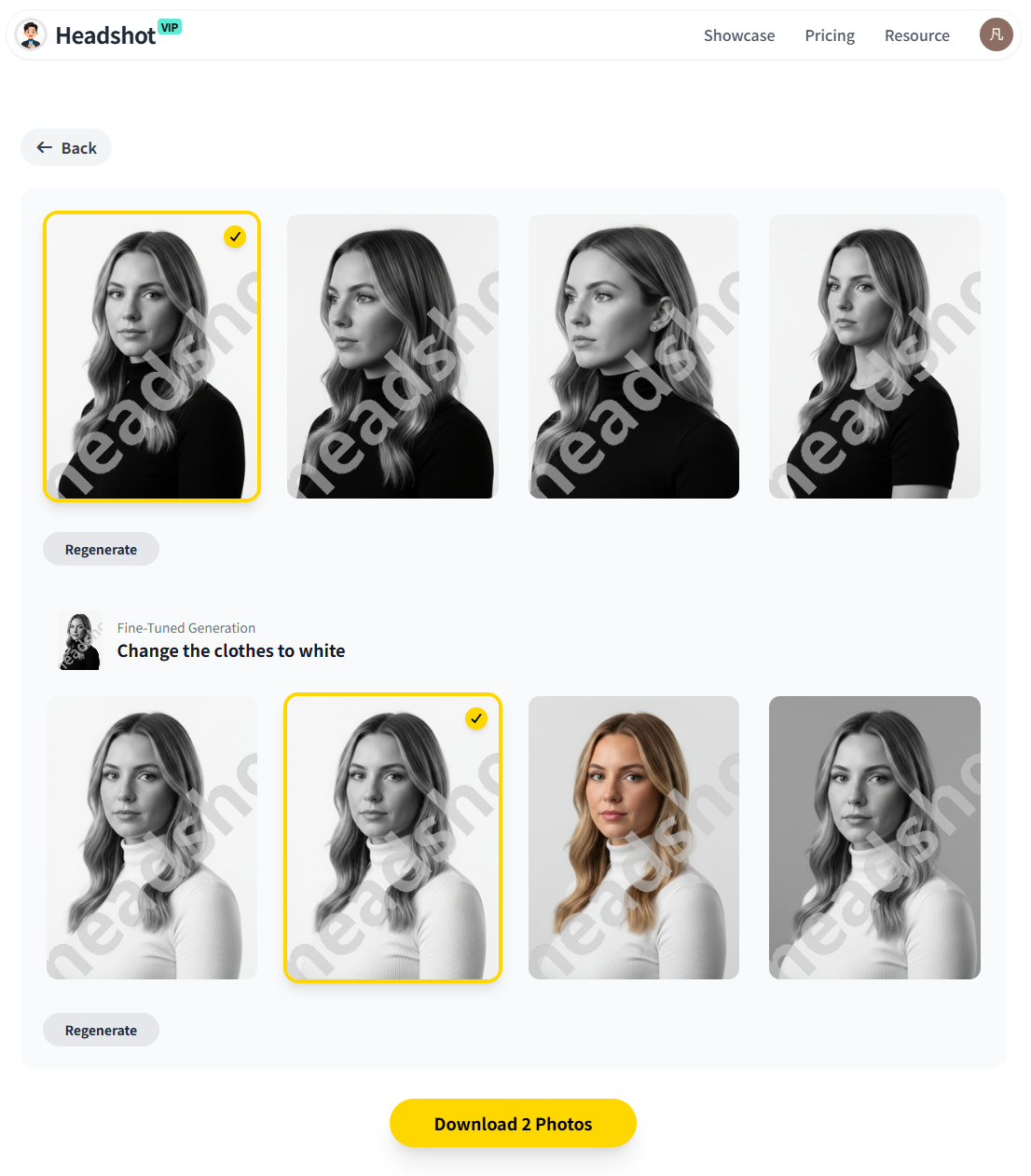
Alt: AI-generated professional headshot results from HeadshotVIP suitable for LinkedIn
Method 2: Completely Free AI Headshot Generators (With Realistic Trade-offs)
If you absolutely must spend $0, there are still options — you just need to be honest about what you’ll get.
Below are common free routes inspired by the current top tools (like Canva and HeadshotMaster) and real‑world testing such as the 2025 review on Medium of free AI headshot generators.
Option A: Canva’s free AI headshot generator
How it works (free tier basics)
- Go to Canva’s AI headshot page
- Create or log in to a Canva account
- Upload a selfie
- Use the ProfilePhoto / AI headshot app in the editor
- Get 1–2 free generations per day (after that, you wait or pay)
Pros:
- Familiar interface if you already use Canva
- Nice background cleanup and lighting fixes
- Built‑in photo editing tools (crop, adjust, add text, etc.)
Cons:
- “Free” means very limited credits – not ideal if you want to compare dozens of options
- Results can feel like filtered selfies, not full studio‑grade AI headshots
- Meant for general social media too, so styles aren’t always perfectly tuned for LinkedIn
Best for:
Quickly polishing an existing selfie into something cleaner. Great if your original photo is already decent but needs a more professional background.
Option B: HeadshotMaster and similar instant free tools
Tools like HeadshotMaster advertise “100% free AI headshot generator (no sign‑up).”
Typical flow:
- Visit the site (e.g., https://headshotmaster.io)
- Upload a single photo
- Choose a style (business, casual, etc.)
- Get a handful of generated portraits within seconds
Pros:
- Usually no account required
- Very fast — good if you’re in a rush
- Outputs can be fun to experiment with
Cons:
- Realism is hit‑or‑miss: some outputs look close to your real face, others feel AI‑ish or over‑processed
- Limited control over outfit, background, or pose
- Data usage and storage policies vary and may not be as transparent as larger brands
Best for:
Trying AI headshots for the first time to see if you even like the concept — before investing in a more consistent tool like HeadshotVIP.
Option C: Other “free” generators reviewed in 2025 (BetterPic free, Supawork, Remaker, AIease)
In a 2025 Medium review of free AI headshot generators, several popular tools were tested:
- BetterPic Free – surprisingly good likeness, but free tier is limited to a few generations per day.
- AIease, Supawork, Remaker – fun, but many outputs looked:
- Cartoonish
- Obviously AI
- Off in small but noticeable ways (unnatural hairlines, odd facial details)
Takeaways from that testing:
- Free tools are fun, but most aren’t good enough for a serious LinkedIn photo.
- If your goal is to look credible to recruiters or clients, you’ll likely end up upgrading to a paid option anyway.
Side-by-Side: Free Tools vs HeadshotVIP for LinkedIn
Below is a simplified comparison between:
- A typical free AI headshot generator (e.g., Canva / HeadshotMaster style)
- A freemium professional approach (HeadshotVIP)
| Feature / Criteria | Free Tools (e.g., Canva / HeadshotMaster style) | HeadshotVIP (Recommended for LinkedIn) |
|---|---|---|
| Cost | $0 (but limited credits/quality) | Low one‑time fee (e.g., $6.99–$9.99) |
| Primary goal | General social content / fun experiments | Professional LinkedIn & resume photos |
| Realism & likeness | Varies; can look filtered or AI-ish | High; optimized to look like real photos |
| Control over style | Basic (few presets, limited business focus) | Multiple business styles (corporate, startup, executive, creative) |
| Resolution / download quality | Sometimes lower; HD may be paywalled | High‑resolution, ready for print and web |
| Input requirements | Often 1 selfie | Several selfies recommended for best consistency |
| Privacy clarity | Varies by vendor | Privacy‑focused, designed for professional use |
| Team / company headshots | Rarely supported | Yes, style-consistent team generation |
| Best use case | Quick upgrade to a selfie | Long‑term, professional personal branding |
Practical Tips to Get a Great AI-Generated Headshot (Whatever Tool You Use)
Even the best AI professional headshot generator can only work with what you give it. These tips apply whether you’re using a free option or HeadshotVIP.
1. Start with better input photos
- Use daylight from a window; face the light source.
- Avoid extreme angles — aim for eye‑level, head and shoulders visible.
- Remove heavy filters, sunglasses, or anything that hides your face.
- If possible, include a mix of:
- Slight smiles and neutral expressions
- Hair up and down (if that’s how you normally look)
2. Dress how you want to be perceived
Even if the tool can change outfits, it helps if your input photos roughly match your professional vibe:
- For corporate roles: collared shirt, blazer, or simple top in neutral colors.
- For creative/tech roles: smart‑casual is fine, but still avoid loud prints that distract from your face.
3. Pick styles that fit your industry
- Finance, law, consulting: clean studio look, neutral background, formal outfits.
- Tech, startups, design: softer backgrounds, a bit more personality, but still tidy.
- Freelancers, creators: you can be slightly more expressive, but keep it clear and well‑lit.
4. Test your photo in context
Before you commit:
- Upload the headshot to your LinkedIn.
- View your profile on:
- Desktop
- Mobile app
- Ask yourself:
- Does it still look sharp and natural?
- Would I trust this person if I saw them on a hiring pipeline?
If it feels even slightly “fake,” try a different output — especially if you’re using a free tool that tends to over‑edit.
5. Think long‑term, not just “one application”
A strong LinkedIn headshot can work for:
- Resume PDFs
- Conference / meetup speaker bios
- Portfolio sites
- Email signatures
- Company Slack/Teams avatars
Spending a few dollars on something you’ll reuse everywhere often beats stitching together multiple free attempts that never quite look right.
FAQ: Free AI Headshot Generators for LinkedIn in 2025
Q1: Are free AI headshot generators good enough for LinkedIn?
A: They can be “good enough” if your expectations are modest and your input selfie is strong. Many free tools are fun but still produce results that look slightly artificial. If you’re applying for competitive roles or building a long‑term personal brand, a low‑cost professional tool like HeadshotVIP is more reliable.
Q2: Is it safe to upload my selfies to an AI headshot generator?
A: It depends on the tool. Always check:
- Whether your images are stored long‑term
- If they’re used to train future models
- How you can request deletion
Professional‑focused tools (like HeadshotVIP) typically have clearer privacy policies compared to random “free” sites that mainly monetize traffic or data.
Q3: How many photos should I upload for the best AI-generated headshot?
A: One selfie can work for quick, lightweight tools, but for consistent, realistic results, 5–10 photos in different lighting and angles are ideal. HeadshotVIP and similar pro‑grade tools benefit a lot from more varied input, especially if you want multiple styles that all still look like you.
Summary
Finding the best free AI headshot generator for LinkedIn in 2025 is about more than just “free.” It’s about getting a photo that:
- Looks like a real, confident version of you
- Fits your industry and role
- Holds up when recruiters and clients see it every day
Free tools like Canva and instant generators (HeadshotMaster‑style) are a great way to experiment, but they often hit a ceiling in realism and LinkedIn‑readiness.
If you’re serious about your professional brand, a small one‑time spend on HeadshotVIP gives you:
- Studio‑quality, AI professional headshots
- Business‑ready styles for LinkedIn, resumes, and company sites
- Higher realism and better identity consistency than most free generators
Try HeadshotVIP Now:
- Starter: $6.99
- Professional: $9.99
Related Articles
- Professional-Headshot-Tips
- best-ai-professional-headshot-generator-for-linkedin-2025
- create-ai-professional-headshot-for-linkedin-2025-guide
Current Date: 2026-01-10