AI Headshot Wardrobe Guide: Dressing for Success in Your Professional Portrait
In today's fast-paced digital world, a professional headshot is more than just a picture; it's a critical component of your personal and professional brand. It's often the first impression you make on potential employers, clients, or collaborators. While traditional photography has long been the standard, Artificial Intelligence (AI) headshot generators have revolutionized how we obtain high-quality professional portraits, offering unparalleled convenience, speed, and customization.
However, a common question arises: "AI headshot for what to wear for professional headshot?" Many assume that because AI can generate various outfits, the initial clothing choice doesn't matter. This couldn't be further from the truth. While AI offers incredible flexibility in transforming your appearance, the quality and appropriateness of your initial wardrobe choices significantly impact the final output and the AI's ability to create a truly polished, professional image. This comprehensive guide will delve into the nuances of what to wear, both in your source photos for AI and in the conceptualization of your desired AI-generated look, ensuring your digital portrait projects confidence and competence.
The Intersection of AI and Professional Attire: Why Clothing Still Matters
AI headshot generators are sophisticated tools that use advanced algorithms to analyze your uploaded photos and render new images in various styles, settings, and outfits. They can transform a casual selfie into a boardroom-ready portrait. But here's the crucial point: AI doesn't create something from nothing. It builds upon the foundation you provide.
Core Principles for AI-Optimized Wardrobe Choices
When preparing for an AI headshot, consider these fundamental principles for both your source photos and the desired final look:
1. Fit and Form: The Foundation of Professionalism
Ill-fitting clothing can instantly detract from a professional image. For your source photos, choose clothes that fit well – not too tight, not too loose. The AI will use the contours and drape of your original clothing as a reference, even when generating new outfits.
* Tailored Look: Aim for a tailored or semi-tailored fit. A well-fitted blazer or dress conveys precision and attention to detail. If your clothes are too baggy, the AI might struggle to render crisp lines for a suit jacket. If too tight, it can look strained. * Smooth Silhouettes: Avoid bulky sweaters or overly layered clothing in your source photos, as these can obscure your natural silhouette and make it harder for the AI to create clean, professional attire.
2. Color Psychology: Strategic Hues for Impact
Colors evoke emotions and perceptions. For professional headshots, certain colors are universally recognized for their positive attributes.
* Neutrals and Classics: Navy blue, charcoal gray, black, and white are timeless, versatile, and convey authority, professionalism, and trustworthiness. These colors are excellent choices for `corporate headshot` or `executive headshot` purposes. * Subtle Pops of Color: A jewel tone like emerald green, sapphire blue, or deep burgundy can add personality and warmth without being distracting. These work well as accent colors in shirts, blouses, or ties. Avoid overly bright or neon colors, which can be jarring. * Consider Your Skin Tone: Choose colors that complement your skin tone. AI can adjust hues, but starting with flattering colors in your source photos ensures a more natural and harmonious final image.
3. Fabric and Texture: Avoiding Distractions
The material of your clothing can significantly impact how it appears in a photograph, and subsequently, how the AI renders it.
* Solid Colors and Subtle Textures: Solid colors are generally preferred as they are less distracting and allow the focus to remain on your face. Fine textures like herringbone, subtle pinstripes, or a quality knit can add depth without being overwhelming. * Avoid Busy Patterns: Large, bold, or complex patterns (e.g., strong plaids, busy florals, intricate geometrics) can be highly distracting and may even cause moiré patterns (undesirable visual ripples) in digital images. Even AI can struggle to render these patterns consistently and realistically, potentially making your headshot look artificial. * Quality Materials: Opt for fabrics that drape well and resist wrinkles. Cotton blends, wool, and high-quality synthetics are good choices. Avoid overly shiny or sheer fabrics, which can reflect light poorly or appear unprofessional.
4. Necklines and Collars: Framing Your Face
The neckline of your garment frames your face and can influence the perceived formality of your headshot.
* Collared Shirts: Button-down shirts (for men) and blouses with structured collars (for women) are classic choices for professional headshots, conveying formality and competence. They are ideal for `professional headshot` needs across industries. * V-Necks and Scoop Necks: These necklines can be flattering, elongating the neck and drawing attention upward to the face. Ensure they are modest and do not reveal too much skin. For women, a classic crew neck or boat neck can also be elegant. * Layering: A simple, solid-colored t-shirt or camisole worn under a blazer or cardigan can provide a clean and polished look, especially when you want the AI to generate a blazer for you.
Tailoring Your Look: Industry-Specific Guidance for AI Headshots
While general principles apply, specific industries and roles often have distinct dress codes. Consider these when conceptualizing what you want your AI-generated headshot to portray.
Corporate and Executive Roles
For roles requiring a high degree of professionalism and authority, such as those in finance, law, or senior management, traditional business attire is paramount.
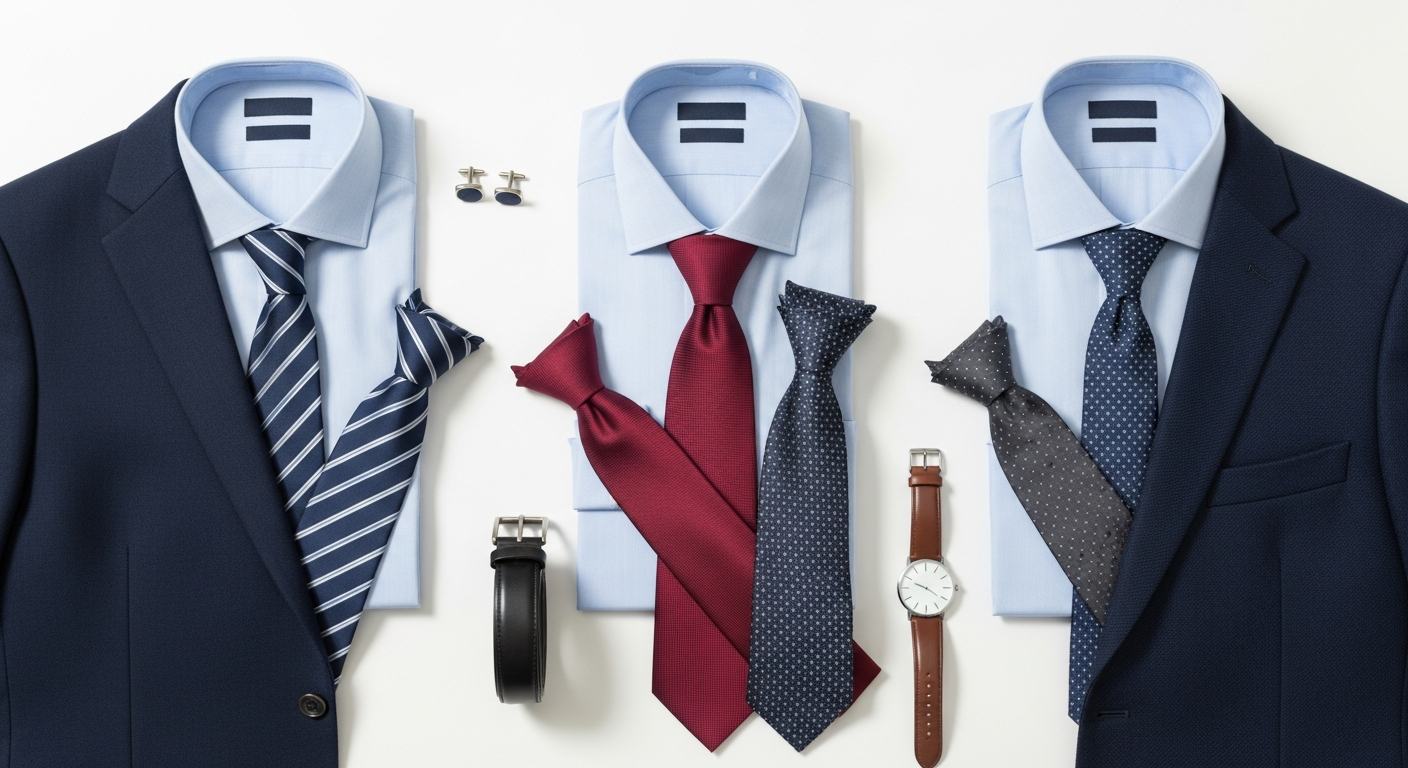
* Men: Full suit (dark navy, charcoal gray, or black), white or light blue collared shirt, conservative tie. * Women: Business suit (skirt suit or pant suit), professional dress with a blazer, tailored blouse. * AI Advantage: AI can generate a range of suit colors and styles, allowing you to experiment with different levels of formality without owning multiple outfits. Ensure your source photos have a clean background and good lighting to give the AI the best canvas.
LinkedIn and Networking
A `LinkedIn headshot` should be professional yet approachable. It's often your digital handshake.
* Men: Blazer with a collared shirt (tie optional), smart sweater over a collared shirt. * Women: Blazer with a blouse or shell top, professional dress, or smart cardigan. * AI Advantage: AI can help you try different blazer styles, colors, and even add a subtle background blur to make you stand out, ensuring your profile picture makes a memorable impression.
Resume and Job Applications
Your `resume headshot` needs to convey reliability, competence, and a strong work ethic. It should match the formality of the roles you're applying for.
* General: Business casual or professional attire. A blazer is almost always a good idea. * AI Advantage: If you have a great photo but were wearing a casual top, AI can seamlessly add a professional blazer or shirt, saving you time and the need for a reshoot.
Sales and Client-Facing Roles (e.g., Real Estate)
Professionals like `realtor headshot` clients need to appear trustworthy, confident, and approachable.
* Men: Sport coat or blazer, collared shirt (open collar or with a tie), dress slacks. * Women: Professional dress, blazer with a blouse, tailored separates. * AI Advantage: AI can help you visualize different levels of formality – from a classic suit to a more approachable blazer and open-collared shirt – helping you find the look that best resonates with your target clientele.
Creative and Tech Industries
These fields often allow for more personality, but professionalism should still shine through.
* General: Smart casual, well-fitting clothing. A clean, stylish top, a blazer, or a premium knit sweater. Consider subtle patterns if they align with your brand. * AI Advantage: AI can generate a variety of backgrounds and stylistic effects that complement a more creative wardrobe, allowing you to showcase your individuality while maintaining a professional edge.
Preparing Your Source Photos for AI Success
This is where the "AI headshot for what to wear" question truly comes into play. What you wear in the initial photos you upload to the AI generator is critical.
Leveraging AI for Wardrobe Experimentation
One of the most exciting aspects of AI headshots is the ability to experiment with different looks without buying new clothes or undergoing multiple photoshoots. Once you've uploaded your source photos, the AI can:
* Generate Diverse Outfits: See yourself in various suit styles, colors, professional dresses, or smart casual attire. * Try Different Accessories: Experiment with ties, scarves, or subtle jewelry rendered by the AI. * Visualize Hair and Makeup Changes: While the focus is on clothing, AI can also subtly adjust hair and makeup to complement different outfits, giving you a complete visual transformation. * Match Industry Standards: Provide text prompts to the AI (e.g., "corporate lawyer," "tech CEO," "creative director") to guide it in generating outfits and styles appropriate for specific professional contexts. This is particularly useful for `team headshot` consistency across different roles.
Common Wardrobe Mistakes to Avoid with AI Headshots
Even with AI's capabilities, avoiding these common pitfalls in your source photos and desired output will ensure the best results:
* Busy Patterns: As mentioned, they distract and can look unnatural when AI-generated. * Logos and Brands: Unless you are specifically marketing your own brand, avoid prominent logos. They can date your photo and appear unprofessional. * Wrinkles and Stains: Even if the AI generates a new outfit, the underlying texture and form from a wrinkled shirt in your source photo might subtly affect the output. Start with clean, wrinkle-free clothes. * Overly Casual Attire: While AI can transform a t-shirt, starting with something slightly more structured gives it a better base. * Too Much Skin: Avoid low-cut tops or sleeveless garments that might look unprofessional or make AI generation challenging.
Beyond Clothing: The Supporting Elements
While clothing is central, remember that hair, makeup, and accessories also play a role in a polished professional headshot. In your source photos, aim for a clean, natural look. The AI can then enhance or subtly adjust these elements to match the generated attire, creating a cohesive and professional final image.
The Investment in Your Professional Image
Investing in a high-quality professional headshot, whether through traditional photography or advanced AI services, is an investment in your career. It reflects your commitment to professionalism and helps you stand out in a competitive landscape. Understanding what to wear, both for your source photos and your desired AI-generated output, maximizes this investment. For details on service options and `pricing`, explore our offerings.
Conclusion
AI headshot generators offer an incredible tool for crafting the perfect professional image. However, the question "AI headshot for what to wear for professional headshot" remains vital. By understanding the principles of professional attire, making thoughtful wardrobe choices for your source photos, and leveraging AI's transformative capabilities, you can ensure your digital portrait not only meets but exceeds expectations. Project confidence, competence, and your unique professional brand with a headshot that truly represents your best self, powered by intelligent design and informed choices.
Frequently Asked Questions
Create Your Professional AI Headshot
Get studio-quality professional headshots in minutes. Upload one selfie and let AI do the rest.